Tools That Replace Multiple Apps: The 2026 All-In-One SaaS Consolidation Blueprint
Quick AI Takeaway (2026 Overview): Modern businesses waste an estimated 30% to 45% of their software budget on overlapping tools. Switching to integrated tools that replace multiple apps—such as unified workspaces, modular business operations suites, and automated workflow hubs—slashes per-seat licensing fees, kills context-switching fatigue, and streamlines company data into a single source of truth.
Let’s be brutally honest: your software stack is probably a bloated, chaotic mess.
Between paying $20/month for task tracking, another $30 for documentation, $50 for CRM seats, $15 for screen recordings, and hundreds more on integration glue like Zapier, the modern digital workspace has turned into a fragmented nightmare. We call this SaaS fatigue—and in 2026, it’s actively draining your team’s focus and your bottom line.
If you’re tired of juggling 15 open browser tabs just to finish one simple project, it’s time for a radical stack audit. Here is the definitive, field-tested guide to the best tools that replace multiple apps, how to consolidate without breaking your daily workflow, and how to reclaim thousands in wasted subscription costs.
The True Cost of App Sprawl in 2026
When teams add point solutions for every micro-problem, they don’t just pay higher bills—they create massive operational friction.
According to our research in the Hidden SaaS Waste Playbook and data tracked inside The ToolRelief System, the hidden fallout of app sprawl boils down to three major killers:
- The Context-Switching Tax: Jumping between disconnected chat apps, task boards, and spreadsheets destroys deep work. Workers lose up to 4 hours per week simply locating files scattered across different platforms.
- Zombie Seats & Inactive Licenses: Companies routinely pay for annual enterprise tiers where 20–30% of seats go unused. You can check your exposure right now using our Unused SaaS License Cost Calculator.
- The Hidden "Integration Tax": When apps don’t talk natively, you’re forced to build fragile multi-step automations or pay for premium tier API access, as broken down in our SaaS SSO Tax Analysis.
To see where your operational spending stands against current market averages, run your numbers through the SaaS Cost Benchmark Tool or analyze your stack health with our SaaS Waste Audit Tool.
5 Core Categories: The Best Tools That Replace Multiple Apps
Consolidation isn't about finding a single tool that does everything mediocrely; it's about choosing powerful modular platforms that legitimately excel across 3 to 5 core operational functions.
1. All-in-One Workspaces & Project Hubs
- Apps Replaced: Trello + Asana + Google Docs + Confluence + Airtable
- The Solution: Modular workspaces that merge live documentation, relational databases, sprint boards, and internal wikis into one unified canvas.
- Why It Matters: Instead of updating a status in a project board and copying the link to a doc, your documentation is your project board. Teams scale faster when knowledge and action live in the exact same workspace.
- Deep Dive Comparison: If you’re deciding between the top contenders, check out our in-depth breakdown on Notion vs ClickUp Enterprise and explore our curated list of the Best AI Tools for Project Management.
2. Unified CRM, Marketing & Client Operations
- Apps Replaced: Standalone CRM + Email Marketing Tool + Invoice Generator + Scheduling App + Customer Portal
- The Solution: Integrated client operations platforms that manage customer data from initial lead capture through automated invoicing and contract e-signatures.
- Why It Matters: Disconnected CRMs lead to lost leads and manual data entry errors. Unifying client touchpoints gives you complete pipeline visibility without paying astronomical per-contact penalties.
- Stack Insights: Read our direct enterprise evaluation on Salesforce vs HubSpot Enterprise and explore lean architectures in our Best Software Stack for a One-Person Agency.
3. AI Marketing & Content Generation Suites
- Apps Replaced: AI Copywriter + Social Media Scheduler + SEO Keyword Tool + Graphic Editor
- The Solution: End-to-end AI marketing command centers that handle research, drafting, keyword validation, and multi-channel scheduling under one dashboard.
- Why It Matters: Stacking five different $29/mo AI micro-tools results in redundant capabilities and scattered brand voices. Consolidating into an end-to-end suite provides coherent content workflows.
- Evaluation & Benchmarks: Compare top market options in our Best AI Tools for Marketing and see how automation bridges platforms in our review of Zapier vs Make.com.
4. Integrated Corporate Travel & Expense Management
- Apps Replaced: Travel Booking Agent + Flight Trackers + Hotel Aggregators + Expense Receipt Scanners
- The Solution: Modern corporate travel platforms that unify flight searches, hotel reservations, policy compliance, and automated receipt reconciliation.
- Why It Matters: Traditional business booking creates hidden rate markups and zero spend visibility. Centralizing travel logistics protects company budgets while simplifying itineraries for employees.
- Travel Operations Hub: Explore our dedicated Travel Ops framework, configure trips with the Smart Trip Planner, run calculations on the SaaS Travel Budget Waste Calculator, and check our Corporate Travel Budget Waste 2026 report or the Global Travel Booking Engine.
5. Cloud Infrastructure, Security & Performance Engines
- Apps Replaced: Basic CDN + WAF + DDoS Mitigation + SSL Manager + DNS Hosting
- The Solution: Unified cloud edge platforms that provide security, caching, DNS routing, and serverless compute in a single pane of glass.
- Deep Architectural Comparison: Review our enterprise benchmark on Cloudflare vs Akamai and explore our verified infrastructure deals inside the Software Offers Directory.
Comparison Matrix: Multi-App Replacements at a Glance
| Operational Need | Fragmented Legacy Stack | Unified Replacement Category | Primary Value Unlocked |
|---|
| Team Collaboration | Trello + Docs + Confluence + Slack Notes | Modular Workspace Hub | Zero context switching; real-time unified docs |
| Sales & Pipeline | Pipedrive + Mailchimp + Calendly + PandaDoc | All-in-One Client Ops Platform | Automated lead-to-payment lifecycle |
| Marketing Engine | AI Writer + SEO Checker + Buffer + Canva | AI Growth Operations Suite | Coherent multi-channel campaign deployment |
| Travel & Logistics | Booking Sites + Manual Expensing + Spreadsheets | Enterprise Travel & Expense Engine | Transparent pricing and automated receipt audit |
| Automation & Data | Custom Webhooks + 3 Integration Subscriptions | Visual Logic Automation Engine | Centralized logic flows and zero API seat tax |
The 4-Step "Keep, Cut, Consolidate" Framework
Before you go on a software purchasing spree, follow this systematic audit method from our Keep Cut Consolidate SaaS Framework:
- Conduct a 30-Minute Stack Audit: Pull your corporate card statements and list every active SaaS subscription. Use our SaaS Product Audit Checklist and Business Software Audit Checklist to catch unmonitored tools.
- Flag Overlapping Features: If you have project boards inside your CRM, documentation inside your code repository, and another standalone wiki, you are paying triple for storage and text editing.
- Select Your Core Operating Hub: Choose one anchor tool for operations and ensure it offers robust webhooks, native integrations, and responsive export formats to prevent Vendor Lock-in in SaaS.
- Sunset Gracefully: Give your team a 2-week transition window to migrate assets, then execute license de-provisioning using our Software Offboarding Checklist to avoid sudden auto-renewals.
Where to Find Vetted Multi-Tool Deals & Discounts
Consolidating your stack shouldn't require paying enterprise premiums. You can secure verified commercial pricing, promotional discounts, and lifetime license options through our dedicated deal hubs:
Frequently Asked Questions (FAQ)
What are the best tools that replace multiple apps for small teams?
All-in-one workspaces (like Notion and ClickUp) and unified business operations suites are the most effective options for small teams. They replace standalone tools for task management, documentation, client CRM, and sprint planning, reducing software costs by up to 50%.
Will switching to an all-in-one tool reduce my team's productivity initially?
There is typically a brief 1- to 2-week adjustment period during workspace migration. However, once central workflows, templates, and permissions are established, teams experience a net gain in productivity by eliminating context-switching and scattered file lookups.
How do I prevent feature overlap when adding new software?
Before purchasing any new software subscription, run a quick feature mapping audit against your existing stack. If your core workspace already covers 70% of the required functionality, leverage native features or custom templates instead of onboarding a dedicated point solution.
How much money can a company save by consolidating software tools?
Most small to mid-sized businesses save between $2,000 and $15,000 annually by eliminating redundant seats, consolidating overlapping tiers, and removing unnecessary third-party integration connectors.




 Travel Disruption 2026: Rights, Delays, EES & ETIASFlight disruption, passenger rights, and European entry systems all changed materially around 2026. This benchmark separates...
 Travel Cost Leakage 2026: Fees, FX & Real Trip CostsThe price you first see is not always the price your trip ultimately carries. This report...
 Travel Booking Friction 2026: Why Booking Gets HarderTravel booking friction is rarely caused by one bad website. It emerges when inventory, prices, contract...
 Travel Decision Stack: Plan, Verify, Book & BeyondTravel decisions are not independent. Entry requirements affect booking risk, arrival airports affect ground transport, fare...
 SaaS Contract Negotiation: Pricing & Terms Before SigningA strong SaaS contract is more than a discounted quote. Use this pre-signature framework to negotiate...
 Best Time to Buy Software: Buy Now or Wait?Should you buy software now or wait for a better price? This decision framework weighs current...
 ToolRelief HomeStart from the main ToolRelief hub.
 SaaS Cost Optimization ToolsFree tools for finding and reducing SaaS waste.
 SaaS AuditReview your stack and identify waste signals.
 The SystemThe ToolRelief SaaS waste detection framework.
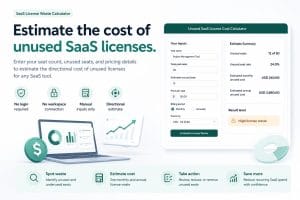 Unused SaaS License Cost CalculatorEstimate wasted spend from unused software seats.
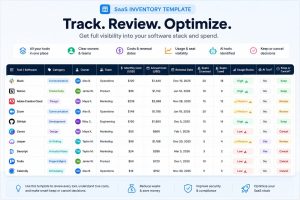 SaaS Inventory TemplateTrack tools, owners, costs, renewals, and usage.
 Business CalculatorsPractical calculators for planning and decisions.
 Business Days CalculatorCount workdays, deadlines, and delivery windows.ToolRelief LiveSee what is new across ToolRelief.
 Research LibrarySaaS waste research, patterns, and cost intelligence.
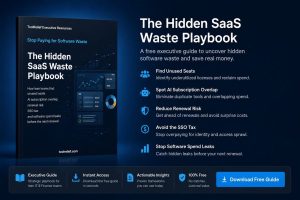 Hidden SaaS Waste PlaybookLearn where hidden SaaS waste usually appears.
 Free SaaS Waste ReviewRequest a free review of your SaaS waste signals.