Unclear hardware decision
The device issue may affect software, AI, security, travel, FinOps, or infrastructure decisions.
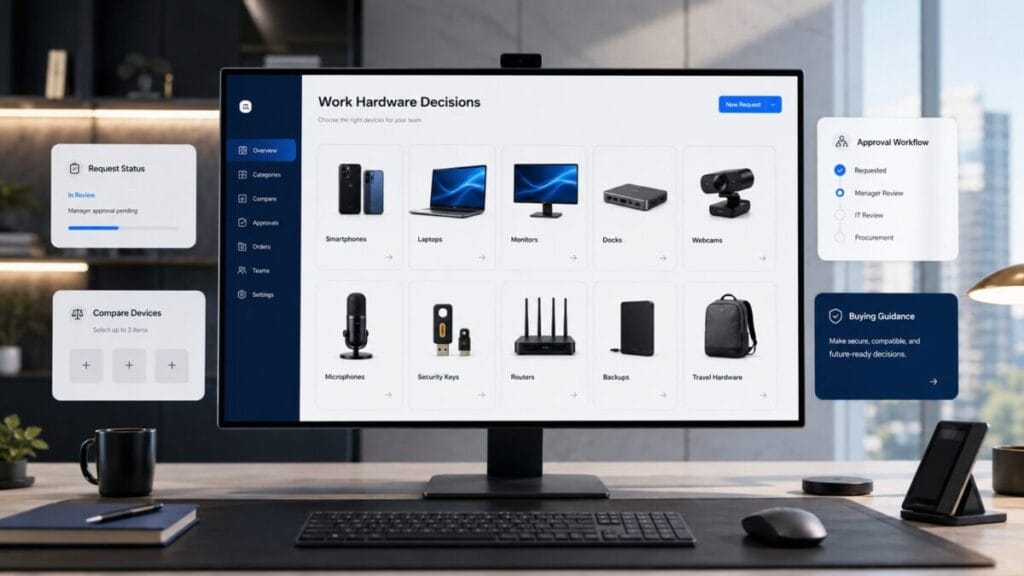
Device Intel is not a gadget page. It is a work hardware decision layer for smartphones, laptops, monitors, docks, webcams, microphones, security keys, routers, backups, travel hardware, workspace gear, and device lifecycle decisions.
Decision Console
Device Intel turns hardware pressure into decision routes. If a device does not improve output, reliability, security, compatibility, mobility, or workflow continuity, the decision may be to ignore it, repair it, monitor it, or remove it from the buying list.
The device issue may affect software, AI, security, travel, FinOps, or infrastructure decisions.
The team needs to decide whether hardware deserves budget or whether the current setup still works.
AI tools may change memory, storage, battery, screen, microphone, camera, and workstation needs.
Device upgrades, accessories, repairs, storage, backups, and workspace gear can become hidden operating cost.
Old devices, weak authentication, unsupported systems, or unmanaged hardware can affect account and data security.
Travel hardware decides whether work continues when the user leaves the desk, office, or home setup.
Remote hardware decisions may depend on VPN fit, router reliability, backup connectivity, and secure access patterns.
Hardware, workspace, security, travel, and infrastructure partners should support clearer work decisions.
Positioning
A device decision is not about owning the newest object. It is about whether hardware improves output, reduces friction, supports security, protects reliability, extends mobility, and fits the actual workflow.
Hardware earns budget when it improves execution: faster work, fewer interruptions, stronger calls, better reliability, safer access, or smoother mobility.
A dock, webcam, microphone, keyboard, monitor, charger, or router should remove a workflow bottleneck, not become another thing to maintain.
Replacement becomes serious when battery, storage, OS support, compatibility, repairability, performance, or security updates start affecting work.
Signal Stream
These are hardware decision signals, not gadget trends. When one appears, the question is whether the device layer still supports the work.
A device that cannot survive meetings, travel, or focused work may no longer be reliable infrastructure.
Storage limits can block creative work, backups, local files, AI workflows, and operating system updates.
Unsupported software or security updates can turn an old device into an operational risk.
AI-heavy workflows may expose limits in memory, processing, storage, microphones, displays, or creative hardware.
Poor camera, microphone, lighting, or connection quality can make the device layer visible for the wrong reason.
Too many adapters, hubs, cables, stands, and gadgets can signal that the core setup is wrong.
Chargers, backup connectivity, power banks, and device readiness decide whether travel work actually works.
High-risk accounts may need stronger authentication hardware, access discipline, and recovery planning.
External Service Demand Engine
Device Intel tracks external work hardware categories where performance, meeting quality, security, mobility, backup, and workspace reliability create real decision pressure for Western teams in 2026.
Teams need laptops that can handle browser-heavy work, AI tools, meetings, documents, security apps, travel use, and daily battery pressure without turning upgrades into guesswork.
AI-assisted work and remote operations make laptop fit a workflow decision, not a simple spec comparison.
comparison / upgrade checklist / workload template / replacement guide
Remote work suffers when video calls, sales meetings, interviews, demos, and internal reviews depend on weak camera, audio, lighting, or room setup quality.
Distributed teams still rely on calls as operating infrastructure, so meeting clarity can affect trust, speed, and execution.
comparison / meeting setup checklist / upgrade guide / remote call quality template
Work setups break down when charging, ports, displays, cables, travel power, dual monitors, and device connections are patched together without a clear workspace system.
Hybrid and travel work make power, displays, docks, and portable infrastructure part of the operating stack.
workspace checklist / comparison / upgrade guide / setup template
Teams need stronger account access, password discipline, backup habits, local recovery, storage protection, and device security before a lost laptop or failed drive becomes an operating problem.
Remote teams depend on devices as access points to business systems, files, identity, payments, and customer work.
risk guide / backup checklist / security template / device protection calculator
ToolRelief may use reader demand, search signals, and category relevance to decide which work hardware categories deserve deeper guides, comparison pages, upgrade checklists, calculators, or future sponsor-ready placements. Placement should support reader decisions, not replace them.
Device Modules
Device Intel separates work hardware into decision layers. Each layer should answer whether the hardware improves output, reduces friction, supports security, or deserves budget.
Phones support calls, authentication, scanning, hotspot, camera work, travel, communication, and emergency productivity.
Laptops and workstations should match the actual workload: browser-heavy work, AI tools, creative production, coding, finance, video, or travel.
Monitors, stands, lighting, keyboards, and workspace gear should reduce fatigue and context switching, not create a decorative setup.
Webcams, microphones, headphones, and lighting matter when meetings, sales calls, interviews, support, or content work depend on clarity.
Routers, backup internet, eSIMs, hotspots, and VPN readiness decide whether remote work survives outside ideal conditions.
Security keys, password managers, authenticators, recovery methods, and device policies protect the accounts that run the work.
External storage, cloud backup, local backup, and recovery plans become important before failure, not after.
Chargers, adapters, power banks, lightweight workstations, laptop bags, privacy screens, and backup connections decide mobile reliability.
Decision Format
Every device decision should force a work answer. If the hardware cannot explain its role in output, reliability, security, mobility, or lifecycle risk, it may not deserve the purchase.
| Device question | What it forces the decision to explain | Decision route |
|---|---|---|
| Does this hardware improve real work? | The device must support output, reliability, speed, quality, creative work, remote work, or operational execution. |
Start with the work problem.
Route this issue |
| Does it reduce friction or add another object to manage? | The device or accessory should simplify the workflow, not create another charging, storage, cable, app, or support burden. |
Review the operating layer.
Move to Intel Hub |
| Does it support security, reliability, mobility, and workflow? | Hardware should be evaluated through account safety, update support, remote work needs, backup readiness, and device durability. |
Route risk into security review.
Review the risk |
| Is the upgrade justified? | Upgrade pressure should come from output, lifecycle risk, compatibility, mobility, repair cost, or operational need. |
Route budget impact into finance review.
Follow the money leak |
| Should the team buy, keep, replace, repair, monitor, or ignore? | The final action should follow the workflow value, risk level, cost pressure, and lifecycle status. |
Convert uncertainty into an action.
Check the decision |
Decision Matrix
Device Intel should not leave the reader with “new is better.” It should route hardware into a clear action category.
Buy when hardware directly improves output, reliability, security, mobility, meeting quality, AI workload support, or operational continuity.
Keep when the current hardware still supports the workflow, receives needed updates, stays reliable, and does not block work.
Replace when battery, compatibility, security support, repair cost, reliability, performance, or role fit makes the current device hard to defend.
Repair when the device still fits the workflow and the issue is limited to battery, screen, storage, keyboard, port, or a manageable hardware fault.
Monitor when the hardware is aging but not yet blocking work. Watch battery, update support, reliability, storage, and repair cost.
Ignore the purchase when it is driven by novelty, social pressure, aesthetics, or vague productivity hope instead of a real workflow constraint.
Action Routes
Each route below moves the reader toward a specific hardware, security, software, travel, finance, or infrastructure decision.
Use this when AI tools, local workflows, creative apps, coding, meetings, or automation change hardware requirements.
Use this when hardware affects account access, authentication, remote work, recovery, device support, or data exposure.
Use this when upgrades, repairs, accessories, storage, backups, or device fleets create budget pressure.
Use this when the work depends on mobile devices, chargers, adapters, eSIMs, VPNs, backup power, or remote-work travel gear.
Use this when work hardware connects to hosting, routers, backup access, local testing, websites, or technical infrastructure.
Use this when product lifecycle, operating system changes, device categories, or software requirements affect timing.
Partner Ready
Device Intel can support relevant partners across laptops, smartphones, workspace gear, monitors, webcams, microphones, docks, keyboards, routers, storage, backup tools, security keys, travel hardware, and remote-work infrastructure. The standard is not gadget exposure. The placement must help a reader make a clearer hardware, productivity, security, mobility, or lifecycle decision.
Partnership and sponsorship opportunities should be aligned with editorial fit, reader value, and clear disclosure.
FAQ
No. Device Intel is a work hardware decision layer. It focuses on whether hardware improves real work, security, reliability, mobility, lifecycle readiness, or workflow quality.
No. New only matters when the upgrade is justified by output, lifecycle risk, compatibility, reliability, security, repair cost, or operational need.
Modern software decisions depend on devices. AI tools, VPNs, cybersecurity, travel work, meetings, backups, authentication, and remote workflows all rely on hardware that must still earn its place.
Review the actual work constraint first: performance, battery, security support, compatibility, travel reliability, meeting quality, storage, repairability, and whether an existing setup can still do the job.
Final Decision CTA
Use Device Intel to review smartphones, laptops, monitors, docks, webcams, microphones, security keys, routers, backups, travel hardware, workspace gear, and lifecycle decisions before hardware becomes another unmanaged layer in the stack.
DEVICE DECISION CHECK
Device software earns a place when it solves a device-level problem without creating a larger access, performance, or recovery problem. This section prioritizes compatibility and control over feature count.
Confirm operating system, processor, browser, device count, regional availability, and conflicts with existing security tools.
Review permissions, admin rights, background services, browser access, and what data the utility can read or change.
Measure startup time, network load, battery use, storage, and whether the tool slows the workflow it is meant to protect.
Verify exports, backups, uninstall behavior, account recovery, and what remains after the subscription ends.
Compare tools by compatibility, permission scope, performance impact, and recovery—not by feature count alone.
VPN & Security
Security, VPN, privacy, proxy, or endpoint-protection offer for safer software operations.
VPN & Security
Security, VPN, privacy, proxy, or endpoint-protection offer for safer software operations.
VPN & Security
VPN and digital privacy service for securing internet connections, browsing, and online activity across devices.
Productivity & Workflow
Productivity software offer for file handling, transcription, media workflow, or day-to-day business execution.
Productivity & Workflow
Productivity software offer for file handling, transcription, media workflow, or day-to-day business execution.
Productivity & Workflow
Office productivity suite for documents, spreadsheets, presentations, PDFs, and cross-device collaboration.
Affiliate disclosure: ToolRelief may earn a commission if you buy through an eligible link, at no added cost to you. Availability and terms can change.
No. Overlapping tools can create conflicts, performance problems, and unclear ownership.
Compatibility, required permissions, recovery, and impact on the actual work device.
ToolRelief uses essential technologies to operate this website. With your permission, we also use analytics, embedded media, and other optional technologies to understand usage, improve content, and measure performance. Choose Accept all, Reject optional, or Manage preferences. You can change your choice at any time.