Active
Decision Route
Decision Guides
For users who know something is wrong but do not know whether to buy, cut, keep, replace, consolidate, monitor, or audit.
Decision pressureUnclear path
Primary actionRoute
Secondary signalStack confusion
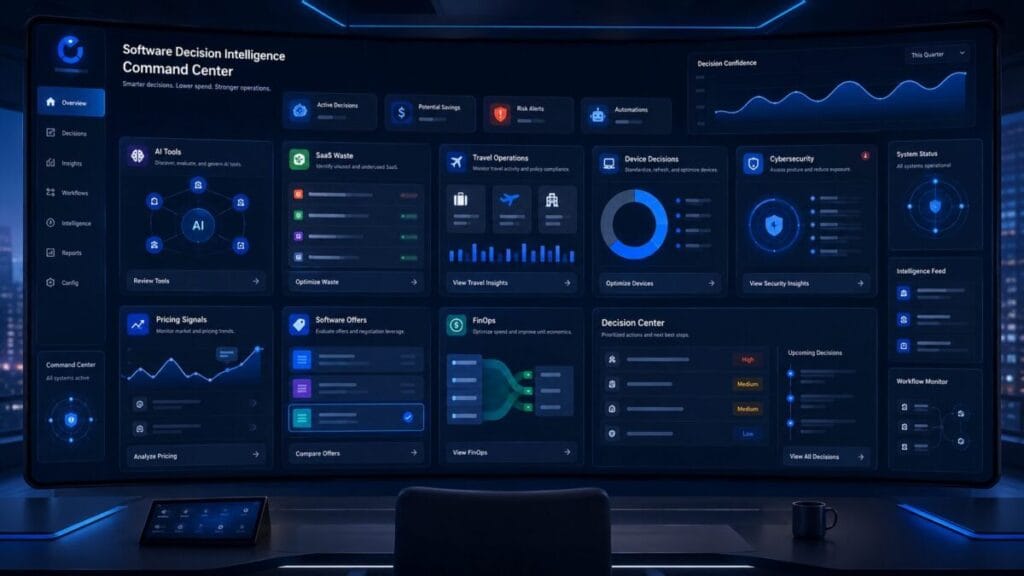
Intel Hub Command Center
The parent command center for ToolRelief’s Software Decision Intelligence system. Intel Hub routes users across software, AI, travel, devices, FinOps, security, hosting, pricing, offers, trends, and partner-ready decision surfaces.
Intelligence Radar
Intel Hub scans decision pressure before it becomes waste, friction, renewal drag, security exposure, hardware risk, or partner confusion.
Decision Network Map
Intel Hub sits at the center of the decision network. Each node is a route into a different pressure point, not a generic content card.
Command Modules
These modules behave like command surfaces. Each one carries a status, route type, decision pressure, primary action, secondary signal, and dashboard detail.
For users who know something is wrong but do not know whether to buy, cut, keep, replace, consolidate, monitor, or audit.
For business travel decisions shaped by booking tools, eSIMs, VPNs, mobile workflows, expense friction, and travel hardware.
For decision signals created by AI movement, software categories, pricing changes, security shifts, lifecycle pressure, and vendor activity.
For hardware decisions around phones, laptops, monitors, docks, webcams, microphones, routers, backups, and work-ready accessories.
For software spend decisions driven by renewals, unused seats, AI subscriptions, pricing drift, vendor sprawl, and budget ownership gaps.
For access, remote work, account protection, vendor trust, VPN fit, security tooling, and operational risk decisions.
Active Decision Feed
Intel Hub turns decision signals into routes. The feed shows what was detected, where it should go, what the best next move is, and which ToolRelief path supports it.
Service Intelligence Layer
Intel Hub is not a passive article hub or link directory. It acts as an operating layer that turns software, AI, cost, security, hosting, and partner intent into clearer service routes across ToolRelief.
Route users who are comparing AI tools, paying for overlapping plans, or trying to decide which AI workflow actually deserves a seat.
Route users who need to cut duplicate tools, consolidate work apps, reduce clutter, or find a cleaner operating path.
Route users dealing with unused seats, renewal drag, pricing drift, AI subscription waste, and budget leaks before they become normal operating cost.
Route users who need to review VPN fit, access risk, remote work security, vendor trust, account protection, and cybersecurity stack decisions.
Route users evaluating VPS hosting, cloud fit, workload requirements, reliability, support, performance, and infrastructure cost.
Route users who need a practical asset instead of another opinion: calculators, templates, checklists, worksheets, and audit tools.
Expansion Lanes
These lanes create controlled expansion without turning Intel Hub into a loose directory.
AI tools, agents, workflows, model decisions, subscription overlap, and practical experiments.
Hosting, VPS, cloud tools, infrastructure cost, workload fit, performance, and vendor decisions.
Security, access, vendor trust, remote work exposure, account protection, and risk signals.
Vendor movement, pricing changes, roadmap shifts, acquisitions, product sunsets, and lifecycle pressure.
Software offers, bundles, discounts, renewal windows, plan movement, and offer timing decisions.
Productivity systems, workflows, devices, apps, AI tools, and operational stack design.
Partner-ready surfaces for sponsors, vendors, affiliates, and advertisers aligned with decision-stage intent.
Partner Surface
Intel Hub supports sponsor, vendor, affiliate, and advertiser opportunities by organizing ToolRelief around decision-stage intent. The value is not generic exposure. The value is visibility while readers are choosing, cutting, comparing, renewing, replacing, consolidating, monitoring, or auditing work-stack decisions.
Final Decision CTA
Intel Hub is the command center above ToolRelief’s decision routes. Start with the route that matches the pressure: choose a tool, cut waste, monitor a signal, review spend, secure access, fix travel friction, evaluate devices, or open a partner-ready surface.

ToolRelief uses essential technologies to operate this website. With your permission, we also use analytics, embedded media, and other optional technologies to understand usage, improve content, and measure performance. Choose Accept all, Reject optional, or Manage preferences. You can change your choice at any time.