ToolRelief Device Intel dashboard for smartphones laptops accessories workspace gear and security devices
DEVICE INTEL

Device Intel

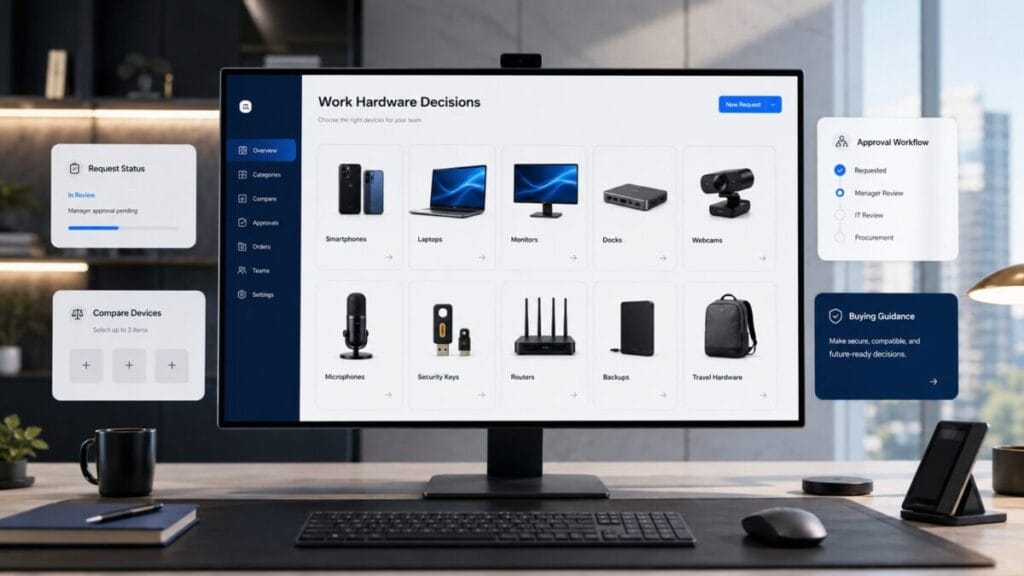
Device Intel is not a gadget page. It is a work hardware decision layer for smartphones, laptops, monitors, docks, webcams, microphones, security keys, routers, backups, travel hardware, workspace gear, and device lifecycle decisions.

Decision Console

Device Intel Decision Console

Device Intel turns hardware pressure into decision routes. If a device does not improve output, reliability, security, compatibility, mobility, or workflow continuity, the decision may be to ignore it, repair it, monitor it, or remove it from the buying list.

Route

Unclear hardware decision

The device issue may affect software, AI, security, travel, FinOps, or infrastructure decisions.
Choose

Buy, repair, or replace

The team needs to decide whether hardware deserves budget or whether the current setup still works.

AI

AI workload pressure

AI tools may change memory, storage, battery, screen, microphone, camera, and workstation needs.

Money

Hardware budget pressure

Device upgrades, accessories, repairs, storage, backups, and workspace gear can become hidden operating cost.

Security

Device access risk

Old devices, weak authentication, unsupported systems, or unmanaged hardware can affect account and data security.

Travel

Mobile work reliability

Travel hardware decides whether work continues when the user leaves the desk, office, or home setup.

Remote

VPN and access layer

Remote hardware decisions may depend on VPN fit, router reliability, backup connectivity, and secure access patterns.

Partner

Decision-stage audience

Hardware, workspace, security, travel, and infrastructure partners should support clearer work decisions.

Positioning

Devices are not toys. They are work infrastructure.

A device decision is not about owning the newest object. It is about whether hardware improves output, reduces friction, supports security, protects reliability, extends mobility, and fits the actual workflow.

Output

Real work beats novelty

Hardware earns budget when it improves execution: faster work, fewer interruptions, stronger calls, better reliability, safer access, or smoother mobility.

Friction

Accessories must reduce drag

A dock, webcam, microphone, keyboard, monitor, charger, or router should remove a workflow bottleneck, not become another thing to maintain.

Lifecycle

Upgrade timing is a risk decision

Replacement becomes serious when battery, storage, OS support, compatibility, repairability, performance, or security updates start affecting work.

Signal Stream

Device Stack Signal Stream

These are hardware decision signals, not gadget trends. When one appears, the question is whether the device layer still supports the work.

Detected

Battery decline

A device that cannot survive meetings, travel, or focused work may no longer be reliable infrastructure.

Detected

Storage pressure

Storage limits can block creative work, backups, local files, AI workflows, and operating system updates.

Detected

OS lifecycle risk

Unsupported software or security updates can turn an old device into an operational risk.

Detected

AI workload mismatch

AI-heavy workflows may expose limits in memory, processing, storage, microphones, displays, or creative hardware.

Detected

Meeting quality drag

Poor camera, microphone, lighting, or connection quality can make the device layer visible for the wrong reason.

Detected

Accessory clutter

Too many adapters, hubs, cables, stands, and gadgets can signal that the core setup is wrong.

Detected

Travel hardware gap

Chargers, backup connectivity, power banks, and device readiness decide whether travel work actually works.

Detected

Security key gap

High-risk accounts may need stronger authentication hardware, access discipline, and recovery planning.

External Service Demand Engine

Device Intel External Service Demand Engine

Device Intel tracks external work hardware categories where performance, meeting quality, security, mobility, backup, and workspace reliability create real decision pressure for Western teams in 2026.

Demand Lane Compute Pressure

Work laptops and AI-ready devices

Decision pressure

Teams need laptops that can handle browser-heavy work, AI tools, meetings, documents, security apps, travel use, and daily battery pressure without turning upgrades into guesswork.

Why it matters in 2026

AI-assisted work and remote operations make laptop fit a workflow decision, not a simple spec comparison.

External services examples
Apple MacBook Lenovo ThinkPad Dell XPS HP EliteBook Framework Laptop
Search intent
  • work laptop for remote work 2026
  • AI-ready laptop for small business
  • MacBook vs ThinkPad for work
  • laptop for AI tools and business
Future asset path

comparison / upgrade checklist / workload template / replacement guide

Evaluate work laptop fit
Monitored Category Meeting Quality

Meeting quality hardware — webcams, microphones, and lights

Decision pressure

Remote work suffers when video calls, sales meetings, interviews, demos, and internal reviews depend on weak camera, audio, lighting, or room setup quality.

Why it matters in 2026

Distributed teams still rely on calls as operating infrastructure, so meeting clarity can affect trust, speed, and execution.

External services examples
Logitech Elgato RØDE Shure AnkerWork
Search intent
  • webcam for remote work 2026
  • microphone for Zoom calls
  • home office video setup
  • Logitech vs Elgato webcam
Future asset path

comparison / meeting setup checklist / upgrade guide / remote call quality template

Review meeting hardware
Decision Pressure Workspace Infrastructure

Docks, chargers, power, portable monitors, and workspace infrastructure

Decision pressure

Work setups break down when charging, ports, displays, cables, travel power, dual monitors, and device connections are patched together without a clear workspace system.

Why it matters in 2026

Hybrid and travel work make power, displays, docks, and portable infrastructure part of the operating stack.

External services examples
Anker CalDigit Belkin UGREEN Plugable ASUS ZenScreen
Search intent
  • USB-C dock vs hub
  • portable monitor for remote work
  • GaN charger for travel
  • docking station for dual monitors
Future asset path

workspace checklist / comparison / upgrade guide / setup template

Check workspace infrastructure
Commercial Route Protection Pressure

Security keys, backup, and device protection

Decision pressure

Teams need stronger account access, password discipline, backup habits, local recovery, storage protection, and device security before a lost laptop or failed drive becomes an operating problem.

Why it matters in 2026

Remote teams depend on devices as access points to business systems, files, identity, payments, and customer work.

External services examples
YubiKey 1Password Bitwarden Samsung portable SSD Synology Backblaze
Search intent
  • YubiKey for small business
  • security key vs authenticator app
  • cloud backup vs external SSD
  • device security checklist for remote teams
Future asset path

risk guide / backup checklist / security template / device protection calculator

Assess device protection
Editorial demand note

ToolRelief may use reader demand, search signals, and category relevance to decide which work hardware categories deserve deeper guides, comparison pages, upgrade checklists, calculators, or future sponsor-ready placements. Placement should support reader decisions, not replace them.

Device Modules

What Device Intel tracks

Device Intel separates work hardware into decision layers. Each layer should answer whether the hardware improves output, reduces friction, supports security, or deserves budget.

Mobile

Smartphone work layer

Phones support calls, authentication, scanning, hotspot, camera work, travel, communication, and emergency productivity.

Compute

Laptop and workstation layer

Laptops and workstations should match the actual workload: browser-heavy work, AI tools, creative production, coding, finance, video, or travel.

Display

Monitor and workspace layer

Monitors, stands, lighting, keyboards, and workspace gear should reduce fatigue and context switching, not create a decorative setup.

Meetings

Camera and audio layer

Webcams, microphones, headphones, and lighting matter when meetings, sales calls, interviews, support, or content work depend on clarity.

Connection

Router and connectivity layer

Routers, backup internet, eSIMs, hotspots, and VPN readiness decide whether remote work survives outside ideal conditions.

Security

Security key and access layer

Security keys, password managers, authenticators, recovery methods, and device policies protect the accounts that run the work.

Resilience

Storage and backup layer

External storage, cloud backup, local backup, and recovery plans become important before failure, not after.

Travel

Travel hardware layer

Chargers, adapters, power banks, lightweight workstations, laptop bags, privacy screens, and backup connections decide mobile reliability.

Decision Format

The ToolRelief device decision format

Every device decision should force a work answer. If the hardware cannot explain its role in output, reliability, security, mobility, or lifecycle risk, it may not deserve the purchase.

Device questionWhat it forces the decision to explainDecision route
Does this hardware improve real work?The device must support output, reliability, speed, quality, creative work, remote work, or operational execution. Start with the work problem.
Route this issue
Does it reduce friction or add another object to manage?The device or accessory should simplify the workflow, not create another charging, storage, cable, app, or support burden. Review the operating layer.
Move to Intel Hub
Does it support security, reliability, mobility, and workflow?Hardware should be evaluated through account safety, update support, remote work needs, backup readiness, and device durability. Route risk into security review.
Review the risk
Is the upgrade justified?Upgrade pressure should come from output, lifecycle risk, compatibility, mobility, repair cost, or operational need. Route budget impact into finance review.
Follow the money leak
Should the team buy, keep, replace, repair, monitor, or ignore?The final action should follow the workflow value, risk level, cost pressure, and lifecycle status. Convert uncertainty into an action.
Check the decision

Decision Matrix

From device signal to action

Device Intel should not leave the reader with “new is better.” It should route hardware into a clear action category.

Buy

Buy the device

Buy when hardware directly improves output, reliability, security, mobility, meeting quality, AI workload support, or operational continuity.

Keep

Keep the device

Keep when the current hardware still supports the workflow, receives needed updates, stays reliable, and does not block work.

Replace

Replace the device

Replace when battery, compatibility, security support, repair cost, reliability, performance, or role fit makes the current device hard to defend.

Repair

Repair the device

Repair when the device still fits the workflow and the issue is limited to battery, screen, storage, keyboard, port, or a manageable hardware fault.

Monitor

Monitor the device

Monitor when the hardware is aging but not yet blocking work. Watch battery, update support, reliability, storage, and repair cost.

Ignore

Ignore the upgrade

Ignore the purchase when it is driven by novelty, social pressure, aesthetics, or vague productivity hope instead of a real workflow constraint.

INTEL HUB ROUTES

Intel Hub Decision Stream

Move across ToolRelief’s decision routes for software, AI, travel, devices, FinOps, security, hosting, offers, and partner-ready intelligence.

Command Center Intel Hub Route software, AI, travel, device, FinOps, security, and offer decisions from one intelligence layer. Move to Intel Hub Decision Route Software Decision Finder Use this when the next step is unclear and the stack needs a practical decision path. Find the path Travel Stack Travel Ops Review business travel apps, eSIMs, VPNs, expense drag, booking friction, and mobility infrastructure. Review travel ops Signal Layer Tech Radar Track software, AI, pricing, security, vendor, and technology movement as decision signals. Check signals Hardware Layer Device Intel Review smartphones, laptops, accessories, security keys, workspace gear, and travel hardware. Review devices Money Layer FinOps Insights Follow software spend, AI subscription costs, renewal risk, pricing drift, and budget leaks. Follow the money AI Stack AI Tools Hub Review AI tool overlap, stack planning, subscription fatigue, and practical AI decisions. Review AI tools Security Layer Cybersecurity Hub Review access risk, remote work security, vendor trust, and cybersecurity stack decisions. Review security Remote Access VPN Checklist Check whether a VPN still fits travel, remote work, privacy, access, and regional needs. Review VPN fit Hosting Layer VPS Deal Tracker Review VPS hosting choices by workload, cost, reliability, performance, and vendor fit. Review hosting Offer Watch Software Offer Signals Watch offers, bundles, discounts, and plan movement before buying or renewing software. Check offers Trend Watch Software Trends Signals Track software category movement, AI shifts, vendor changes, and decision-relevant trends. Check trends Partner Layer Advertise with ToolRelief Reach decision-stage audiences across software, AI, FinOps, travel, devices, security, and hosting. Explore partnership

Action Routes

Move from device friction to the correct decision asset

Each route below moves the reader toward a specific hardware, security, software, travel, finance, or infrastructure decision.

AI

AI workload readiness

Use this when AI tools, local workflows, creative apps, coding, meetings, or automation change hardware requirements.

Security

Device access and account risk

Use this when hardware affects account access, authentication, remote work, recovery, device support, or data exposure.

Finance

Hardware budget pressure

Use this when upgrades, repairs, accessories, storage, backups, or device fleets create budget pressure.

Travel

Travel hardware readiness

Use this when the work depends on mobile devices, chargers, adapters, eSIMs, VPNs, backup power, or remote-work travel gear.

Hosting

Infrastructure and device dependency

Use this when work hardware connects to hosting, routers, backup access, local testing, websites, or technical infrastructure.

Radar

Hardware market movement

Use this when product lifecycle, operating system changes, device categories, or software requirements affect timing.

Partner Ready

Device Intel is built for decision-stage hardware and work infrastructure audiences

Device Intel can support relevant partners across laptops, smartphones, workspace gear, monitors, webcams, microphones, docks, keyboards, routers, storage, backup tools, security keys, travel hardware, and remote-work infrastructure. The standard is not gadget exposure. The placement must help a reader make a clearer hardware, productivity, security, mobility, or lifecycle decision.

Partnership and sponsorship opportunities should be aligned with editorial fit, reader value, and clear disclosure.

FAQ

Device Intel FAQ

Is Device Intel a gadget review page?

No. Device Intel is a work hardware decision layer. It focuses on whether hardware improves real work, security, reliability, mobility, lifecycle readiness, or workflow quality.

Should teams always buy the newest device?

No. New only matters when the upgrade is justified by output, lifecycle risk, compatibility, reliability, security, repair cost, or operational need.

How does Device Intel connect to software decision intelligence?

Modern software decisions depend on devices. AI tools, VPNs, cybersecurity, travel work, meetings, backups, authentication, and remote workflows all rely on hardware that must still earn its place.

What should a lean team review before buying hardware?

Review the actual work constraint first: performance, battery, security support, compatibility, travel reliability, meeting quality, storage, repairability, and whether an existing setup can still do the job.

Final Decision CTA

Do not buy devices to feel productive. Buy them when they remove friction.

Use Device Intel to review smartphones, laptops, monitors, docks, webcams, microphones, security keys, routers, backups, travel hardware, workspace gear, and lifecycle decisions before hardware becomes another unmanaged layer in the stack.

ToolRelief software decision intelligence system logo
ToolRelief System Page Independent Decision Layer

Verified as part of the ToolRelief Software Decision Intelligence System

This page is part of ToolRelief’s software decision intelligence system for lean teams, founders, operators, software buyers, and budget-conscious users. ToolRelief connects practical decision resources across SaaS waste, AI tool overlap, renewal pressure, unused licenses, VPN decisions, VPS hosting choices, cybersecurity tools, templates, calculators, pricing evidence, offer signals, and software trend signals.

Each page is designed to support clearer software decisions before users buy, renew, replace, consolidate, sponsor, or evaluate a software product or category.

ToolRelief is founded by Waleed Al-Qasem, founder of Nexio Global. The platform is designed to support clearer software decisions for founders, operators, finance teams, software buyers, and small businesses.

ToolRelief is independent. References to tools, vendors, software categories, pricing, offers, or market signals are provided for editorial, educational, and decision-support purposes. No sponsorship, endorsement, ranking position, or commercial relationship is implied unless clearly disclosed.
ToolRelief Articles Read SaaS waste, AI tools, pricing, workflow, and research guides
Scroll to Top