
Tool Experiment: AI Subscription Waste Across 6 Roles
AI subscription waste can spread quickly inside a small team because AI tools are easy to test, easy to expense, and easy to forget.
One person adds a writing tool.
Another adds a coding assistant.
Another adds a meeting note tool.
Another adds a research assistant.
Another adds an image tool.
Another adds an automation tool.
Each subscription may look reasonable alone.
The problem appears when the team reviews the AI stack as a whole and realizes that ownership,
usage, billing, and overlap were never clearly mapped.
This ToolRelief experiment uses six realistic small-team roles to show how AI subscription waste can appear across a team.
These scenarios are educational examples. They are not private customer case studies.
Quick answer
AI subscription waste changes by role because different people use AI tools for different jobs.
A marketer may overlap writing and research tools.
A developer may overlap coding assistants.
An operator may test automation tools.
A founder may pay for several general AI subscriptions at once because each one seems useful in a different moment.
That is why AI waste should be reviewed by role, not just by tool name.
The question is not only “who has access?” It is “what job does this tool do, and does another paid tool already handle it?”
How AI Subscription Waste Across Roles Happens
This experiment explains how AI subscription waste across roles can appear when founders, marketers,
developers, operators, designers, and admins use separate AI tools.
What This Experiment Tests
This experiment looks at how AI subscriptions may spread across six roles:
- Founder
- Marketer
- Developer
- Sales or customer-facing operator
- Designer or creative operator
- Operations or admin lead
The goal is not to argue that AI tools are bad.
The goal is to show how useful AI tools can still become an unmanaged recurring cost if the team does not review:
- ownership
- usage
- workflow fit
- feature overlap
- billing source
- renewal timing
- experimental subscriptions
- role-based need
Tools Connected to This Experiment
This experiment connects most directly to:
If AI subscriptions are part of a wider SaaS cost problem, start with the SaaS Waste Score Report.
You can also compare all tools on the SaaS Cost Optimization Tools page.
Important Scenario Disclosure
This page uses realistic educational scenarios created by ToolRelief.
They are designed to explain how AI subscription waste can appear in small teams.
They do not represent private customer data, guaranteed savings, or real customer case studies.
The numbers and role examples are used for practical illustration, not market-wide statistical claims.
Scenario Setup: A Small Team With Six AI Users
Imagine a small team where six different roles have started using AI tools.
The team includes:
- one founder
- one marketer
- one developer
- one sales or customer-facing operator
- one designer or creative operator
- one operations or admin lead
The team is not trying to waste money.
Each person added AI tools for a real reason.
The issue is that no one has reviewed the AI stack as a single system.
Role 1: Founder
How the AI Tools Enter
The founder starts with a general AI assistant for:
- strategy notes
- research
- writing ideas
- competitor analysis
- investor or partner drafts
- planning documents
- quick business questions
Later, the founder tests another AI research tool and an AI presentation tool.
Each tool feels useful during a specific task.
Waste Pattern
The primary waste pattern is experimental subscription drift.
The founder may test multiple tools, but not every tool becomes part of a permanent workflow.
What ToolRelief Would Review
ToolRelief would review:
- which AI tools the founder actively uses
- which tools were only used for one project
- whether the general AI assistant covers several jobs
- whether the research tool is still needed
- whether the presentation tool is used often enough to remain paid
- whether any tool renews automatically
- whether billing is personal or company-paid
Practical Takeaway
Founder-led AI adoption is powerful, but it needs review.
The question is not:
“Was this tool useful once?”
The better question is:
“Is this tool still useful enough to stay in the monthly stack?”
Role 2: Marketer
How the AI Tools Enter
The marketer uses AI tools for:
- blog outlines
- social posts
- ad copy
- keyword ideas
- email drafts
- content repurposing
- landing page copy
- content briefs
The marketer may use one general AI assistant and one specialized writing tool.
A contractor may also use a separate AI tool for content production.
Waste Pattern
The primary waste pattern is feature overlap.
Several tools may generate similar text, outlines, summaries, or content ideas.
What ToolRelief Would Review
ToolRelief would review:
- which writing tools are paid
- whether the outputs are meaningfully different
- which tool owns the content workflow
- whether contractors are using separate subscriptions
- whether any tool duplicates another platform
- whether the marketer needs multiple paid AI writing tools
- whether one shared workflow would reduce confusion
Practical Takeaway
AI writing tools are useful only when the workflow is clear.
If three tools can create outlines and social posts, the team should decide which one owns that job.
Related Tool
Use the AI Tool Stack Builder to plan a leaner AI stack by role and workflow.
Role 3: Developer
How the AI Tools Enter
The developer uses AI for:
- coding assistance
- debugging
- documentation
- code explanation
- test generation
- refactoring ideas
- command-line help
- reviewing errors
The developer may use a coding assistant in addition to a general AI assistant.
Waste Pattern
The primary waste pattern is workflow-specific overlap.
A coding assistant may be genuinely valuable.
But if the developer also uses another paid AI tool for the same work, the team should understand why both are needed.
What ToolRelief Would Review
ToolRelief would review:
- which coding-related AI tools are paid
- whether each tool supports a distinct workflow
- whether one tool is personal and another is company-paid
- whether usage is frequent enough
- whether the tool is essential or experimental
- whether the tool creates security or code-sharing concerns
- whether renewal timing is known
Practical Takeaway
A developer may need specialized AI support.
The review should not blindly cut tools.
It should separate essential workflow tools from experiments and duplicates.
Role 4: Sales or Customer-Facing Operator
How the AI Tools Enter
A sales or customer-facing operator may use AI for:
- meeting summaries
- call notes
- follow-up emails
- CRM updates
- proposal drafts
- objection handling
- customer research
- support replies
The team may pay for a meeting assistant, a writing assistant, and a CRM-related AI feature.
Waste Pattern
The primary waste pattern is workflow fragmentation.
Several tools may touch the same customer workflow, but none may be clearly responsible for the complete job.
What ToolRelief Would Review
ToolRelief would review:
- which tools summarize meetings
- which tools create follow-ups
- whether CRM AI features overlap with separate tools
- whether call recordings or transcripts are actually reviewed
- whether the tool is used by one person or the whole team
- whether the cost is justified by active usage
- whether customer data handling is understood
Practical Takeaway
Customer-facing AI tools should be reviewed carefully because they may involve cost, workflow, and data considerations.
The team should know which tool owns the customer follow-up workflow.
Role 5: Designer or Creative Operator
How the AI Tools Enter
A designer or creative operator may use AI for:
- image generation
- mockups
- presentation visuals
- brand concepts
- ad creatives
- social graphics
- visual brainstorming
- editing support
The team may add an image tool, a design platform AI upgrade, and a separate creative assistant.
Waste Pattern
The primary waste pattern is creative tool duplication.
Some tools may be used only during campaigns or launches.
After the campaign ends, the subscription may remain active.
What ToolRelief Would Review
ToolRelief would review:
- which creative AI tools are paid
- whether they are used weekly or only occasionally
- whether the design platform already includes similar features
- whether the tool is tied to a campaign that ended
- whether the output quality justifies the subscription
- whether the plan can be downgraded between campaigns
- whether the tool is personal or company-paid
Practical Takeaway
Creative AI tools can be valuable, but they should not survive only because they were useful during one campaign.
Campaign-based tools need review dates.
Role 6: Operations or Admin Lead
How the AI Tools Enter
An operations or admin lead may use AI for:
- process documentation
- meeting summaries
- automation ideas
- policy drafts
- vendor comparisons
- task planning
- internal knowledge management
- spreadsheet support
- reporting
This role may use a general AI assistant, an automation tool with AI features, and a documentation platform with AI add-ons.
Waste Pattern
The primary waste pattern is add-on accumulation.
AI features may appear inside tools the team already uses, while separate AI subscriptions remain active.
What ToolRelief Would Review
ToolRelief would review:
- which existing platforms now include AI features
- whether separate AI tools still add value
- which workflows are actually improved
- whether AI add-ons are paid separately
- whether usage is visible
- whether the team has a review date for each add-on
- whether internal knowledge workflows are duplicated
Practical Takeaway
AI add-ons should be reviewed like any other paid software feature.
If an existing platform adds AI, the team should check whether separate AI subscriptions still make sense.
Cross-Role Waste Pattern: Nobody Owns the AI Stack
Across all six roles, the biggest risk is not one bad tool.
The biggest risk is that nobody owns the AI stack.
Without ownership, the team may not know:
- which AI tools are active
- who uses them
- what each tool costs
- whether they overlap
- which tools are experimental
- which tools renew soon
- which tools are personal vs company-paid
- which tools should be consolidated
- which tools should be cancelled or downgraded
This turns AI from a productivity layer into an unmanaged subscription category.
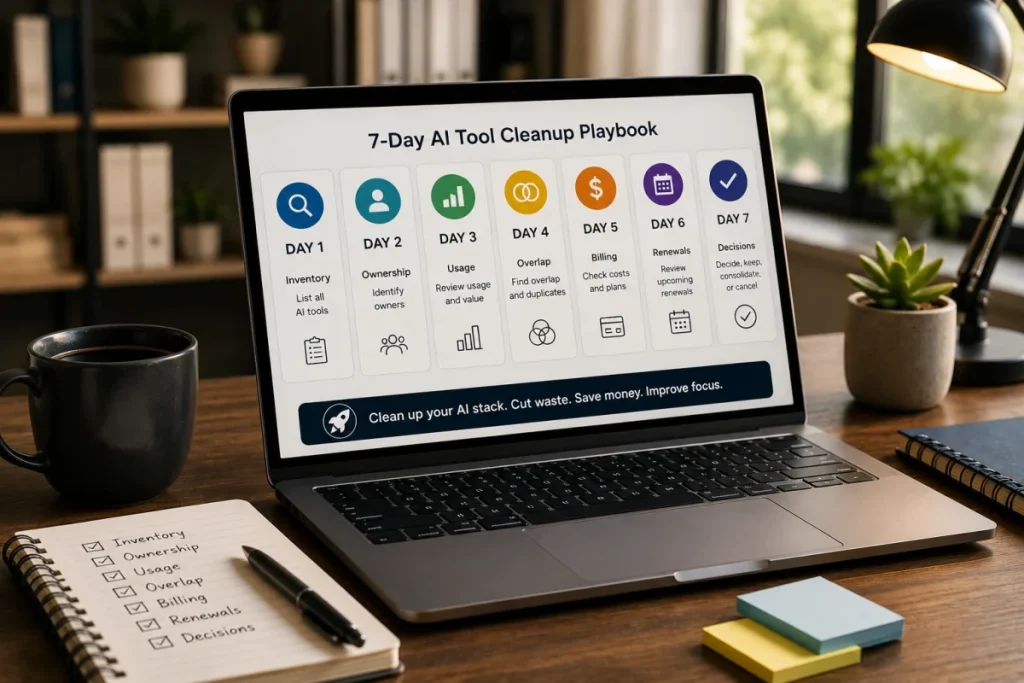
The ToolRelief AI Stack Review Model
ToolRelief uses a simple model for reviewing AI subscriptions:
1. Role
Who uses the tool?
2. Workflow
What job does it support?
3. Usage
Is it actively used?
4. Overlap
Does another tool do the same job?
5. Billing
Who pays for it?
6. Renewal
When does it renew?
7. Decision
Should the team keep, cut, consolidate, downgrade, or assign an owner?
This model helps small teams review AI subscriptions without needing a complex procurement system.
Example Review Table
| Role | AI Use Case | Possible Waste Pattern | Review Question |
|---|---|---|---|
| Founder | Research and planning | Experimental subscription drift | Is this still used after the original project? |
| Marketer | Writing and repurposing | Feature overlap | Which tool owns the content workflow? |
| Developer | Coding support | Workflow-specific overlap | Are multiple tools doing the same coding job? |
| Sales / customer-facing | Meetings and follow-ups | Workflow fragmentation | Which tool owns the customer follow-up process? |
| Designer / creative | Images and campaign assets | Campaign-based subscription drift | Is this tool still needed after the campaign? |
| Operations / admin | Documentation and automation | Add-on accumulation | Do existing platforms already cover this need? |
How to Use This Experiment
Use this page as a review prompt.
Ask your team:
- Which roles are using paid AI tools?
- Which tools are company-paid?
- Which tools are personal but used for work?
- Which tools support the same workflow?
- Which tools were added as experiments?
- Which tools have a review date?
- Which tools renew soon?
- Which tools are essential to current work?
- Which tools could be consolidated?
- Who owns the AI stack?
If several answers are unclear, the team may need an AI subscription review.
Recommended ToolRelief Workflow
If your team is reviewing AI subscriptions, use this order:
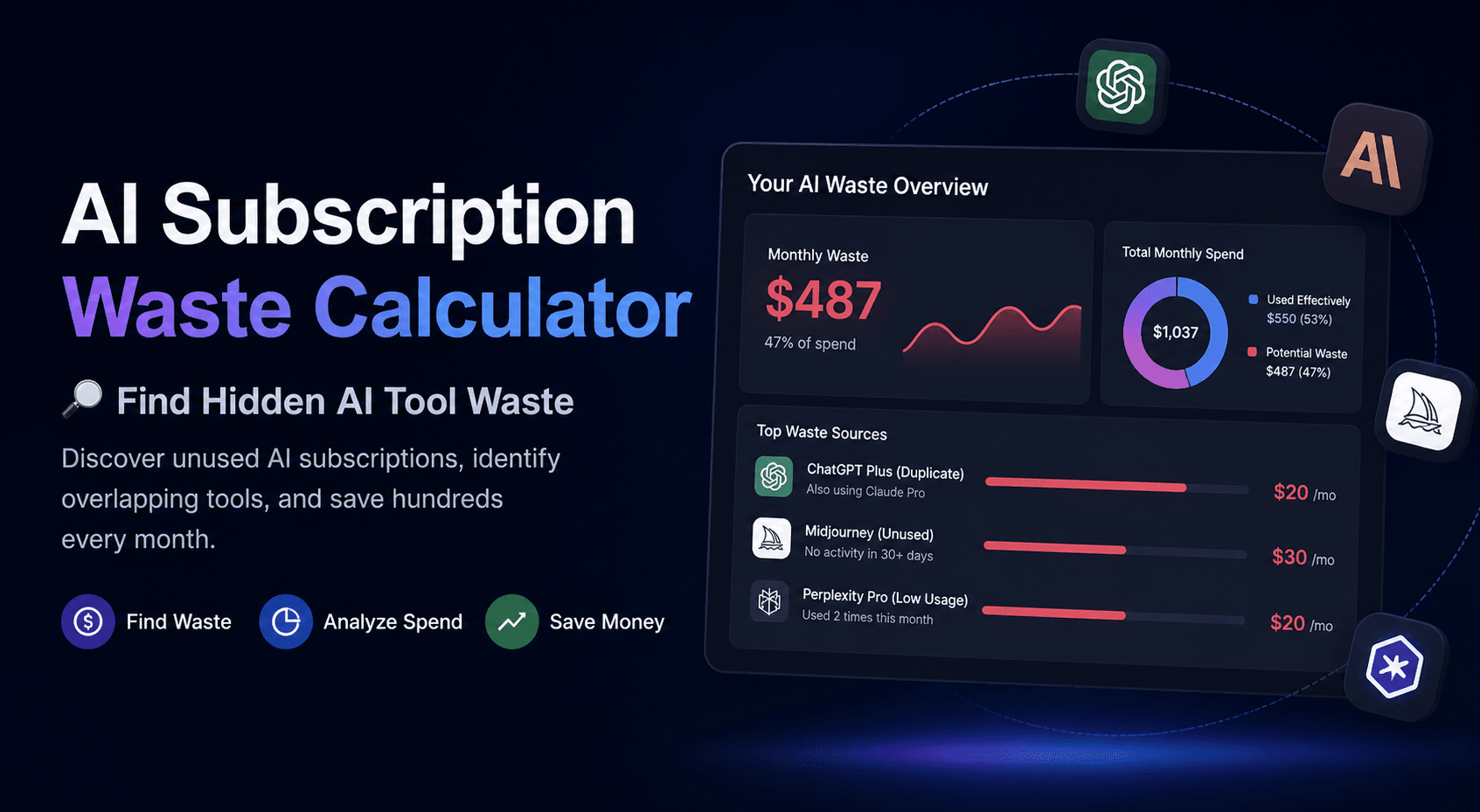
- AI Subscription Waste Calculator
Estimate possible waste from overlapping or unnecessary AI subscriptions. - AI Tool Stack Builder
Plan a leaner AI stack based on role, need, and budget. - SaaS Waste Audit Tool
Review AI subscriptions as part of the wider software stack. - SaaS Renewal Risk Calculator
Check whether AI tools are renewing before the team has reviewed usage.
What This Experiment Suggests
This experiment suggests that AI subscription waste is often a coordination problem.
The team may not be careless.
The tools may not be bad.
The issue is that AI tools spread faster than the team’s review process.
A small team can reduce confusion by mapping each AI subscription to:
- a role
- a workflow
- an owner
- a billing source
- a review date
- a keep/cut/consolidate decision
That review does not block AI adoption.
It makes AI adoption more intentional.
What to check after reading the experiment
After reviewing role-based AI waste, check whether each role actually needs a separate AI tool or whether a smaller stack can cover the work.
If several roles are using different tools for similar jobs, use the AI Tool Stack Builder to design a cleaner setup.
If the monthly cost already feels too high, estimate the waste before adding another subscription.
Related ToolRelief Reading
- SaaS Cost Intelligence Library
- AI Subscription Waste: A ToolRelief Research Note
- How ToolRelief Uses AI Without Publishing Unverified Claims
- How ToolRelief Tests SaaS Cost Tools
- Tool Experiment: 5 Small-Team SaaS Waste Scenarios
Methodology Note
This page is based on an internal ToolRelief tool experiment using realistic small-team roles and AI subscription patterns.
It is intended for educational analysis and does not represent private customer data,
guaranteed savings, or a market-wide statistical study.
ToolRelief separates educational scenarios from source-backed claims, pricing-page observations,
internal tool experiments, founder research notes, and editorial interpretation.
Last updated: May 30, 2026
Last Updated on June 15, 2026