
TOOLRELIEF DECISION INTELLIGENCE
- Decision
- Use SaaS Renewal Checklist for Teams Under 20 People to verify the important conditions that should be checked before commitment, implementation, renewal, or another material action.
- Evidence Basis
- A structured verification checklist based on the decision conditions and risk signals documented on this page.
- Best Used For
- Checking whether the important decision conditions have been considered before commitment or implementation.
- Decision Boundary
- This page provides independent decision support rather than a guaranteed outcome. Product capabilities, pricing, third-party terms, and operating conditions can change.
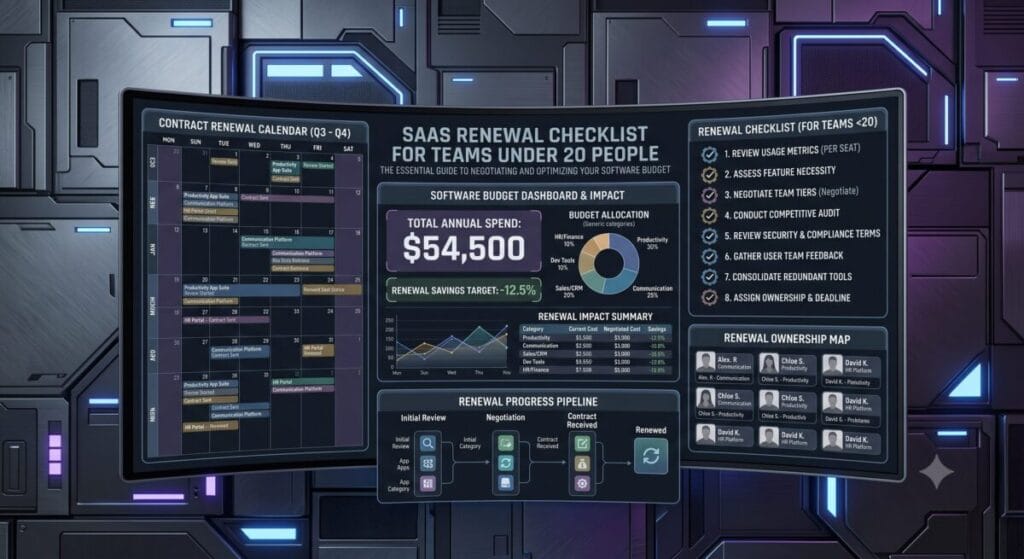
SaaS Renewal Checklist for Teams Under 20 People
A SaaS renewal checklist for teams under 20 people is not paperwork. It is budget defense.
Small teams usually do not have procurement departments, finance analysts, legal reviewers, and vendor managers watching every software contract. That is why renewal mistakes hit harder. One missed notice window, one forgotten annual plan, one unused seat block, and a lean team can pay for another year of software it barely uses.
The dangerous part is that SaaS renewal waste rarely looks dramatic. It looks normal.
A renewal email gets ignored. A team plan rolls over. A vendor increases pricing. A tool keeps billing after the original project ended. Nobody owns the account. Nobody checks usage. Then the invoice lands.
The rule is simple: every SaaS renewal should become a decision before it becomes a charge.
The Short Answer: What Should Small Teams Check Before Renewal?
A SaaS renewal checklist for teams under 20 people should answer five questions before the renewal date:
Usage
Are we still using this tool every week?
Seats
How many paid seats are inactive or unnecessary?
Pricing
Did the price, plan, contract, or feature access change?
Overlap
Does another tool already cover the same job?
Decision
Should we keep, downgrade, replace, renegotiate, or cancel?
Warning
If the team cannot answer those questions, the renewal is not ready. It is just an automatic charge waiting to happen.
If the team cannot answer those questions, the renewal is not ready.
It is just an automatic charge waiting to happen.
The 30-Day SaaS Renewal Timeline
For small teams, the renewal review should start at least 30 days before the billing date. Waiting until the last week is how teams lose leverage.
| Timeline | What to Check | Why It Matters | ToolRelief Action |
|---|---|---|---|
| 30 Days Before Renewal | Usage, owner, seat count, renewal date, current plan | This reveals whether the tool still deserves budget | Run a broad check with the SaaS Waste Audit Tool |
| 21 Days Before Renewal | Feature overlap and replacement options | This shows whether the tool is still unique | Compare the stack with the Software Decision Finder |
| 14 Days Before Renewal | Price changes, plan limits, downgrade rules, notice windows | This protects the team from renewal drift and surprise pricing | Check risk with the SaaS Renewal Risk Calculator |
| 7 Days Before Renewal | Final decision: keep, cut, downgrade, replace, or renegotiate | This prevents last-minute emotional decisions | Document the decision in the SaaS Inventory Template |
| After Renewal | New price, new renewal date, owner, next review date | This stops the same problem from repeating next cycle | Move the next review into your tracker immediately |
The goal is not to make renewals complicated. The goal is to stop software vendors, forgotten trials, and internal confusion from making the decision for you.
Why Teams Under 20 People Get Hit by Renewal Waste
Big companies can absorb waste. Small teams feel it.
A 20-seat tool with 8 unused seats is not just a minor inefficiency. It is a margin leak. A $99/month tool nobody owns is not harmless. It is a recurring mistake. A renewal that rolls over before the team checks usage can lock in another year of avoidable cost.
Small teams get hit because ownership is usually messy.
- The founder bought the tool during a sprint.
- A contractor used it for one project.
- Marketing added seats during a campaign.
- Operations connected it to a workflow nobody uses anymore.
- The person who understood the tool left the company.
That is why a SaaS renewal checklist for teams under 20 people must focus on ownership first.
If nobody owns the tool, nobody will defend the budget.
The ToolRelief SaaS Renewal Checklist
Use this checklist before any major software renewal.
1. Renewal Date
Confirm the real renewal date and cancellation or downgrade notice window.
2. Tool Owner
Every renewal needs one person who understands the cost, users, workflow, and decision.
3. Seat Usage
Check active users, inactive seats, former contractors, duplicate accounts, and admin access.
4. Real Usage
Review actual output, projects, reports, workflows, and business outcomes instead of claimed value.
5. Feature Overlap
Ask whether another tool already handles the same job before renewing.
6. Price Creep
Compare current cost against previous pricing, seat minimums, plan changes, and limits.
7. Final Decision
Keep, downgrade, replace, renegotiate, or cancel before the renewal hits.
Decision Rule
The worst decision is no decision.
Budget Defense
Renewal review saves money because it happens before the card gets charged.
1. Confirm the Renewal Date and Notice Window
Do not trust vague calendar reminders. Find the real renewal date inside the account, invoice, contract, or billing portal.
Then check the cancellation or downgrade notice window.
Some tools let you cancel anytime. Others require advance notice. Some annual contracts may renew automatically if you miss the window. This is where teams lose money because they waited too long.
If the cancellation or downgrade window is unclear, contact support in writing before the renewal date.
2. Identify the Tool Owner
Every renewal needs one owner.
The owner should know:
- why the tool exists
- who uses it
- what work it supports
- what plan the team is paying for
- whether the team should keep, downgrade, replace, or cancel
If nobody can answer those questions, the tool is not being managed. It is just billing.
3. Check Seat Usage
Seat waste is one of the easiest renewal leaks to miss.
Before renewal, check:
- number of paid seats
- number of active users
- last login date
- users who left the company
- contractors who no longer need access
- duplicate accounts
- admin seats that are not required
If the team is paying for seats that are not active, downgrade before renewal.
For a deeper process, use the guide on how to find unused SaaS licenses before renewal.
4. Review Actual Usage, Not Claimed Value
Every tool sounds important when someone is defending it. Usage data cuts through the theater.
Look for:
- weekly active users
- projects created
- reports exported
- automations triggered
- files stored
- client work delivered
- revenue or workflow tied to the tool
If the tool has low usage and no clear business outcome, it should not renew without a fight.
5. Check for Feature Overlap
Before renewing, ask whether another tool already does the same job.
Small teams often pay for overlapping software because each tool entered the stack at a different time. One tool was bought for project management. Another for documentation. Another for AI writing. Another for reporting. Then the tools expand features and start stepping on each other.
That is how a stack becomes expensive without looking broken.
If AI tools are part of the overlap, use the guide on how many AI tools a small team should pay for before renewing multiple premium seats.
6. Check for Price Creep
Renewal drift is real. A tool can become more expensive without feeling like a major event.
Check:
- current monthly or annual price
- previous price
- seat minimums
- plan changes
- feature limits
- new add-ons
- discount expiration
- annual plan lock-ins
If the tool costs more than it did last cycle, force a decision. Do not accept pricing drift as background noise.
For the deeper pattern, read the guide on SaaS renewal drift and price creep.
7. Decide: Keep, Downgrade, Replace, Renegotiate, or Cancel
Every renewal should end with one of five decisions.
| Decision | Use It When | Action |
|---|---|---|
| Keep | The tool is used weekly, has a clear owner, and supports important work | Renew and set the next review date |
| Downgrade | The team needs the tool but not the current plan or seat count | Reduce seats, plan level, or add-ons before renewal |
| Replace | Another tool can handle the same job better or cheaper | Plan migration before cancellation |
| Renegotiate | The tool is useful but pricing increased or usage does not justify the current cost | Ask for better terms, lower seats, or a shorter commitment |
| Cancel | The tool is unused, duplicated, ownerless, or no longer tied to business output | Export data, notify users, cancel before the deadline |
The worst decision is no decision.
The 30-Minute Renewal Review
If you need a fast version, run this 30-minute review before the next renewal.
- Open the billing page or invoice.
- Write down the renewal date.
- Check the cancellation or downgrade deadline.
- List all paid seats.
- Remove inactive users.
- Check the last 30 to 90 days of usage.
- Identify whether another tool already covers the same job.
- Compare the current price against the last billing cycle.
- Choose keep, downgrade, replace, renegotiate, or cancel.
- Save the decision in your tracker.
This is the kind of review that saves money because it happens before the card gets charged.
Renewal Red Flags Small Teams Should Not Ignore
A SaaS renewal checklist for teams under 20 people should immediately flag these warning signs:
- The tool has no clear owner.
- The renewal date is unknown.
- The team is paying for inactive seats.
- The tool was bought for a project that ended.
- The tool overlaps with another platform.
- The price increased since the last cycle.
- The contract has a notice window nobody tracked.
- The tool is “nice to have” but not tied to real output.
- The team cannot explain what would break if the tool disappeared.
If three or more of these are true, the renewal needs serious review.
If five or more are true, you may not have a tool. You may have a recurring leak.
How to Handle Auto-Renewal Risk
Auto-renewal is not always bad. It is convenient when the tool is essential and properly managed.
The problem is unmanaged auto-renewal. That is where teams get trapped by forgotten contracts, unclear cancellation windows, unused seats, and pricing changes they never reviewed.
Before renewal, check whether the tool uses:
- automatic annual renewal
- minimum seat commitments
- advance cancellation notice
- downgrade restrictions
- feature changes by plan
- discount expiration
- contract terms that differ from the billing page
For a deeper warning guide, read the breakdown of SaaS auto-renewal dark patterns.
Continue the ToolRelief Decision Path
This page helps small teams turn renewals into decisions. The full decision cluster connects solo founders, AI tool counts, model comparisons, marketing overlap, agency stacks, safe cuts, consolidation, calculator support, and the central Software Decision Finder.
How This Page Connects to the Full ToolRelief Decision System
This page is built for small teams preparing for renewal. It also connects to the broader ToolRelief system for reducing software waste and controlling tool decisions.
If you need the full 30-day version, use the SaaS renewal checklist 30 days before renewal.
If you want to estimate renewal exposure, use the SaaS Renewal Risk Calculator.
If unused seats are the problem, read how to find unused SaaS licenses before renewal.
If your team is reviewing AI subscriptions during renewal, use the page on how many AI tools a small team should pay for.
If your stack feels messy overall, start with the Software Decision Finder or the SaaS Waste Audit Tool.
If you need a clean inventory before renewal, organize everything with the SaaS Inventory Template.
FAQ: SaaS Renewal Checklist for Teams Under 20 People
What should a SaaS renewal checklist for teams under 20 people include?
A SaaS renewal checklist for teams under 20 people should include the renewal date, cancellation window, tool owner, active seat count, usage data, price changes, feature overlap, replacement options, and a final decision to keep, downgrade, replace, renegotiate, or cancel.
When should a small team start reviewing a SaaS renewal?
A small team should start reviewing a SaaS renewal at least 30 days before the renewal date. For annual contracts or tools with cancellation notice windows, the review should start even earlier.
How can a small team reduce SaaS renewal costs?
A small team can reduce SaaS renewal costs by removing inactive seats, downgrading unused plans, cancelling duplicated tools, renegotiating terms, tracking renewal dates, and checking whether another tool already handles the same job.
What is the biggest SaaS renewal mistake small teams make?
The biggest mistake is treating renewal as a billing event instead of a decision window. If the team waits until the charge happens, it loses leverage to downgrade, cancel, or renegotiate.
Should small teams cancel SaaS tools before renewal?
Small teams should cancel SaaS tools before renewal if the tool is unused, duplicated, ownerless, too expensive for its output, or no longer tied to an active workflow. Essential tools should be renewed only after usage and seat count are checked.
Final Decision: Turn Every Renewal Into a Budget Checkpoint
SaaS renewals are not passive admin tasks. For small teams, they are budget checkpoints.
Use this SaaS renewal checklist for teams under 20 people before the next renewal date. Check ownership. Cut inactive seats. Review usage. Watch price creep. Look for overlap. Decide before the software vendor, billing system, or forgotten contract decides for you.
If you need a fast starting point, run the tool through the SaaS Renewal Risk Calculator and then document the decision inside the SaaS Inventory Template.
The goal is not to renew software because it exists. The goal is to renew only what still earns its place.