
The 30-Minute SaaS Audit Playbook
A SaaS audit does not need to start as a complex procurement project.
For many small teams, the first useful step is a focused 30-minute review.
The goal is not to solve every software cost problem in one session.
The goal is to identify the tools, seats, renewals, and overlaps that deserve attention first.
This ToolRelief playbook gives founders, CFOs, COOs, operators,
and small teams a practical way to start reviewing SaaS waste without needing a full software management syst
Quick answer
A 30-minute SaaS audit is not a full finance or security review.
It is a fast way to find obvious software waste before it keeps rolling into another billing cycle.
In 30 minutes, you are looking for the biggest signals:
unused seats, duplicate tools, unclear owners, upcoming renewals, and subscriptions nobody has reviewed recently.
The goal is simple: find the first few tools that deserve a deeper look, then decide whether to keep, cut, consolidate, or review them before the next renewal.
How a 30-Minute SaaS Audit Works
A 30-minute SaaS audit helps small teams quickly review paid tools, owners, unused seats, renewals, overlap,
and hidden software waste.
What This Playbook Helps You Find
A 30-minute SaaS audit can help reveal:
- unused software seats
- tools with no clear owner
- overlapping tools
- upcoming renewals
- old contractor access
- AI subscription spread
- annual plans that need review
- tools surviving by habit
- unclear billing ownership
- software that no longer matches the team’s current workflow
This is not a full procurement audit.
It is a fast visibility exercise.
Who Should Use This Playbook?
This playbook is useful for:
- founders
- CFOs
- COOs
- finance leads
- operations managers
- small-team operators
- agencies
- remote teams
- contractor-heavy teams
- teams using many AI tools
- teams preparing for renewal season
If your team does not know exactly which tools it pays for, who owns them, or which renewals are coming,
this playbook is a good starting point.
What You Need Before Starting
Before the 30-minute audit, collect as much as you can:
- recent software invoices
- company card transactions
- recurring payment list
- app list from Google Workspace or Microsoft admin
- expense reports
- known AI subscriptions
- renewal emails
- list of active contractors
- team tool list
- current software budget if available
Do not wait for perfect data.
Start with what you have.
The first audit is meant to expose gaps.
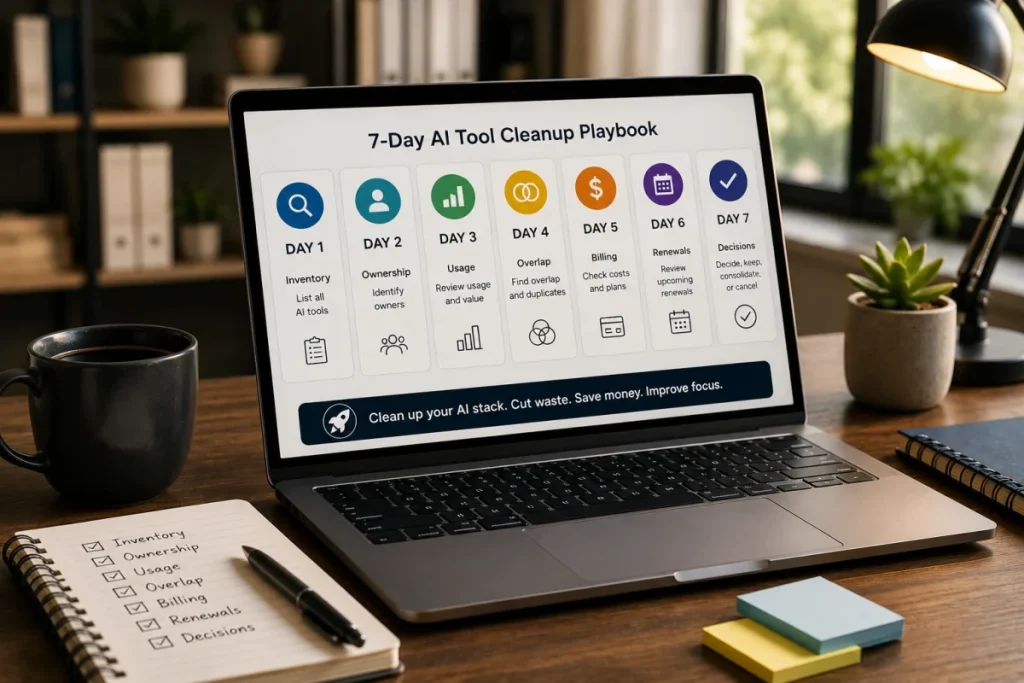
The 30-Minute SaaS Audit Structure
Use this structure:
| Time | Step | Goal |
|---|---|---|
| 0–5 minutes | List paid tools | Create visibility |
| 5–10 minutes | Assign owners | Find ownership gaps |
| 10–15 minutes | Review users and seats | Find unused seats |
| 15–20 minutes | Check overlap | Find duplicate workflows |
| 20–25 minutes | Review renewals | Find timing risk |
| 25–30 minutes | Decide next actions | Prioritize what to review |
Step 1: List Paid Tools
Time: 0–5 minutes
Start by listing every paid software tool you can identify.
Include:
- project management tools
- communication tools
- CRM
- marketing tools
- analytics
- design tools
- documentation tools
- AI tools
- finance tools
- customer support tools
- automation tools
- meeting tools
- file storage
- scheduling tools
- security tools
- HR tools
- developer tools
Do not worry if the list is incomplete.
The goal is to create the first working inventory.
Questions to Ask
- Which tools do we pay for monthly?
- Which tools do we pay for annually?
- Which tools are paid by company card?
- Which tools are reimbursed personally?
- Which tools are paid by department leads?
- Which tools are tied to contractors?
- Which AI tools are active?
Output
A simple list of paid tools.
Step 2: Assign an Owner to Each Tool
Time: 5–10 minutes
Next, assign an owner to each tool.
The owner is the person responsible for knowing why the tool exists and whether it should stay.
The owner does not need to use the tool every day.
But someone should be responsible for:
- usage review
- seat review
- renewal review
- cancellation or downgrade decision
- vendor communication
- internal documentation
Questions to Ask
- Who owns this tool?
- Who uses it most?
- Who approved it?
- Who receives renewal notices?
- Who can cancel or downgrade it?
- Who would notice if it disappeared?
- Who should decide whether it renews?
Warning Signal
If no one owns a paid tool, it is a review candidate.
Output
Each tool should have one named owner or be marked as “owner unclear.”
Step 3: Review Users and Seats
Time: 10–15 minutes
Now review users and seats.
This step is especially important for seat-based tools.
Look for:
- inactive users
- former employees
- former contractors
- duplicate accounts
- guest users
- old admin accounts
- unused paid seats
- expected-growth seats
- seats assigned to people who changed roles
Questions to Ask
- How many seats are paid for?
- How many users are active?
- Are former contractors still assigned?
- Are former employees still active?
- Are guest users paid?
- Are admin accounts counted?
- Are seats above current team size?
- Can seats be reduced before renewal?
Practical Note
Unused seats are not only a finance issue.
They can also reveal offboarding and access-control gaps.
Related Tool
Use the SaaS Waste Audit Tool to review unused seats and possible recurring waste.
Step 4: Check Tool Overlap
Time: 15–20 minutes
Tool overlap happens when multiple tools perform similar jobs.
Look for overlap in:
- project management
- notes and documentation
- meeting summaries
- AI writing
- AI research
- design and creative work
- automation
- analytics
- customer communication
- CRM and pipeline tracking
- file storage
Overlap is not always bad.
But it should be explainable.
Questions to Ask
- Which tools do similar jobs?
- Which tool owns the workflow?
- Are users split across multiple tools?
- Did a newer tool replace an older one?
- Are AI tools duplicating each other?
- Are built-in features replacing separate tools?
- Could one tool replace two?
Output
Mark tools as:
- unique
- possible overlap
- strong overlap
- needs review
Step 5: Review Renewals
Time: 20–25 minutes
Renewal timing can turn small SaaS waste into a bigger problem.
List any known renewals in the next 90 days.
For each renewal, check:
- renewal date
- cancellation deadline
- billing owner
- decision owner
- current plan
- current seats
- usage trend
- overlap
- annual vs monthly billing
- downgrade options
Questions to Ask
- Which tools renew soon?
- Do we know the cancellation deadline?
- Who receives renewal emails?
- Is usage still strong?
- Is the plan still right?
- Are seats accurate?
- Would we buy this tool again today?
Related Tool
Use the SaaS Renewal Risk Calculator if renewal timing is a concern.
Step 6: Decide Next Actions
Time: 25–30 minutes
Do not try to fix everything in the audit.
Instead, decide which tools need action.
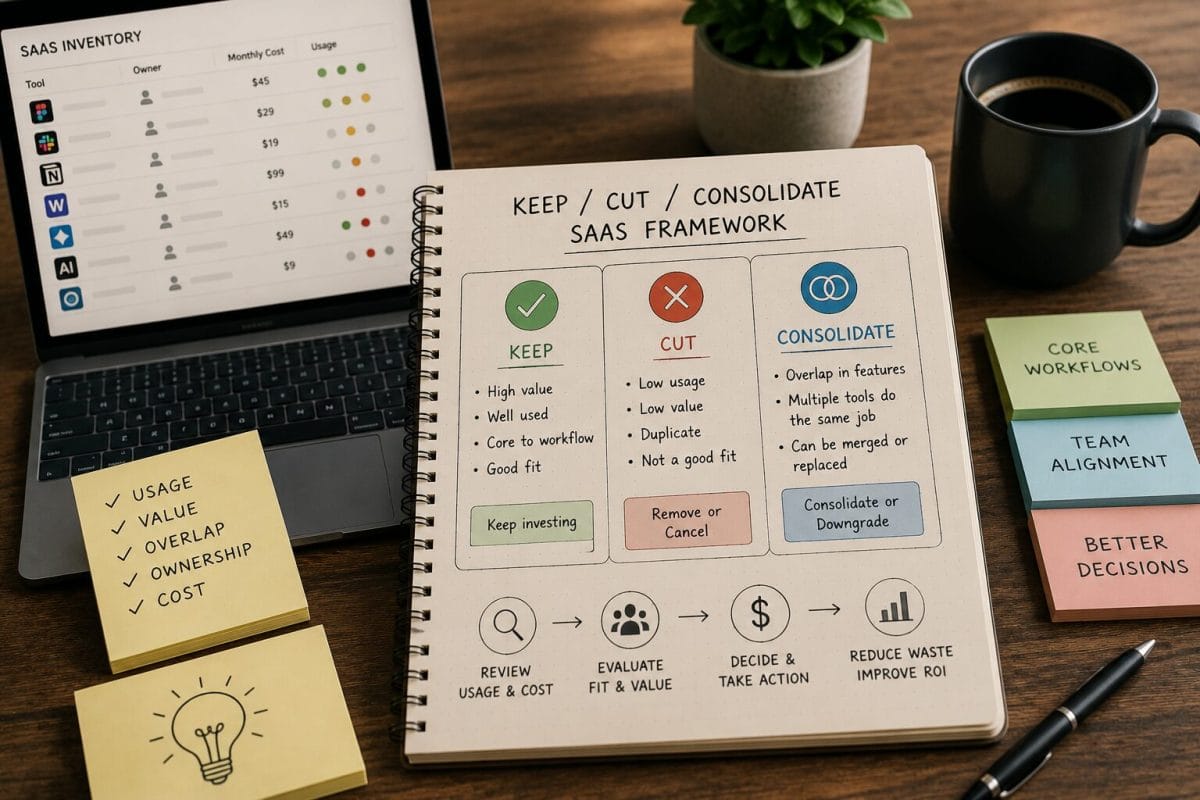
Use the Keep / Cut / Consolidate model.
Keep
The tool is actively used, owned, justified, and still fits.
Cut
The tool has low usage, no owner, no current workflow, or poor justification.
Consolidate
The tool overlaps with another tool and may be merged into a simpler workflow.
Review Later
The tool needs more information before a decision.
Output
Create a short action list:
| Tool | Issue | Owner | Action | Deadline |
|---|---|---|---|---|
| Example Tool | Unused seats | Operations | Review seats | Before renewal |
| Example AI Tool | Overlap | Marketing | Consolidate or cut | 7 days |
| Example Renewal | Annual plan | Finance | Check cancellation deadline | This week |
The 30-Minute SaaS Audit Checklist
Use this checklist during the audit.
Tool Inventory
- List paid tools
- Include AI subscriptions
- Include annual tools
- Include department tools
- Include contractor-related tools
- Include reimbursed tools
Ownership
- Assign owner
- Identify unclear owner
- Confirm billing owner
- Confirm renewal owner
- Confirm usage owner
Usage and Seats
- Check active users
- Check inactive users
- Check former contractors
- Check paid seats
- Check guest users
- Check admin accounts
Overlap
- Identify duplicate workflows
- Check AI tool overlap
- Check project management overlap
- Check meeting tool overlap
- Check documentation overlap
- Check automation overlap
Renewals
- Find renewal dates
- Find cancellation deadlines
- Check annual billing
- Check upcoming renewals
- Confirm renewal emails
- Assign decision owner
Decision
- Keep
- Cut
- Consolidate
- Downgrade
- Review later
- Assign owner
- Add renewal reminder
Example 30-Minute Audit Scenario
A 15-person team reviews its software stack.
In 30 minutes, it finds:
- 31 paid tools
- 5 tools with unclear owners
- 4 possible overlapping tools
- 3 AI subscriptions with similar use cases
- 2 former contractor accounts still active
- 2 renewals in the next 45 days
- 1 annual plan that may no longer fit current usage
This scenario is educational.
It is not a private customer case study.
The point is not that every 15-person team will find the same issues.
The point is that a short audit can reveal where to look next.
What to Do After the Audit
After the 30-minute audit, create a simple follow-up plan.
Within 24 Hours
- assign missing owners
- record renewal dates
- identify urgent renewal deadlines
- remove obvious inactive users if safe
- flag tools with strong overlap
Within 7 Days
- review AI subscriptions
- check contractor access
- review annual plans
- compare overlapping tools
- decide keep, cut, or consolidate for priority tools
Within 30 Days
- build a basic software inventory
- add renewal reminders
- create offboarding software checklist
- review SaaS cost per employee
- repeat the audit monthly or quarterly
Common Mistakes to Avoid
Avoid these mistakes:
- trying to solve everything in one meeting
- reviewing only the largest tools
- ignoring small AI subscriptions
- forgetting annual tools
- ignoring contractor access
- treating benchmarks as final proof
- assuming someone else owns renewals
- checking renewal date but not cancellation deadline
- cutting tools without checking workflow risk
- keeping tools only because they already exist
The audit should create clarity, not panic.
What to do after the 30-minute audit
After the quick audit, move the findings into a SaaS inventory so you can track owners, costs, seats, usage, and renewal dates in one place.
If the audit shows multiple waste patterns at once, use the Hidden SaaS Waste Playbook to understand what is happening,
then move to a guided SaaS Audit if the stack needs a deeper review.
Recommended ToolRelief Workflow
Use this order:
- SaaS Waste Score Report
Start with a high-level view of hidden SaaS waste risk. - SaaS Waste Audit Tool
Review unused seats, overlapping tools, and recurring software waste. - SaaS Renewal Risk Calculator
Identify renewals that deserve attention before the deadline. - AI Subscription Waste Calculator
Review AI tools that may overlap or remain from experiments. - SaaS Cost Benchmark Tool
Compare software spend as a review signal.
Related ToolRelief Reading
- SaaS Cost Intelligence Library
- The Keep / Cut / Consolidate SaaS Framework
- The SaaS Waste Pattern Library
- Tool Experiment: 5 Small-Team SaaS Waste Scenarios
- SaaS Renewal Risk Patterns Small Teams Miss
- How to Audit Your SaaS Stack in 30 Minutes
Methodology Note
This page is a ToolRelief playbook based on SaaS waste research, realistic small-team operating scenarios,
internal tool review logic, and editorial analysis.
It does not represent legal advice, financial advice, private customer data, guaranteed savings, or a market-wide statistical study.
ToolRelief separates playbooks from source-backed claims, educational scenarios, pricing-page observations,
internal tool experiments, founder research notes, and editorial interpretation.
Last updated: May 30, 2026
Last Updated on August 15, 2026