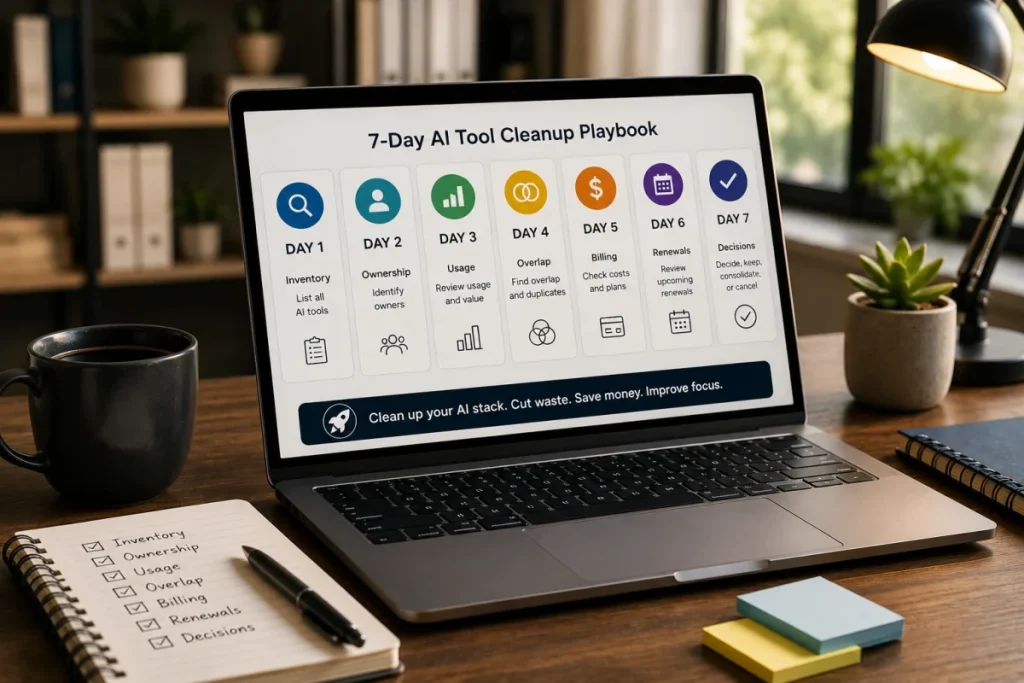

AI Tool Stack Cleanup Checklist
An AI tool stack can grow quickly inside a small team.
A founder tests one AI assistant.
A marketer adds a writing tool.
A developer uses a coding assistant.
A designer tests an image generator.
A sales operator adds a meeting summary tool.
An operations lead uses an AI automation tool.
Each tool may be useful.
The problem starts when the team no longer knows which AI tools are paid, who owns them,
which workflows they support, whether they overlap, and when they renew.
This ToolRelief checklist helps small teams clean up AI tool stacks without blocking useful AI adoption.
How This AI Tool Stack Cleanup Checklist Works
This AI tool stack cleanup checklist helps small teams review AI subscriptions, overlap, owners, billing, usage, renewals,
and workflow fit.
What Is an AI Tool Stack Cleanup?
An AI tool stack cleanup is a focused review of the AI tools a team uses for work.
The goal is to identify:
- paid AI subscriptions
- personal AI accounts used for work
- AI tools paid by the company
- AI tools reimbursed through expenses
- AI tools used by contractors
- AI add-ons inside existing SaaS tools
- overlapping AI features
- unclear owners
- unused subscriptions
- renewal dates
- billing sources
- tools that should be kept, cut, consolidated, downgraded, or reviewed later
This is not an anti-AI process.
It is a clarity process.
Why AI Tool Stack Cleanup Matters
AI tools often spread faster than traditional SaaS tools.
They can be:
- easy to try
- low-friction to subscribe to
- paid monthly
- tied to individuals
- used through personal accounts
- added for experiments
- duplicated across roles
- bundled into existing SaaS platforms
- hard to track across departments
This creates a new software cost pattern.
The issue is not that AI tools are bad.
The issue is that unmanaged AI tools can become another layer of SaaS waste.
The ToolRelief View
ToolRelief treats AI tools as part of the software stack.
If an AI tool supports business work, it should be visible in the team’s software review process.
A paid AI tool should have:
- a named owner
- a clear workflow
- active usage
- known billing
- known renewal timing
- limited or justified overlap
- a review decision
The goal is not to remove AI.
The goal is to make AI adoption intentional.
AI Tool Stack Cleanup Checklist
Use the checklist below to review your AI tool stack.
1. Inventory Every AI Tool
Start by listing every AI tool used for work.
Include:
- general AI assistants
- AI writing tools
- AI coding assistants
- AI meeting summary tools
- AI research tools
- AI image generators
- AI video tools
- AI presentation tools
- AI automation tools
- AI spreadsheet tools
- AI customer support tools
- AI sales tools
- AI add-ons inside existing SaaS platforms
- personal AI tools used for company work
- contractor AI tools used on projects
Questions to Ask
- Which AI tools are currently used?
- Which AI tools are paid?
- Which AI tools are free but used for work?
- Which AI tools are personal accounts?
- Which AI tools are company-paid?
- Which tools are reimbursed?
- Which tools are used by contractors?
- Which tools are hidden inside larger SaaS platforms?
Output
A complete working inventory of AI tools.
It does not need to be perfect on the first pass.
It needs to make invisible tools visible.
2. Identify the Owner
Every AI tool should have an owner.
The owner is responsible for knowing:
- why the tool exists
- who uses it
- what it costs
- what workflow it supports
- whether it overlaps with another tool
- whether it should stay paid
- when it renews
- whether it needs review
Questions to Ask
- Who requested this tool?
- Who uses it most?
- Who pays for it?
- Who can cancel it?
- Who should decide whether it stays?
- Who would notice if it disappeared?
- Who is responsible for reviewing it?
Output
Each AI tool should have one of these labels:
- owner assigned
- owner unclear
- personal owner
- contractor-owned
- needs transfer
- needs review
3. Map the Workflow
A paid AI tool should support a clear workflow.
Examples of workflows:
- blog drafting
- research summaries
- code assistance
- meeting notes
- sales follow-ups
- customer replies
- image creation
- video editing
- internal documentation
- task automation
- spreadsheet analysis
- presentation creation
- social media drafting
- support ticket summaries
Questions to Ask
- What job does this AI tool perform?
- Which workflow does it support?
- Which role uses it?
- Is the workflow current?
- Is the workflow important?
- Was this tool added for a temporary project?
- Does another tool support the same workflow?
Output
Each AI tool should have a clear workflow label.
If the workflow is unclear, the tool deserves review.
4. Check Active Usage
Next, check whether each AI tool is actively used.
Usage can be simple.
You do not need perfect analytics.
Start by asking:
- who used it in the last 30 days?
- is it used weekly?
- is it used only for occasional projects?
- was it used once and forgotten?
- is it tied to a campaign that ended?
- is it used by contractors only?
- would work break if it disappeared?
- does the owner still use it?
Usage Labels
Mark each tool as:
- active
- occasional
- project-based
- experimental
- inactive
- unknown
Unknown usage is a warning signal.
It does not always mean cut the tool, but it does mean the tool needs review.
5. Identify Feature Overlap
AI tool overlap happens when two or more tools perform similar work.
Check for overlap in:
- writing
- research
- meeting notes
- coding
- image generation
- automation
- sales outreach
- support replies
- document summaries
- presentations
- social posts
- data analysis
Questions to Ask
- Do multiple tools generate similar outputs?
- Does a general AI assistant already cover this workflow?
- Does an existing SaaS platform include a similar AI feature?
- Are two people paying for different tools to do the same job?
- Are contractors using separate tools for the same workflow?
- Could one team-approved tool replace several scattered subscriptions?
Output
Label each tool as:
- unique
- acceptable overlap
- possible overlap
- strong overlap
- consolidate candidate
Overlap is not automatically bad.
Unexplained overlap is the problem.
6. Review Billing Source
AI subscriptions can hide in different billing channels.
Check whether each tool is paid through:
- company card
- founder card
- department budget
- personal card
- reimbursement
- contractor invoice
- SaaS platform add-on
- annual subscription
- monthly subscription
- team plan
- individual plan
Questions to Ask
- Who pays for the tool?
- Is it personal or company-paid?
- Is it reimbursed?
- Is it part of another SaaS platform?
- Is it monthly or annual?
- Is it billed per user?
- Can billing be centralized?
- Is a team plan better than scattered individual plans?
Output
Each AI tool should have a billing source.
If billing is unknown, mark the tool as a visibility risk.
7. Check Renewal Timing
Every paid AI tool should have a review date.
Record:
- renewal date
- billing cycle
- cancellation deadline
- trial end date
- annual renewal date
- owner reminder
- review deadline
Questions to Ask
- When does this tool renew?
- Is the renewal monthly or annual?
- Is there a cancellation deadline?
- Is the tool still being tested?
- Should we review it before the next charge?
- Does the owner know the renewal date?
- Is the renewal tied to a personal email?
Output
Each AI tool should have a renewal status:
- renews monthly
- renews annually
- trial ending
- renewal unknown
- cancellation needed
- review before renewal
8. Review Data and Access Risk
AI tools may involve sensitive business data.
This checklist is not legal or security advice, but teams should still ask practical access questions.
Questions to Ask
- What kind of data goes into this AI tool?
- Does the tool store prompts, files, transcripts, or documents?
- Is customer information used?
- Are internal documents uploaded?
- Are meeting recordings stored?
- Does a former user still have access?
- Are contractors using the tool with company data?
- Is access tied to personal accounts?
Output
Mark each tool as:
- low data sensitivity
- moderate data sensitivity
- high data sensitivity
- unknown data exposure
- access review needed
If data sensitivity is unclear, the tool should be reviewed carefully.
9. Make the Decision
After the review, assign each AI tool one decision.
Keep
The tool has a clear owner, workflow, usage, cost, and renewal status.
Cut
The tool has low usage, no clear owner, unclear workflow, or no current need.
Consolidate
The tool overlaps with another tool and can reasonably be merged into a simpler workflow.
Downgrade
The tool is useful, but the team may not need the current plan or number of seats.
Transfer
The tool is useful, but ownership or billing should move to the right person or team account.
Review Later
The tool is still being tested or requires more information before a decision.
AI Tool Cleanup Table
Use this table during the cleanup.
| Tool | Owner | Workflow | Usage | Overlap | Billing | Renewal | Decision |
|---|---|---|---|---|---|---|---|
| AI Tool A | Marketing | Blog drafts | Active | Possible | Company card | Monthly | Keep / Review |
| AI Tool B | Founder | Research | Occasional | Strong | Personal card | Monthly | Consolidate |
| AI Tool C | Design | Images | Project-based | Unique | Company card | Unknown | Review |
| AI Tool D | Developer | Coding | Active | Acceptable | Company card | Annual | Keep |
Common AI Stack Cleanup Mistakes
Avoid these mistakes:
- treating cheap tools as harmless
- ignoring personal accounts
- ignoring AI add-ons in existing platforms
- ignoring contractor tools
- assuming every overlap is bad
- cutting tools without checking workflow risk
- keeping tools without assigning owners
- forgetting renewal dates
- reviewing only expensive tools
- ignoring data access and storage
- failing to document the final decision
The cleanup should make AI adoption cleaner, not slower.
Example Scenario
A small team reviews its AI stack and finds:
- one general AI assistant
- two AI writing tools
- one AI coding assistant
- one AI meeting note tool
- one AI image tool
- one AI research assistant
- one AI add-on inside a project tool
After the review, the team realizes:
- the two writing tools overlap
- the meeting note tool has low usage
- the image tool is campaign-based
- the coding assistant is actively used
- the research tool was added for one project
- no one owns the AI stack as a whole
This scenario is educational. It is not a private customer case study.
The purpose is to show how AI subscription clutter can appear even when every individual tool had a reason.
Recommended ToolRelief Workflow
Use this order:
- AI Subscription Waste Calculator
Estimate possible waste from overlapping or unnecessary AI subscriptions. - AI Tool Stack Builder
Plan a lean AI stack based on role, workflow, and budget. - SaaS Waste Audit Tool
Review AI subscriptions as part of your wider SaaS stack. - SaaS Renewal Risk Calculator
Check whether AI tools renew before the team reviews them. - SaaS Waste Score Report
Use this if AI tool overlap is part of a larger SaaS waste concern.
Related ToolRelief Reading
- SaaS Cost Intelligence Library
- The 7-Day AI Tool Cleanup Playbook
- AI Subscription Waste: A ToolRelief Research Note
- Tool Experiment: AI Subscription Waste Across 6 Roles
- Founder Research Note: What AI Tool Overlap Taught Me About Modern SaaS Waste
- How ToolRelief Uses AI Without Publishing Unverified Claims
Methodology Note
This page is a ToolRelief checklist based on AI subscription waste analysis, SaaS stack review logic, realistic small-team operating scenarios,
internal tool review logic, and editorial analysis.
It does not represent legal advice, security advice, financial advice, private customer data, guaranteed savings, or a market-wide statistical study.
ToolRelief separates checklists from source-backed claims, educational scenarios, pricing-page observations, internal tool experiments,
founder research notes, and editorial interpretation.
Last updated: May 30, 2026
Last Updated on June 6, 2026