
AI Subscription Waste: A ToolRelief Research Note
AI subscription waste is becoming one of the easiest software cost problems for small teams to miss.
A team may not feel that it is wasting money on AI tools.
Each subscription may look small on its own.
One tool helps with writing, another with coding, another with meetings, another with research,
another with images, and another with automation.
The problem appears when those subscriptions become a recurring software baseline without ownership,
usage review, or a clear role-based plan.
This ToolRelief research note explains how AI subscription waste can appear,
why it is different from traditional SaaS waste,
and what small teams should review before AI tools become another unmanaged software category.
Quick answer
AI subscription waste happens when teams pay for AI tools that overlap, sit unused, or keep running after the original experiment is over.
It usually does not look like one obvious bad purchase.
It looks like multiple small subscriptions, team seats, premium plans, AI writing tools, research tools, coding tools, meeting tools,
and workflow add-ons that were never reviewed together.
The fastest way to find the waste is to list the AI tools, owners, monthly costs, seats, and main use cases in one place.
Then look for overlap, unused access, and tools that no longer support real work.
Why AI Subscription Waste Is Easy to Miss
AI subscription waste can grow quietly when small teams add overlapping AI tools without a clear owner,
workflow, billing review, or renewal check.
What Is AI Subscription Waste?
AI subscription waste happens when a team pays for AI tools that are:
- unused
- underused
- overlapping
- assigned to unclear owners
- no longer tied to a real workflow
- duplicated across roles
- added for experiments but never reviewed
- kept because the monthly cost feels small
- used by one person when a team plan may be better
- paid through personal cards or scattered accounts
AI waste does not always mean the tool is bad.
A good AI tool can still become waste if the team no longer knows who uses it,
what job it performs, or whether another tool already does the same work.
Why AI Subscription Waste Is Easy to Miss
Traditional SaaS tools often enter a company through a more visible process.
A CRM, project management system, analytics tool, or help desk may require team discussion,
onboarding, integration, and budget approval.
AI tools often spread differently.
They can be added quickly by individuals.
A founder tests one tool.
A marketer tests another.
A developer adds a coding assistant.
A sales person adds a meeting assistant.
A content person adds a writing tool.
A designer adds an image tool.
Each decision may feel reasonable.
But together, they can create an unmanaged AI stack.
The Core ToolRelief View
AI subscription waste is not a reason to avoid AI.
It is a reason to manage AI tools deliberately.
The goal is not to cancel useful tools.
The goal is to understand:
- which AI tools are actually used
- which roles need paid AI access
- which tools overlap
- which subscriptions are experimental
- which tools should be consolidated
- which tools should be reviewed before renewal
- which AI tools support real workflows
- which tools only survived because nobody checked
AI tools can create leverage.
But unmanaged AI subscriptions can also create recurring cost drift.
Pattern 1: Many Small AI Tools Become a Fixed Monthly Baseline
One AI subscription may not feel expensive.
The issue appears when several small subscriptions become permanent.
A team may pay for:
- AI writing
- AI image generation
- AI coding
- AI meeting notes
- AI research
- AI presentations
- AI automation
- AI social content
- AI video editing
- AI support tools
Each tool may have a reason.
But the total monthly baseline can grow before anyone treats it as a stack.
ToolRelief Interpretation
Small monthly prices can reduce friction at sign-up.
They can also reduce urgency to review.
The danger is not one AI tool. The danger is a stack that grows without ownership.
Pattern 2: Role Confusion
AI tools often overlap across roles.
A writer, founder, marketer, and sales person may all use tools that generate text.
A product person, researcher, and founder may all use tools that summarize information.
A developer and operator may both use automation or coding assistants.
The question is not only:
“Who uses AI?”
The better question is:
“Which role needs which AI capability?”
Practical Review Questions
Ask:
- Which roles need AI writing?
- Which roles need AI research?
- Which roles need AI coding support?
- Which roles need meeting summaries?
- Which roles need image generation?
- Which roles need automation?
- Which roles can share a tool?
- Which roles need separate tools?
Related Tool
Use the AI Tool Stack Builder to plan a leaner AI stack based on role, need, and budget.
Pattern 3: Feature Overlap
AI feature overlap happens when different tools provide similar capabilities.
Examples:
- two AI writing tools
- multiple chatbot subscriptions
- several meeting summary tools
- AI research tools that overlap with general AI assistants
- AI image tools with similar outputs
- AI productivity tools that duplicate built-in platform features
- multiple tools that summarize documents
Feature overlap is not always waste.
Some teams may need specialized tools.
But overlap becomes a problem when the team cannot explain why each tool needs to remain paid.
ToolRelief Interpretation
The question is not:
“Do these tools have similar features?”
The stronger question is:
“Which tool owns the workflow?”
If no one can answer, the team may be paying for overlap rather than capability.
Pattern 4: Experimental Tools That Never Get Reviewed
AI tools are easy to test.
That is useful.
But experiments can turn into subscriptions.
A team may sign up for a tool during a project, campaign, launch, or research sprint.
After the experiment ends, the tool remains active.
This creates a simple waste pattern:
- Try the tool.
- Use it briefly.
- Forget to review it.
- Keep paying.
- Repeat across several AI products.
Practical Takeaway
Every AI experiment should have a review date.
A simple rule can help:
If a tool is added as an experiment, review it within 30 days.
The decision after that review should be:
- keep
- cancel
- downgrade
- consolidate
- assign owner
- move to team plan
- replace with another tool
Pattern 5: Personal Accounts and Scattered Billing
AI subscriptions often begin with personal accounts.
That can create visibility problems.
A team may not know:
- who pays for which AI tool
- whether the subscription is personal or business-related
- whether the tool stores work data
- whether the account should be transferred
- whether the subscription is reimbursed
- whether the tool duplicates another team account
- whether the account remains active after someone leaves
This can create both cost and governance issues.
ToolRelief Interpretation
AI subscriptions should not disappear into scattered personal billing.
If an AI tool supports business work, it should eventually be visible in the team’s software review process.
Pattern 6: AI Tools Attached to People, Not Workflows
Some AI tools are tied to individuals rather than workflows.
That can be fine at the beginning.
But as a team grows, the question should change.
Instead of asking:
“Who likes this tool?”
Ask:
“What workflow does this tool support?”
Examples of workflows:
- content drafting
- sales call summaries
- customer support replies
- code assistance
- market research
- documentation
- image production
- internal automation
- reporting
- meeting notes
A tool that supports a clear workflow is easier to justify.
A tool that is only attached to habit is harder to review.
Pattern 7: No AI Stack Owner
AI subscription waste becomes harder to control when no one owns the AI stack.
In a small team, the owner does not need to be a full-time procurement role.
It can be a founder, COO, operations manager, finance lead, or technical operator.
The owner should know:
- which AI tools are paid
- who uses them
- what each tool does
- whether tools overlap
- which tools are experimental
- which subscriptions renew soon
- whether the stack still matches the team’s needs
Practical Takeaway
Every paid AI tool should have an owner.
Every AI experiment should have a review date.
Every AI subscription should have a reason to stay.
Example Scenario: The Six-Tool AI Stack
A small team uses six paid AI tools:
- A general AI assistant
- An AI writing tool
- An AI coding assistant
- An AI meeting note tool
- An AI image generator
- An AI research assistant
The team may truly need several of them.
But before accepting the stack as permanent, it should review:
- which roles use each tool
- whether two tools produce the same output
- whether the general AI assistant covers some jobs
- whether the meeting tool is actively used
- whether the research tool replaced anything
- whether the image tool is used enough to stay paid
- whether any subscription was only used for one project
- whether a team plan would reduce scattered billing
This scenario is educational. It is not a private customer case study.
AI Subscription Waste Review Checklist
Use this checklist before keeping or renewing AI tools.
Tool Inventory
- Do we know every paid AI tool?
- Do we know who owns each one?
- Do we know the monthly or annual cost?
- Do we know whether it is personal or company-paid?
- Do we know when it renews?
Usage
- Who actively uses it?
- How often is it used?
- Which workflow does it support?
- Was it added for a temporary experiment?
- Has it been reviewed in the last 30–90 days?
Overlap
- Does another tool do the same job?
- Does a general AI assistant cover this use case?
- Are multiple people using different tools for the same workflow?
- Can one tool replace two?
Decision
- Keep it?
- Cancel it?
- Downgrade it?
- Consolidate it?
- Assign an owner?
- Move it to a team plan?
- Replace it with a better-fit tool?
Recommended ToolRelief Workflow
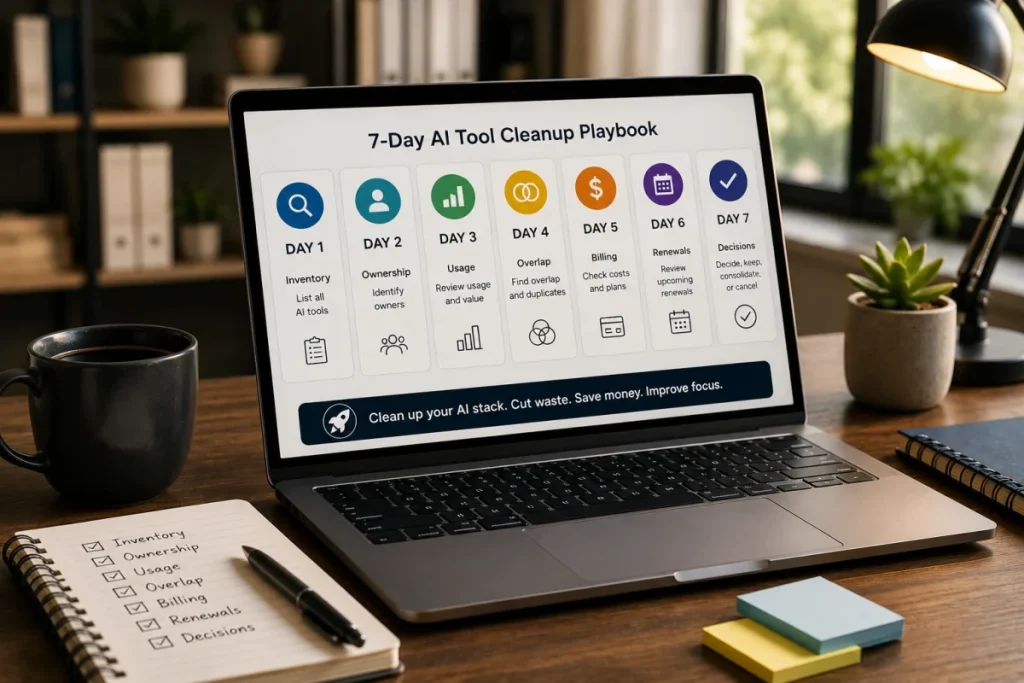
If AI subscriptions are becoming unclear, use this order:
- List all AI tools.
- Assign an owner to each tool.
- Group tools by workflow.
- Identify overlap.
- Review usage.
- Check monthly and annual cost.
- Review renewals.
- Decide what to keep, cut, consolidate, or downgrade.
- Use ToolRelief tools to support the review.
Recommended tools:
What to do next
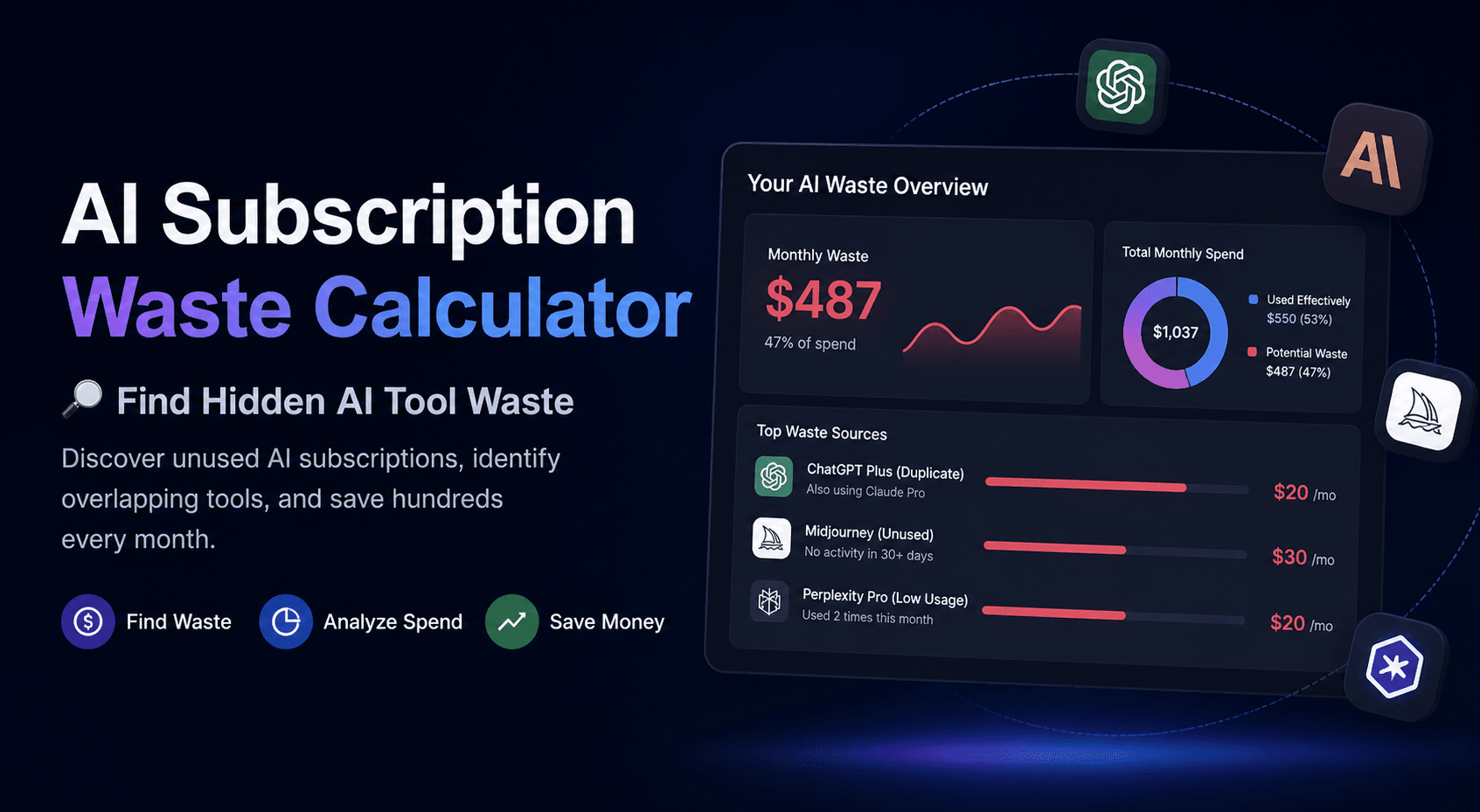
If AI subscription waste is only a small part of the problem, start with the AI Subscription Waste Calculator.
If the issue is bigger than AI tools alone, add those subscriptions to your SaaS inventory and review them with the rest of the stack.
AI waste is often easier to understand when it is compared against the tools the team already pays for.
Related ToolRelief Tools
Use the AI Subscription Waste Calculator to estimate possible waste from overlapping or unnecessary AI subscriptions.
Use the AI Tool Stack Builder to plan a lean AI tool stack based on role, need, and budget.
Use the SaaS Waste Audit Tool if AI tools are part of a wider software waste review.
You can also compare all tools on the SaaS Cost Optimization Tools page.
Related ToolRelief Reading
- SaaS Cost Intelligence Library
- The SaaS Waste Pattern Library
- Tool Experiment: 5 Small-Team SaaS Waste Scenarios
- How ToolRelief Uses AI Without Publishing Unverified Claims
- How ToolRelief Builds Realistic SaaS Scenarios
Methodology Note
This page is a ToolRelief research note based on SaaS cost research, AI tool workflow analysis,
realistic small-team scenarios, and editorial review.
It does not represent private customer data or a market-wide statistical study.
ToolRelief separates research notes from source-backed claims, educational scenarios,
pricing-page observations, internal tool experiments, founder notes, and editorial interpretation.
Last updated: May 30, 2026
Last Updated on June 15, 2026