Software Decision Finder: How to Choose What to Cut, Keep, or Replace
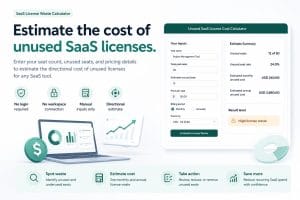
The Software Decision Finder helps you make the decision most teams keep avoiding: which software should stay, which tools should go, and which subscriptions should be replaced before they keep draining the budget.
Choose a software deal by use case, active users, workflow requirements, and total renewal cost.
Most teams do not have a software strategy. They have a pile of tools that entered the business one emergency, one campaign, one trial, one founder idea, and one “we might need this later” moment at a time.
That is how software stacks turn into quiet chaos.
Every tool must earn one of five decisions: keep, cut, consolidate, replace, or review.
This page explains how to choose what to cut, keep, or replace using the ToolRelief decision system. Use the finder above first, then use the framework below to understand the decision behind the recommendation.
The Fast Answer: How to Choose What to Cut, Keep, or Replace
If you need the practical version, use this rule:
| Decision | Use It When | Action |
|---|
| Keep | The tool is used often, has a clear owner, and supports real business work | Keep it, track the renewal date, and review seats |
| Cut | The tool is unused, ownerless, duplicated, or no longer tied to output | Export anything important and cancel before renewal |
| Consolidate | Two or more tools perform the same job | Move the workflow into one stronger tool and cancel the overlap |
| Replace | The tool is useful but too expensive, too heavy, or no longer the best fit | Move to a better option after testing the workflow |
| Review | The tool may matter, but the team lacks enough data to decide today | Assign an owner and set a 30-day review window |
The worst decision is no decision. No decision is how forgotten software turns into recurring waste.
Why Most Software Stacks Get Messy
Software stacks rarely become messy because one person made one terrible decision. They become messy because dozens of small decisions never get cleaned up.
A tool gets added for a campaign. Another tool gets added for a client. Another gets added because a team member likes it. Another gets added because the free trial looked useful. Another gets added because the current tool felt annoying for one week.
Then nobody removes anything.
That is how a lean team wakes up with too many dashboards, too many logins, too many overlapping AI tools, too many renewals, and too little clarity.
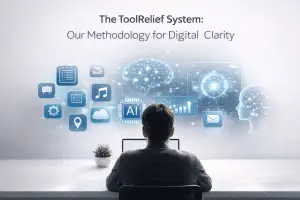
The ToolRelief Decision System
The Software Decision Finder is built around one practical idea:
A software tool should be judged by the job it performs, not by the brand, category, hype, or sales page.
To make a clean decision, evaluate each tool through five filters.
1. Usage
Is the tool actually being used in real work during the last 30 to 90 days?
2. Ownership
Every tool needs one owner who understands cost, usage, renewal, and workflow risk.
3. Overlap
Does another tool already do the same job?
4. Dependency
What breaks if the tool is removed?
5. Renewal Risk
When does the tool renew, and what happens if the team misses the decision window?
Decision Rule
Keep, cut, consolidate, replace, or review. Nothing should renew by accident.
The Software Decision Finder Matrix
Use this matrix to decide what happens next.
| Signal | What It Means | Decision | Next Move |
|---|
| High usage, clear owner, no overlap | The tool is probably important | Keep | Track renewal and seat count |
| Low usage, no owner, no active workflow | The tool is likely dead weight | Cut | Export data and cancel |
| Useful but duplicated | The team is paying twice for the same job | Consolidate | Pick one anchor and remove the weaker tool |
| Useful but too expensive or heavy | The job matters, but the current tool may not | Replace | Test a cleaner option before migrating |
| Unclear usage or hidden dependency | The team lacks enough information | Review | Assign an owner and check again in 30 days |
Use the Full ToolRelief Decision Cluster
The Software Decision Finder is the center of the current ToolRelief decision asset cluster. Use these pages when you need deeper guidance for a specific software decision.
How to Use This Page
- Use the finder at the top of this page to choose the right ToolRelief resource.
- Open the recommended starting point.
- Use the decision matrix to decide whether the tool should be kept, cut, consolidated, replaced, or reviewed.
- Document the owner, renewal date, next review date, and final decision.
- Use the related decision page if the problem is AI overlap, renewal risk, software cuts, or consolidation.
FAQ: Software Decision Finder
What is the Software Decision Finder?
The Software Decision Finder is a ToolRelief resource hub that helps users choose the right starting point before buying, renewing, replacing, or adding another software tool.
How do I choose what software to cut?
Cut software that is unused, duplicated, ownerless, no longer tied to active work, or not worth the renewal cost. Before cancelling, export important data and check whether the tool powers any active workflow.
How do I know what software to keep?
Keep software that is used regularly, has a clear owner, supports important work, does not duplicate another tool, and would create real disruption if removed.
When should I replace a software tool instead of cutting it?
Replace a tool when the business still needs the workflow but the current tool is too expensive, too heavy, too limited, or no longer the right fit.
What does consolidate mean in software decisions?
Consolidate means moving several overlapping jobs into one stronger tool or workflow. The goal is to reduce duplicated subscriptions, cut unnecessary seats, and simplify the stack without damaging output.
Final Decision: Stop Letting Software Decide for You
Software does not clean itself up. Subscriptions do not cancel themselves. Renewals do not wait for your team to become organized.
The Software Decision Finder gives you a clear way to decide what to cut, keep, consolidate, replace, or review before the stack becomes expensive background noise.
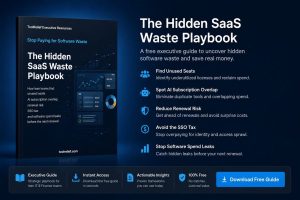
Run a SaaS Waste Audit
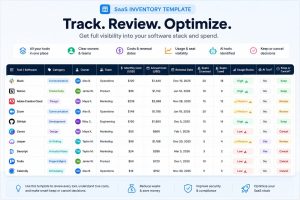
Use the SaaS Inventory Template
The goal is not to own more software. The goal is to stop letting software own the budget.