Pricing Evidence: Contact Sales as a Cost Visibility Problem
“Contact Sales” pricing is common in B2B SaaS.
It does not automatically mean a product is bad, overpriced, or unsuitable.
Some tools are complex enough that pricing depends on seats, usage, integrations, support needs, security requirements,
contract terms, or implementation scope.
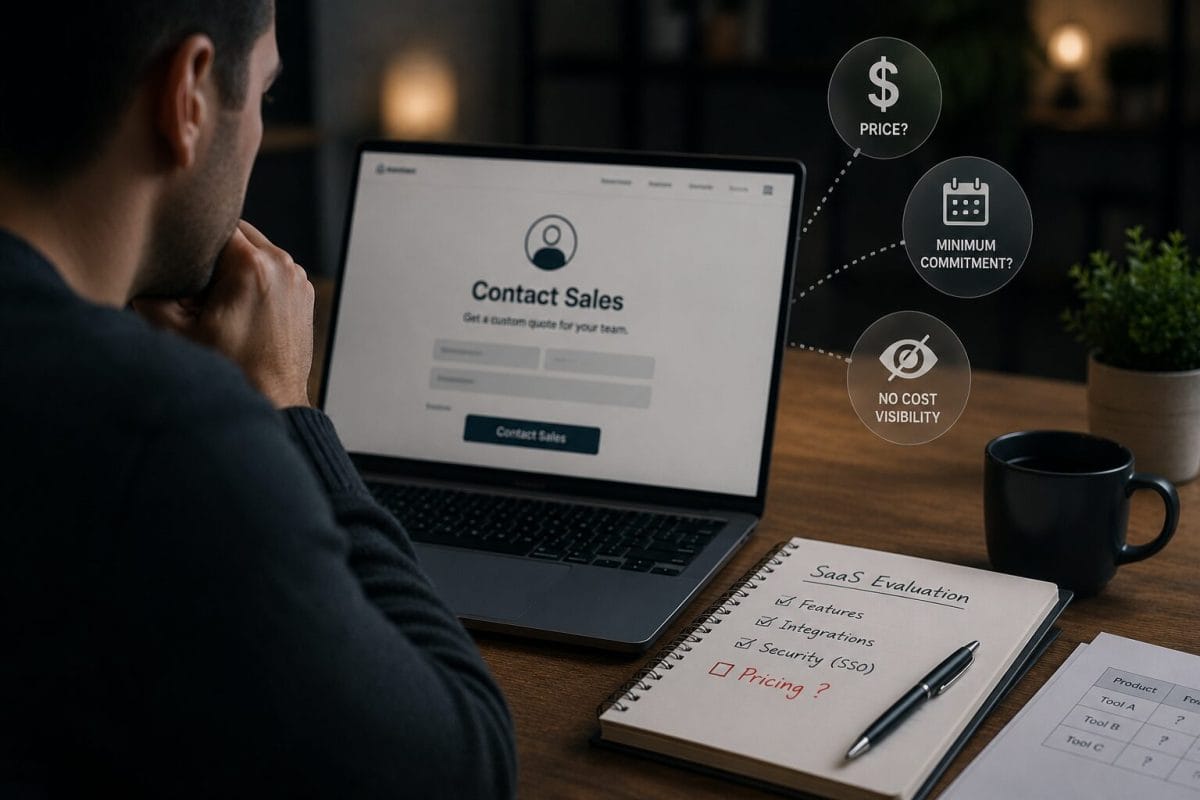
But for small teams, Contact Sales pricing can create a cost visibility problem.
When a team cannot see the likely price, minimum commitment, billing terms, or feature access before speaking with sales,
it becomes harder to compare tools, estimate budget, and make a clean buying or renewal decision.
This ToolRelief pricing evidence page explains how Contact Sales pricing can affect SaaS cost visibility.
Why Contact Sales Pricing Affects Cost Visibility
Contact sales pricing can create a cost visibility problem when small teams cannot see the likely price,
minimum commitment, or required plan before evaluation.
What Is Contact Sales Pricing?
Contact Sales pricing appears when a SaaS vendor does not show a public price for a plan or feature.
Instead, the pricing page may say:
- Contact Sales
- Talk to Sales
- Request a Quote
- Custom Pricing
- Enterprise Pricing
- Book a Demo
- Let’s Talk
- Contact Us for Pricing
This pricing structure is normal in many B2B categories.
It may be used when pricing depends on:
- company size
- user count
- usage volume
- security requirements
- support level
- implementation needs
- contract length
- integrations
- compliance needs
- enterprise features
Contact Sales is not automatically a red flag.
But it does reduce immediate pricing visibility.
Why Cost Visibility Matters
Small teams often need to make software decisions quickly.
A founder, COO, CFO, operator, or department lead may need to compare several tools before committing time to a sales conversation.
If pricing is hidden, the team may not know:
- whether the tool fits the budget
- whether there is a seat minimum
- whether annual billing is required
- whether SSO requires a higher plan
- whether implementation fees exist
- whether cancellation terms are flexible
- whether the plan is too large for the team
- whether a lower-cost alternative should be reviewed first
This can slow down decision-making.
It can also create budget surprises later.
The ToolRelief View
ToolRelief treats Contact Sales pricing as a cost visibility signal.
It does not mean the vendor is wrong.
It means the buyer should ask better questions before investing time or committing to a plan.
The main question is:
Can the team understand the real minimum cost before the tool becomes part of the workflow?
If the answer is no, the tool may need a more careful review.
Pattern 1: The Price Is Hidden Until the Sales Process
A small team may want to compare three or four tools.
Two tools show pricing publicly.
One tool requires a sales call.
The team may still choose the sales-led product, but it has less information at the beginning.
Why It Matters
Hidden pricing makes comparison harder.
The team may not know whether the product is:
- affordable
- enterprise-only
- seat-minimum based
- annual-only
- usage-based
- tied to implementation fees
- bundled with features the team does not need
Review Question
Can we estimate the likely minimum cost before speaking with sales?
Pattern 2: Contact Sales Hides the Minimum Commitment
The public pricing page may not reveal:
- minimum seats
- minimum contract value
- minimum annual spend
- minimum usage tier
- required onboarding fees
- required support package
- enterprise-only terms
A small team may begin the buying process thinking the tool could fit its budget,
only to discover later that the minimum commitment is too high.
ToolRelief Interpretation
The most important price is not always the headline price.
The most important price is the minimum real commitment.
Review Question
What is the lowest practical amount we must pay to use this product properly?
Pattern 3: Security Features Are Behind Contact Sales
Some SaaS vendors place security or identity features inside custom or enterprise plans.
This may include:
- SSO
- SAML
- OpenID Connect
- SCIM
- audit logs
- admin controls
- advanced permissions
- compliance features
- security reviews
- enterprise support
This can make it hard for a small team to understand the real cost of stronger access control.
Why It Matters
A team may not be evaluating only software functionality.
It may be evaluating security readiness.
If security features require a sales conversation, the team needs to understand whether the cost is realistic before depending on the tool.
Related Reading
See SSO Tax Evidence: Why Security Features Cost More.
Pattern 4: Contact Sales Can Delay Tool Comparison
When pricing is visible, a small team can compare tools faster.
When pricing is hidden, comparison may require:
- booking a demo
- waiting for a sales reply
- answering qualification questions
- attending discovery calls
- requesting a quote
- negotiating terms
- reviewing contract details
This may be appropriate for complex tools.
But it creates friction if the team only needs a quick budget comparison.
ToolRelief Interpretation
Sales-led pricing can be reasonable for complex products.
But the buyer should recognize that it changes the evaluation process.
Review Question
Is this tool important enough to justify a sales process before we know the price range?
Pattern 5: Contact Sales Pricing Can Hide Renewal Risk
A tool may be purchased through a sales-led process, then renewed through a contract.
The team may later struggle to answer:
- when does it renew?
- who owns the renewal?
- what is the cancellation deadline?
- can we reduce seats?
- can we downgrade?
- what happens if usage drops?
- which features are tied to the current plan?
- do we need to renegotiate before renewal?
This makes Contact Sales pricing relevant not only during purchase, but also during renewal review.
Related Tool
Use the SaaS Renewal Risk Calculator to review renewal timing and risk before the decision window closes.
Pattern 6: Contact Sales Pricing Can Increase Switching Friction
If a tool becomes important before the team fully understands contract terms, switching can become harder later.
Switching may be difficult because:
- workflows depend on the tool
- data is inside the product
- users are trained
- integrations are connected
- renewal timing is close
- replacement tools need testing
- pricing alternatives are unclear
- security features are tied to the plan
This can connect Contact Sales pricing to vendor lock-in.
ToolRelief Interpretation
The best time to understand pricing and exit options is before the product becomes operationally central.
Related Reading
See SaaS Vendor Lock-In and Data Hostage.
Pattern 7: Custom Pricing Makes Benchmarks Harder
A team may want to compare its SaaS spend against benchmarks.
But custom pricing can make this harder because two companies may pay different amounts for the same product depending on:
- contract timing
- user count
- negotiation
- support package
- annual commitment
- usage volume
- bundled features
- discounting
- region
- implementation scope
This does not mean benchmarks are useless.
It means benchmarks should be used carefully.
Related Tool
Use the SaaS Cost Benchmark Tool to compare software spend as a review signal, not as a final verdict.
Contact Sales Review Checklist
Before committing to a Contact Sales tool, ask:
Pricing
- What is the lowest available plan that fits our needs?
- What is the minimum monthly cost?
- What is the minimum annual cost?
- Is there a seat minimum?
- Is there a usage minimum?
- Is annual billing required?
- Are implementation fees required?
- Are support fees required?
Features
- Which features are included?
- Which features require a higher plan?
- Is SSO included?
- Are admin controls included?
- Are audit logs included?
- Are integrations included?
- Are exports included?
- Are AI features included or extra?
Contract
- What is the contract length?
- What is the renewal date?
- What is the cancellation deadline?
- Can seats be reduced?
- Can the plan be downgraded?
- Is there a notice period?
- What happens if usage drops?
Decision
- Do we know the real minimum commitment?
- Can we compare this tool against alternatives?
- Do we need this tool enough to enter a sales process?
- Would we choose this tool if pricing were fully visible?
- What risk appears if we delay the decision?
A Practical Example
A 15-person team wants to compare three SaaS tools.
Tool A shows pricing clearly.
Tool B shows pricing clearly but charges more for advanced features.
Tool C requires Contact Sales for the plan that includes SSO and admin controls.
Tool C may still be the best product.
But the team should not compare Tool C’s unknown price against Tool A and Tool B’s public entry-level prices.
The team should compare the real plan needed for each product.
This scenario is educational. It is not a private customer case study.
The ToolRelief Contact Sales Review Model
ToolRelief uses a simple model:
1. Visibility
Can the team see the likely price?
2. Minimum Commitment
What is the lowest real cost?
3. Feature Access
Which plan includes the required features?
4. Contract Risk
What terms affect renewal, cancellation, or downgrade?
5. Switching Friction
How hard would it be to leave later?
6. Decision Readiness
Does the team have enough information to choose confidently?
This model helps small teams avoid entering a buying process blind.
Recommended ToolRelief Workflow
If Contact Sales pricing appears in a tool evaluation, use this workflow:
- Identify the exact feature or workflow you need.
- Check whether pricing is public.
- Check whether required features are public.
- Ask for the minimum real cost early.
- Ask about seat minimums and annual commitments.
- Ask about renewal and cancellation terms.
- Compare against tools with visible pricing.
- Review whether switching would be difficult later.
- Record the decision before purchase or renewal.
Recommended tools:
Related ToolRelief Reading
- SaaS Cost Intelligence Library
- Pricing Evidence: Minimum Seats and Annual Plans
- SSO Tax Evidence: Why Security Features Cost More
- SaaS Renewal Risk Patterns Small Teams Miss
- SaaS Vendor Lock-In and Data Hostage
- SaaS Cost Per Employee Benchmarks
Methodology Note
This page is based on ToolRelief’s pricing evidence review process, SaaS buying analysis,
realistic small-team scenarios, and editorial review.
It does not represent legal advice, financial advice, private customer data, guaranteed savings, or a market-wide statistical study.
ToolRelief separates pricing-page observations from source-backed claims, educational scenarios,
internal tool experiments, founder research notes, and editorial interpretation.
Last updated: May 30, 2026
Last Updated on June 5, 2026