
SaaS Spend Review Worksheet
A SaaS spend review helps a small team understand what it pays for, who owns each tool, which seats are active,
which renewals are coming, and where software costs may need review.
This worksheet is designed for founders, CFOs, COOs, operators, finance leads,
and small teams that want a practical way to review software spend without starting with a complex procurement system.
The goal is not to cancel tools blindly.
The goal is to create visibility.
Quick answer
A SaaS spend review worksheet helps you turn a messy software bill into a clearer list of tools, owners, costs, seats, renewals, and next actions.
The point is not just to see what you spend.
The point is to understand which subscriptions are still useful, which ones are duplicated, which seats may be unused,
and which renewals need attention before they become harder to change.
A good worksheet should help you move from “we pay for a lot of tools” to “these are the tools we should keep, cut, consolidate, or review.”
How to Use This SaaS Spend Review Worksheet
This SaaS spend review worksheet helps small teams organize software costs, owners, seats, renewals, AI subscriptions, overlap,
and review decisions.
What This Worksheet Helps You Review
Use this worksheet to review:
- paid SaaS tools
- monthly and annual software spend
- tool owners
- billing owners
- active users
- paid seats
- unused seats
- AI subscriptions
- overlapping tools
- renewal dates
- cancellation deadlines
- plan fit
- keep/cut/consolidate decisions
- follow-up actions
A simple worksheet can reveal problems that are easy to miss in daily work.
Who Should Use This Worksheet?
This worksheet is useful for:
- founders
- CFOs
- COOs
- finance leads
- operations managers
- remote teams
- agencies
- contractor-heavy teams
- small SaaS companies
- teams using multiple AI subscriptions
- teams preparing for renewal review
- teams trying to understand SaaS cost per employee
If your team cannot quickly explain what it pays for and why, this worksheet is a good starting point.
The ToolRelief View
ToolRelief treats SaaS spend review as an operating habit.
A team should be able to answer:
- What tools do we pay for?
- Who owns each tool?
- Who uses each tool?
- What does each tool cost?
- When does each tool renew?
- Does each tool still match a current workflow?
- Does another tool already do the same job?
- Should the tool be kept, cut, consolidated, downgraded, or reviewed later?
A software stack becomes easier to manage when each tool has a purpose, owner, cost, and decision.
Worksheet Section 1: Tool Inventory
Start by listing every paid tool.
Include:
- SaaS subscriptions
- AI subscriptions
- annual tools
- monthly tools
- department-paid tools
- reimbursed tools
- contractor-related tools
- add-ons
- security tools
- marketing tools
- sales tools
- support tools
- finance tools
- design tools
- project management tools
- documentation tools
- automation tools
Table
| Tool Name | Category | URL | Department | Primary Workflow | Notes |
|---|---|---|---|---|---|
Questions to Ask
- What tools do we pay for?
- Which tools are missing from our official list?
- Are AI tools included?
- Are annual tools included?
- Are reimbursed tools included?
- Are contractor tools included?
- Are add-ons included?
Worksheet Section 2: Ownership
Every paid tool should have an owner.
The owner is responsible for knowing why the tool exists and whether it should remain paid.
Table
| Tool Name | Tool Owner | Billing Owner | Renewal Owner | Owner Clear? | Notes |
|---|---|---|---|---|---|
| Yes / No |
Questions to Ask
- Who owns this tool?
- Who receives invoices?
- Who receives renewal emails?
- Who can cancel or downgrade the tool?
- Who knows whether the tool is still used?
- Who should make the renewal decision?
Warning Signal
If owner is unclear, the tool needs review.
Worksheet Section 3: Cost
Record cost clearly.
Separate monthly cost from annual cost when possible.
Table
| Tool Name | Monthly Cost | Annual Cost | Billing Cycle | Plan Name | Add-ons | Notes |
|---|---|---|---|---|---|---|
| Monthly / Annual |
Questions to Ask
- What does the tool cost monthly?
- What does it cost annually?
- Is it billed monthly or annually?
- Are add-ons included?
- Are AI features charged separately?
- Are support packages included?
- Is pricing based on seats, usage, or plan tier?
Worksheet Section 4: Seats and Users
Seat-based tools need special review.
Table
| Tool Name | Paid Seats | Active Users | Inactive Users | Former Users | Seat Issue? | Notes |
|---|---|---|---|---|---|---|
| Yes / No |
Questions to Ask
- How many seats are paid for?
- How many users are active?
- Are former employees still active?
- Are former contractors still active?
- Are guest users paid?
- Are admin accounts counted?
- Are there unused seats?
- Can paid seats be reduced?
Related Tool
Use the SaaS Waste Audit Tool to review unused seats and recurring software waste.
Worksheet Section 5: Usage
Cost only makes sense when compared with usage.
Table
| Tool Name | Usage Level | Last 30 Days Used? | Business Critical? | Workflow Active? | Notes |
|---|---|---|---|---|---|
| High / Medium / Low / Unknown | Yes / No / Unknown | Yes / No | Yes / No |
Questions to Ask
- Is the tool used daily, weekly, monthly, or rarely?
- Who uses it?
- Is the workflow still active?
- Was the tool used for a project that ended?
- Is the tool business-critical?
- Would work break if the tool disappeared?
Warning Signal
Unknown usage does not automatically mean the tool should be cancelled, but it means the tool needs review.
Worksheet Section 6: AI Subscriptions
AI tools should be included in SaaS spend review.
Table
| AI Tool | Owner | Workflow | Monthly Cost | Usage | Overlap Risk | Decision |
|---|---|---|---|---|---|---|
| Active / Occasional / Unknown | Low / Medium / High |
Questions to Ask
- Which AI tools are paid?
- Which AI tools are company-paid?
- Which AI tools are personal but used for work?
- Which AI tools are reimbursed?
- Which AI tools overlap?
- Which AI tools were added as experiments?
- Which AI tools renew soon?
Related Tools
Use the AI Subscription Waste Calculator to estimate possible AI subscription waste.
Use the AI Tool Stack Builder to plan a leaner AI stack.
Worksheet Section 7: Tool Overlap
Overlap happens when two or more tools perform similar jobs.
Table
| Tool A | Tool B | Overlapping Workflow | Overlap Level | Possible Action |
|---|---|---|---|---|
| Low / Medium / High | Keep / Cut / Consolidate / Review |
Questions to Ask
- Do two tools perform the same job?
- Are users split across similar tools?
- Is one tool replacing another?
- Do AI tools overlap?
- Do built-in features replace separate subscriptions?
- Can one tool replace two?
- Is the overlap justified?
Related Framework
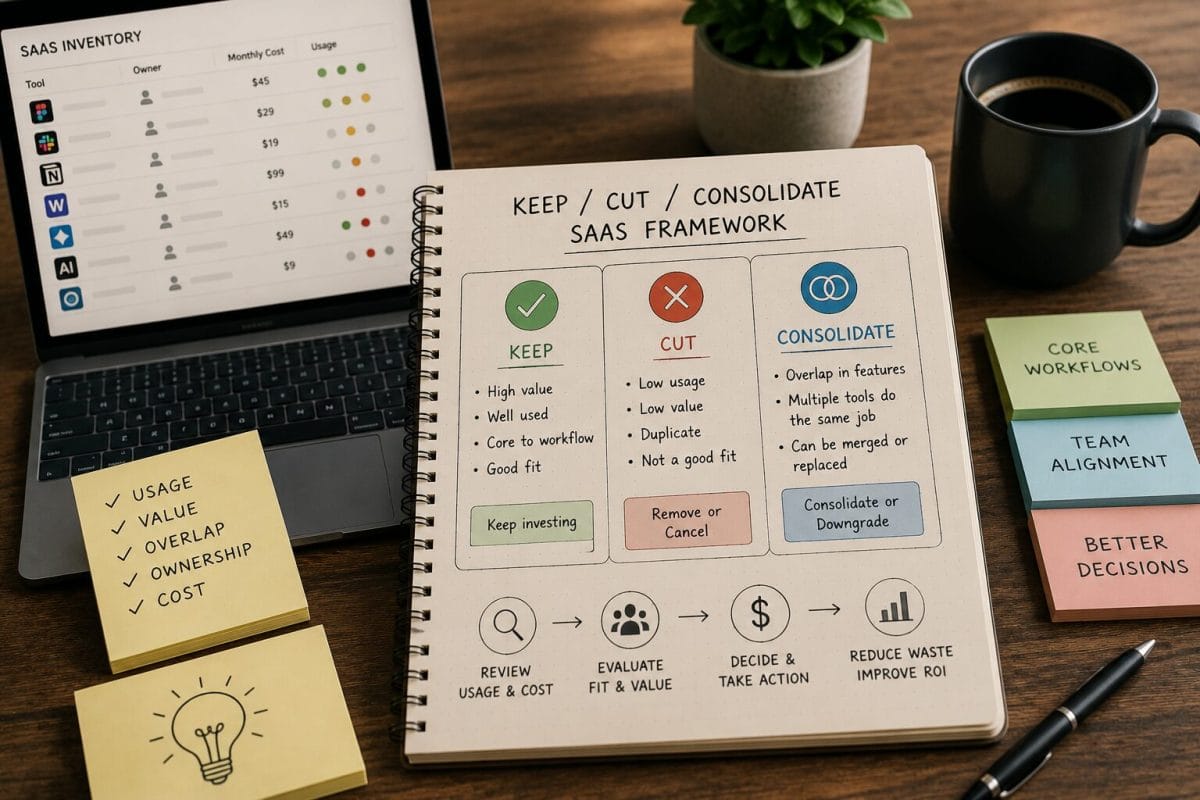
Use the Keep / Cut / Consolidate SaaS Framework to decide what to do next.
Worksheet Section 8: Renewals
Renewal timing can change the priority of a review.
Table
| Tool Name | Renewal Date | Cancellation Deadline | Annual or Monthly | Owner | Risk Level | Action |
|---|---|---|---|---|---|---|
| Annual / Monthly | Low / Medium / High |
Questions to Ask
- When does the tool renew?
- What is the cancellation deadline?
- Who owns the renewal decision?
- Is usage still strong?
- Are seats accurate?
- Is the current plan still right?
- Does the tool overlap with another tool?
- Would we buy it again today?
Related Tool
Use the SaaS Renewal Risk Calculator to review tools before renewal windows close.
Worksheet Section 9: Benchmarks
SaaS cost per employee can be useful as a review signal.
Table
| Metric | Value |
|---|---|
| Total Monthly SaaS Spend | |
| Total Annual SaaS Spend | |
| Employee Count | |
| SaaS Cost Per Employee / Month | |
| SaaS Cost Per Employee / Year |
Questions to Ask
- What is total monthly SaaS spend?
- What is total annual SaaS spend?
- Are AI subscriptions included?
- Are annual tools included?
- Are reimbursed tools included?
- Are contractor tools included?
- Is the number explainable?
- Which tools drive the most cost?
Related Tool
Use the SaaS Cost Benchmark Tool to compare software spend against a practical benchmark reference.
Worksheet Section 10: Final Decision
Every reviewed tool should receive a decision.
Table
| Tool Name | Decision | Reason | Owner | Deadline | Follow-Up |
|---|---|---|---|---|---|
| Keep / Cut / Consolidate / Downgrade / Review Later |
Decision Options
Keep
The tool has clear ownership, active usage, justified cost, and a current workflow.
Cut
The tool has low usage, unclear ownership, poor fit, or no current workflow.
Consolidate
The tool overlaps with another product and may be merged into a simpler stack.
Downgrade
The tool is useful, but the current plan, seat count, or add-ons may be too large.
Review Later
The tool needs more information before a decision.
Example Review Scenario
A 20-person team completes a SaaS spend review and finds:
- 42 paid tools
- 6 AI subscriptions
- 5 tools with unclear owners
- 4 possible overlapping workflows
- 3 upcoming renewals
- 2 former contractor seats
- 1 annual plan with low usage
This scenario is educational. It is not a private customer case study.
The lesson is not that every tool should be cancelled.
The lesson is that a worksheet can reveal which tools need review first.
Next step after the worksheet
Once the worksheet is filled out, look for the tools with unclear ownership, low usage, high seat counts, or renewal dates coming soon.
Those are the tools to review first.
If the worksheet shows repeated waste across the stack, use the SaaS Audit page as the next step for a deeper review.
Recommended ToolRelief Workflow
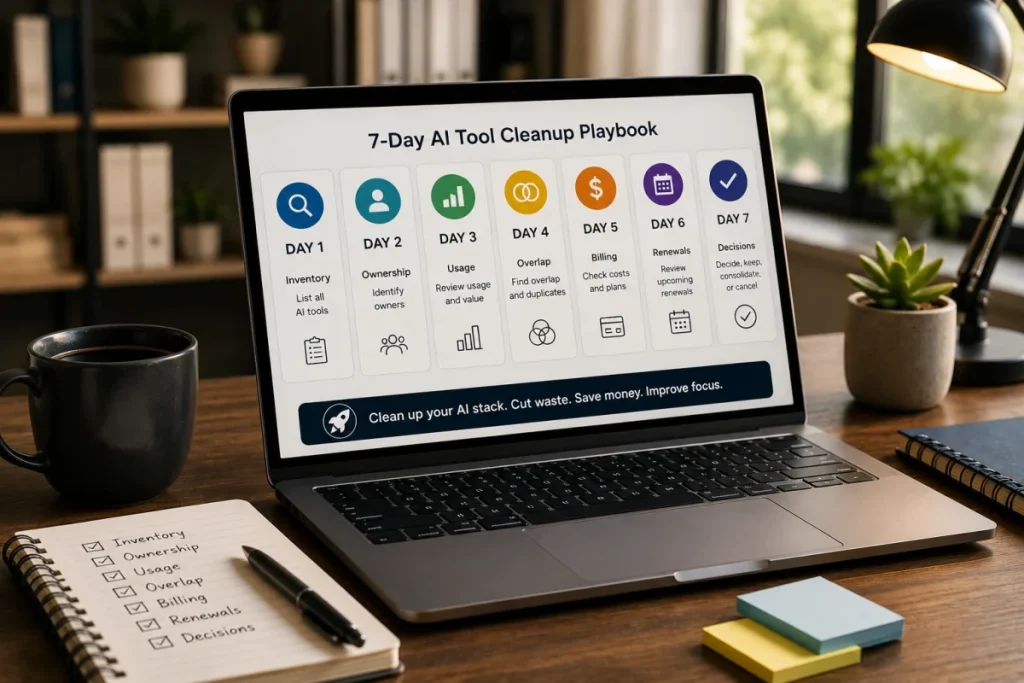
Use this order:
- SaaS Cost Benchmark Tool
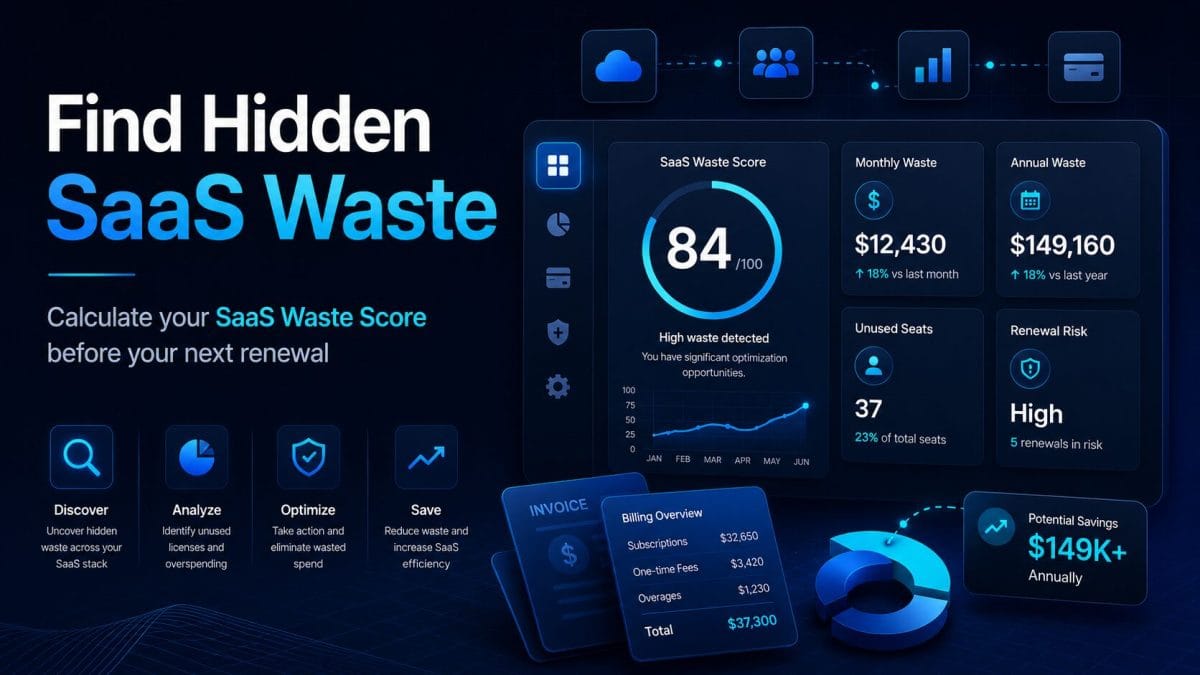
Compare software spend against a benchmark reference. - SaaS Waste Score Report
Get a high-level view of hidden SaaS waste risk. - SaaS Waste Audit Tool
Review unused seats, overlapping tools, and recurring waste. - SaaS Renewal Risk Calculator
Review renewal timing and cancellation windows. - AI Subscription Waste Calculator
Review AI subscriptions as part of the wider SaaS stack.
Related ToolRelief Reading
- SaaS Cost Intelligence Library
- SaaS Cost Per Employee Benchmarks
- The 30-Minute SaaS Audit Playbook
- The Keep / Cut / Consolidate SaaS Framework
- The SaaS Waste Pattern Library
- SaaS Renewal Risk Patterns Small Teams Miss
Methodology Note
This page is a ToolRelief worksheet based on SaaS spend review logic, SaaS waste research, realistic small-team operating scenarios,
internal tool review logic, and editorial analysis.
It does not represent financial advice, legal advice, private customer data, guaranteed savings, or a market-wide statistical study.
ToolRelief separates worksheets from source-backed claims, educational scenarios, pricing-page observations,
internal tool experiments, founder research notes, and editorial interpretation.
Last updated: May 30, 2026
Last Updated on June 15, 2026