TOOLRELIEF DECISION INTELLIGENCE
- Decision
- Use SaaS renewal checklist to verify the important conditions that should be checked before commitment, implementation, renewal, or another material action.
- Evidence Basis
- A structured verification checklist based on the decision conditions and risk signals documented on this page.
- Best Used For
- Checking whether the important decision conditions have been considered before commitment or implementation.
- Decision Boundary
- This page provides independent decision support rather than a guaranteed outcome. Product capabilities, pricing, third-party terms, and operating conditions can change.
SaaS Renewal Checklist: What to Review 30 Days Before Renewal
Quick Navigation ✔
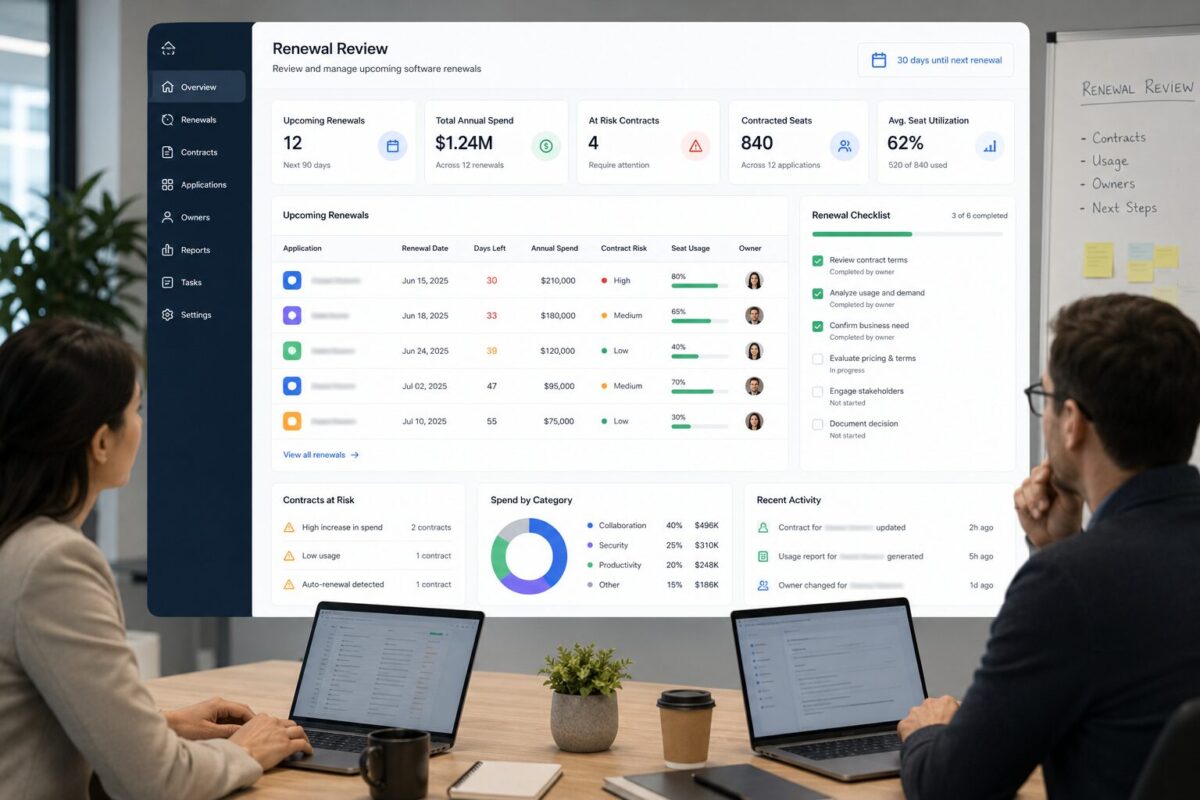
ToggleA SaaS renewal checklist is most useful before the renewal becomes urgent.
Once the renewal date is too close, a small team may lose the ability to remove unused seats,
downgrade a plan, consolidate overlapping tools, or challenge a contract that no longer fits the business.
The goal is not to panic-cancel useful software.
The goal is to review cost, usage, ownership, renewal terms, and workflow value while the team still has options.
Use this SaaS renewal checklist 30 days before renewal to decide whether a tool should be renewed,
reduced, renegotiated, consolidated, or reviewed more carefully before the next billing cycle begins.
Quick answer: what to review before a SaaS renewal
Before a SaaS renewal, review the renewal date, notice period, paid seats, active users, tool owner,
business-critical workflow, duplicate tools, downgrade options, cancellation terms, and any pricing or plan changes.
A good SaaS renewal checklist should answer one operating question:
Should this tool renew in its current form?
That means the team should not approve renewal only because the tool is familiar, already installed, or difficult to replace.
It should renew because it still supports a real workflow, has an accountable owner, has appropriate seat usage,
and fits the team’s current cost structure.
If the answer is unclear, the renewal should not be treated as automatic.
Why 30 days before renewal is the danger window
SaaS renewal risk is usually a timing problem.
A team may notice unused seats, duplicate tools, or unclear ownership after renewal.
But by then, the next billing cycle may already be active.
The team may still be able to clean up later, but the best opportunity to prevent waste has already passed.
Thirty days before renewal is a practical review window for small teams because it creates enough time to ask questions,
check usage, talk to the tool owner, compare alternatives, remove inactive seats, or prepare a vendor conversation.
Waiting until the final week creates pressure.
The team may approve renewal because nobody has time to validate the tool properly.
That is how renewal drift happens.
The tool keeps renewing not because it was reviewed, but because no one had enough time to stop and assess it.
This SaaS renewal checklist is designed to prevent that last-minute approval pattern.
The SaaS renewal checklist for small teams
Use the following process before every meaningful software renewal.
For small monthly tools, the review can be lightweight. For annual contracts, team-wide tools,
or products with many paid seats, the review should be more deliberate.
1. Confirm the renewal date and notice period
Start with the renewal date.
Do not begin with opinions about the tool. Begin with the calendar.
Document:
- Renewal date
- Billing frequency
- Notice period
- Cancellation deadline
- Current plan
- Current seat count
- Admin owner
- Internal business owner
- Contract or subscription notes
The notice period matters because some vendors require cancellation or seat changes before a specific date.
If the team misses that window, the renewal may proceed even if the tool is no longer a good fit.
This is the first question in the SaaS renewal checklist because timing controls the rest of the decision.
If the renewal date is close, the team needs a focused review.
If the renewal is farther away, there may be time for a deeper evaluation.
2. Identify the internal owner
Every renewing tool needs one internal owner.
The owner should be able to explain:
- Why the team uses the tool
- Which workflow depends on it
- Who uses it regularly
- Whether the current plan still fits
- Whether the seat count is accurate
- What would break if the tool were removed
- Whether the tool should renew, downgrade, or be replaced
A tool without an owner is a renewal risk.
If nobody can defend the business value of the subscription, the team should pause before approving another cycle.
Ownership also prevents finance-only renewal decisions.
Finance may see the cost, but the workflow owner understands the operating impact.
The best renewal decision usually requires both views.
3. Review paid seats against active users
Seat review is one of the highest-value parts of a SaaS renewal checklist.
Before renewal, compare paid seats with actual usage.
Look for former employees, contractors, duplicate accounts, inactive users, low-frequency users,
and people who only need viewer access.
Ask:
- How many seats are paid?
- How many users are active?
- Which users have not used the tool recently?
- Which users changed roles?
- Which users are contractors or temporary collaborators?
- Which users can be downgraded?
- Which seats should not renew?
This is where renewal review connects directly to unused license cleanup.
If your team has not already done a seat-level review,
use the operating memo on how to find unused SaaS licenses before renewal before approving the next seat count.
Do not wait until after renewal to discover that inactive seats rolled into another billing cycle.
4. Check whether the workflow still depends on the tool
A tool can have users and still deserve review.
Usage alone does not prove that the tool is still the best fit.
A product may be active because the team is used to it, not because it is still the right operating choice.
Before renewal, ask:
- What workflow does this tool support?
- Is that workflow still important?
- Has another tool replaced part of the job?
- Is the tool used by one person or the whole team?
- Is the current plan too large for the actual workflow?
- Would removing the tool create real operational damage?
- Would downgrading the plan preserve the useful parts?
This prevents two common mistakes.
The first mistake is renewing a tool automatically because it is familiar.
The second mistake is cutting a tool too aggressively because it looks expensive without understanding its workflow value.
A good SaaS renewal checklist should protect useful software while removing unnecessary spend.
5. Look for duplicate tools and workflow overlap
Renewals are a good time to look for overlap.
Small teams often end up with multiple tools that serve similar jobs:
project management, notes, meetings, AI writing, dashboards, file sharing, forms, reporting, analytics, or task tracking.
Overlap does not always mean waste.
Sometimes teams need different tools for different workflows. But overlap should be intentional.
Before renewal, ask:
- Which tool is the system of record?
- Which tool has the strongest adoption?
- Which tool supports the critical workflow?
- Which tool is mostly a convenience layer?
- Which tool duplicates another paid product?
- Can one tool replace another without creating damage?
- Is the team paying for two tools because nobody made a decision?
This is where the SaaS renewal checklist connects to broader cost optimization.
If the team has not already reviewed the full stack,
use the SaaS cost optimization checklist for small teams to map tools, owners, renewals, duplicate workflows,
and software spend before making renewal decisions in isolation.
6. Review pricing, plan, and contract changes
A renewal is not only a date. It is also a contract checkpoint.
Before approving renewal, check whether anything changed:
- Price
- Plan limits
- Seat minimums
- Billing terms
- Contract length
- Included features
- Support level
- Usage limits
- Renewal language
- Cancellation rules
Small teams often renew without rereading the terms because the tool feels familiar.
That can create risk when a plan has changed, a discount has expired, a minimum seat requirement applies,
or the product has moved key features into another tier.
Do not assume the next renewal matches the last one.
The review should answer:
Are we renewing the same value, or are we paying more for less useful fit?
That question matters before the contract renews, not after.
7. Check downgrade and cancellation options
A renewal decision is not always yes or no.
The team may have several options:
- Renew as-is
- Renew with fewer seats
- Downgrade the plan
- Move some users to viewer access
- Consolidate into another tool
- Cancel after migration
- Renegotiate before renewal
- Extend briefly while reviewing alternatives
This is why a SaaS renewal checklist should include downgrade and cancellation paths before the final decision.
If the only options discussed are “keep” or “cancel,” the team may miss the best decision.
A tool may still be useful, but the current plan may be too large. Another tool may be worth keeping,
but not with every user on a paid role.
Renewal review should create a practical decision, not just a yes/no approval.
8. Estimate renewal risk before approving the decision
Some renewals carry more risk than others.
A renewal is higher risk when:
- The tool has unclear ownership
- Seat usage is uncertain
- Several users are inactive
- The notice period is close
- The tool overlaps with another product
- The price changed
- The workflow is no longer critical
- The contract renews annually
- The team has not reviewed alternatives
- The internal owner cannot explain current value
This is where a calculator can help the team slow down before approval.
Before approving your next software renewal,
use the SaaS renewal risk calculator to estimate whether the contract has cost, usage, ownership, or timing risk.
The calculator is not a substitute for judgment.
It is a way to make the risk visible before the renewal becomes another automatic payment.
9. Record the renewal decision before the deadline
The final step in the SaaS renewal checklist is documentation.
For each renewing tool, record:
- Renew as-is
- Renew with fewer seats
- Downgrade
- Cancel
- Consolidate
- Renegotiate
- Review again before a specific date
Also record the reason.
This creates accountability for the next review cycle.
Six months later, the team should not have to rediscover why a tool was kept, why a seat count changed,
or why a contract renewed.
Small teams do not need a complex procurement system to do this well.
A simple renewal log can prevent repeated confusion.
The important part is that renewal decisions become visible, dated, and owned.
Practical scenario: how renewal risk builds before anyone notices
This is a practical scenario, not a real case study.
Imagine a small team has a software renewal coming up in 30 days.
The tool is familiar, and several people still use it. At first glance, renewal feels safe.
But during the review, the team finds several risk signals.
Some paid seats belong to users who rarely open the tool.
One contractor still has access even though the project ended.
Another department now uses a different product for part of the same workflow.
The internal owner is unclear because the person who originally selected the tool has changed roles.
The plan includes features the team no longer uses. The cancellation window is closer than expected.
No single issue proves the tool should be canceled.
But together, they show that renewing automatically would be careless.
The right decision may be to renew with fewer seats, downgrade the plan, consolidate part of the workflow,
or renegotiate before the deadline.
That is the purpose of a SaaS renewal checklist.
It gives the team enough structure to see the risk before the renewal becomes final.
When renewal risk becomes a SaaS waste problem
One risky renewal may be a normal operating issue.
Repeated risky renewals are a SaaS waste pattern.
If several tools have unclear owners, unknown usage, duplicate workflows, missed notice periods,
or surprise seat counts, the problem is bigger than one contract.
Common signals include:
- Renewals tracked only in inboxes
- No shared SaaS inventory
- Tools without accountable owners
- Former employees or contractors still listed in paid workspaces
- Duplicate products renewing separately
- Finance seeing spend without usage context
- Tool owners seeing usage without cost context
- Annual plans renewing without active review
When these patterns repeat, a SaaS waste audit can help the team review the stack as a system instead
of reacting to one renewal at a time.
The goal is not just to reduce one bill.
The goal is to prevent the same renewal risk from returning every quarter.
Connect renewal review to a repeatable system
Renewal risk is easier to control when the team uses a repeatable framework.
ToolRelief treats renewal review as part of a broader SaaS waste detection framework.
The same operating logic applies across unused seats, duplicate tools, renewal drift, unclear ownership,
and software cost visibility.
A repeatable system should include:
- A SaaS inventory
- Tool owners
- Renewal dates
- Notice periods
- Seat reviews
- Usage checks
- Contract notes
- Decision logs
- Follow-up dates
Without a system, every renewal becomes a fresh scramble.
With a system, each renewal becomes a scheduled operating review.
That is the difference between reactive SaaS cleanup and proactive software spend control.
What to do next
Start with the next tool that renews in the next 30 days.
Do not try to review the entire stack in one meeting.
Pick one upcoming renewal and run this sequence:
- Confirm the renewal date and notice period.
- Identify the internal owner.
- Review paid seats against active users.
- Check whether the workflow still depends on the tool.
- Look for duplicate tools and overlap.
- Review pricing, plan, and contract changes.
- Check downgrade and cancellation options.
- Estimate the renewal risk before approval.
- Record the decision before the deadline.
The goal is not to cut useful software.
The goal is to stop automatic renewals from carrying unused seats, unclear ownership, duplicate tools,
or avoidable spend into another billing cycle.
Before approving your next renewal,
use ToolRelief’s SaaS renewal risk calculator to check whether the contract has cost, usage, ownership, or timing risk.
 Read this article on Flipboard:
[Here]
Written by Waleed Al-Qasem
Founder of ToolRelief.
I write about the intersection of technology, remote work, and human productivity.
My mission is to help teams eliminate digital noise and get back to doing deep, meaningful work.
If your workflow feels heavier with AI…
You don’t need another tool.
You need less.
Explore ToolRelief to simplify your stack and regain control.