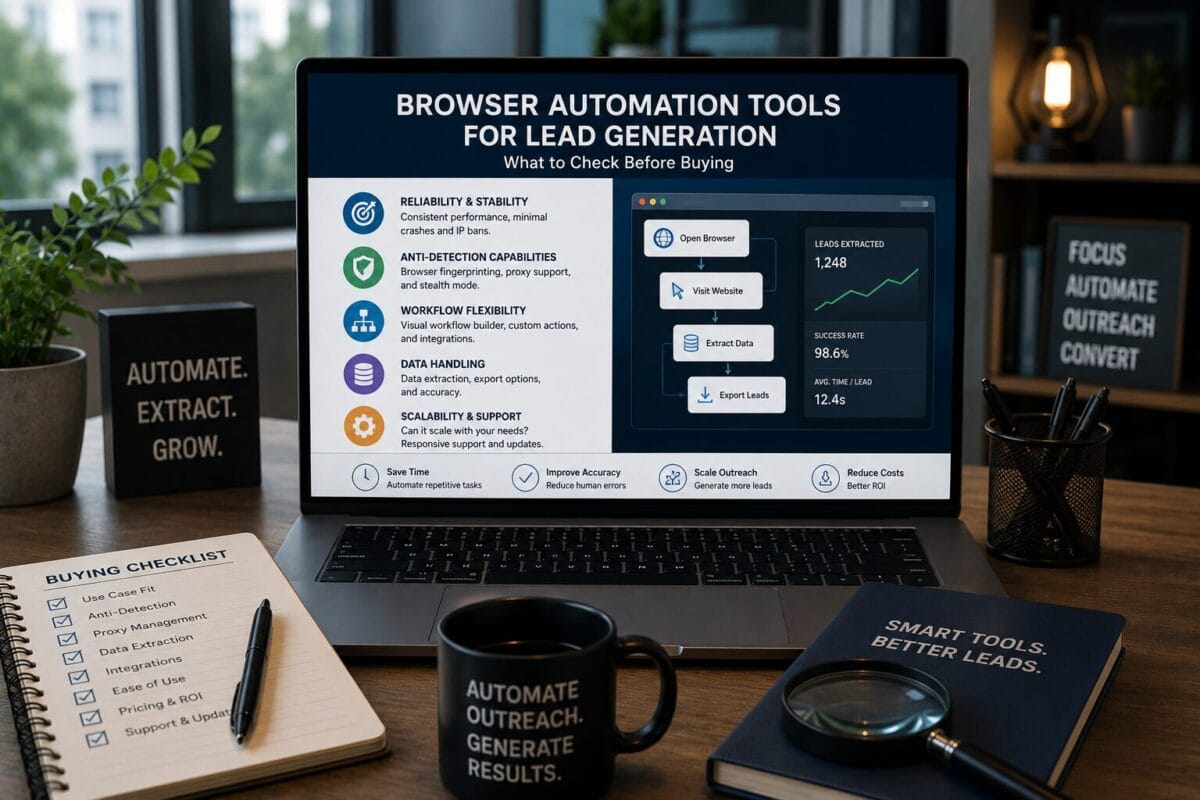
Commercial verdict: browser automation can improve lead generation when it reduces repetitive research and prepares cleaner information for a human sales process. It becomes risky when it is used to scrape indiscriminately, message people at scale, bypass platform limits, or turn weak targeting into faster spam. Buy a tool for a defined workflow, not for a promise of effortless leads.
TOOLRELIEF DECISION INTELLIGENCE
- Decision
- Use Browser Automation Tools for Lead Generation: What to Check Before Buying to evaluate the software or technology question investigated on this page before taking the next material action.
- Evidence Basis
- Documented product information, published evidence, comparative analysis, direct observation, and clearly labeled models where applicable.
- Best Used For
- Reducing uncertainty before taking the next material action.
- Decision Boundary
- This page provides independent decision support rather than a guaranteed outcome. Product capabilities, pricing, third-party terms, and operating conditions can change.
The strongest use cases sit before outreach: finding public company information, checking websites, organizing prospect signals, and creating a review queue. The closer the automation gets to personal data, account actions, or unsolicited communication, the stronger the legal, platform, quality, and reputational controls must become.
Review the entry edition against one documented lead-research workflow.
Map the lead workflow before choosing software
Lead generation is not one task. It is a chain that can include market selection, account discovery, contact research, qualification, enrichment, prioritization, message preparation, outreach, follow-up, and CRM updates. Different tools serve different parts of that chain.
A browser agent is most relevant when the process depends on navigating public websites and the steps are too variable for a simple spreadsheet but structured enough to document. It should not replace a proper data provider, consent process, CRM, or sales strategy when those are the real gaps.
| Stage | Browser automation fit | Human control |
|---|---|---|
| Account discovery | Moderate: collect public companies matching defined criteria. | Review niche, geography, and relevance. |
| Website research | Strong: inspect pages for services, signals, or technology. | Verify interpretation and freshness. |
| Contact discovery | High risk: personal data and terms may apply. | Use lawful sources and approved methods. |
| Qualification | Moderate: prepare evidence for scoring. | Sales owner makes the final decision. |
| Outreach | High risk: spam and platform rules apply. | Approve audience, message, frequency, and consent basis. |
| CRM update | Often better through native integrations. | Check duplicates and ownership. |
Four buyer categories
1. Research-first browser agents
These tools navigate websites, collect public facts, and prepare structured findings. They fit teams that need custom research beyond a fixed database. The buyer should test source traceability, duplicate handling, and the ability to stop when a page is unclear.
2. Data providers and enrichment platforms
These products supply standardized records and may be more reliable for contact and company data. They are not browser agents, but they may be the better commercial purchase when coverage, compliance documentation, and CRM integration matter more than custom navigation.
3. Native workflow automation
API and integration platforms move data between systems. They are usually stronger after a record already exists. Use them for deterministic CRM updates, routing, notifications, and approved sequences rather than trying to reproduce those tasks through browser clicks.
4. Outreach automation
Tools that send email or social messages carry the highest compliance and reputation risk. Do not buy outreach capacity before establishing targeting quality, lawful data use, opt-out handling, message review, and account limits.
Best-fit workflows for browser automation
- Reviewing public company pages for a clearly defined buying signal.
- Checking whether a prospect offers a service, uses a technology, or serves a target market.
- Collecting source URLs and notes for a human qualification decision.
- Monitoring a small set of accounts for meaningful public changes.
- Preparing a personalized research brief before a salesperson writes the message.
- Auditing whether existing CRM records still match the public website.
These tasks create evidence. They do not create permission to contact the person or guarantee that the account is ready to buy.
Workflows that should remain constrained
Personal-data collection
The team needs a lawful basis, data-minimization rule, retention policy, and process for correction or deletion. Public availability does not eliminate privacy obligations.
Automated form submission
Bulk use of contact forms can create spam, violate site terms, and damage the sender’s domain or brand. Use browser tools to prepare information, not to flood websites.
Social engagement and direct messages
Each platform controls automation and messaging. Human-like clicks do not create permission. High-volume activity can trigger restrictions or community backlash.
Lead scoring
An automated score should explain its evidence. Sales teams need to know why the account qualified and which facts are uncertain.
A buyer scorecard
| Criterion | Strong signal | Weak signal |
|---|---|---|
| Source traceability | Every key fact retains a source URL and timestamp. | The tool produces unsupported summaries. |
| Workflow control | The operator defines steps, limits, and stop conditions. | The tool encourages broad autonomous activity. |
| Reviewability | Results are easy to inspect and correct. | The workflow hides actions or merges uncertain data. |
| Data governance | Permissions, retention, and deletion are documented. | Personal data flows without clear ownership. |
| Platform fit | The use case follows current terms and reasonable rates. | The value depends on bypassing controls. |
| Economics | Reviewed time saved exceeds setup and correction time. | The team spends more time repairing automation. |
Use the larger edition only when additional scope solves a validated lead-research requirement.
BrowserAgent as a category fit
BrowserAgent Premium is positioned around AI-assisted browser workflows inside Chrome. That makes it a potential fit for research-first lead operations. The sensible purchase path is to test one public-information workflow and keep outreach, account actions, and consequential decisions behind a human gate.
Premium is the default starting point when the team is still validating fit. A broader MegaBundle should be considered only after the first workflow reveals a real edition or capacity gap.
Legal and ethical buying checks
- Identify the countries and people whose data may be processed.
- Document the lawful purpose and minimum fields required.
- Review website and platform terms for automated access and messaging.
- Avoid sensitive data unless the process is specifically designed and authorized for it.
- Provide accurate sender identity and required opt-out mechanisms.
- Define retention, correction, deletion, and access controls.
- Have qualified legal counsel review high-risk or large-scale programs.
This is operational guidance, not legal advice. The buyer remains responsible for the applicable privacy, marketing, and platform rules.
How to calculate the real return
Use a reviewed-output model. Record the manual time for research, the automation setup time, the run time, the human review time, and the correction rate. Then compare the number of genuinely qualified accounts produced—not the number of pages visited.
| Metric | Why it matters |
|---|---|
| Qualified accounts per reviewed hour | Measures usable research productivity. |
| Unsupported fact rate | Shows whether output can be trusted. |
| Duplicate rate | Reveals wasted processing and CRM pollution. |
| Correction time | Captures hidden labor after automation. |
| Positive reply rate | Useful only after targeting and messaging controls are stable. |
| Complaint or block rate | A critical warning for outreach risk. |
Implementation plan for a small team
Week 1: define and document
Choose one segment and one public research task. Create a field list, source rule, exclusion list, and human approval step.
Week 2: run a limited sample
Process a small set of accounts. Review every result and tag missing, wrong, ambiguous, or outdated data.
Week 3: connect to the sales process carefully
Import only approved records. Keep messaging manual while the team validates that the research improves relevance.
Week 4: decide whether to scale
Scale only if reviewed productivity improves and risk indicators remain acceptable. Otherwise narrow the workflow or return to a simpler method.
Alternatives by problem
Use a data provider when standardized coverage and compliance documentation matter most. Use a native integration when the job is deterministic system-to-system movement. Use a virtual assistant when judgment and irregular research dominate. Use manual founder-led research when the target market is small and every account is high value.
The right commercial stack may combine these approaches. Browser automation should occupy the part of the workflow where flexible navigation creates genuine value.
Procurement questions for a lead-operations team
Lead-generation automation should be purchased by the team that owns the data workflow, not only by the person attracted to faster browsing. Sales operations, marketing operations, security, and the eventual reviewer need a shared answer for data sources, permitted use, quality, routing, retention, and correction.
What data is the system allowed to collect?
List the source types, fields, jurisdictions, and account contexts. Separate public business information from personal information and authenticated data. Confirm the source terms and the organization’s legal basis before scaling collection. Browser convenience does not change those obligations.
What is the accepted record?
Define mandatory fields, normalization rules, duplicate logic, confidence thresholds, and evidence links. Automation should produce a reviewable record, not an unexplained row. Low-confidence records should be held for review rather than routed into outreach.
Where does the human decision occur?
Assign an owner to approve the target account, contact relevance, message premise, and any sensitive inference. A browser agent can reduce repetitive research; it should not silently convert uncertain data into a claim about a person or company.
How is the workflow stopped or corrected?
Document how to pause the run, remove bad records, correct a source mapping, revoke account access, and notify downstream owners. Procurement should reject a tool that is easy to start but difficult to audit or stop.
- Approve one source and one use case.
- Define the record and evidence standard.
- Run a small batch with manual review.
- Measure correction cost and reviewer time.
- Expand only after the governance process works.
Human approval point
A named reviewer approves relevance, evidence, and permitted use before a record enters outreach.
Final buyer recommendation
Buy browser automation for lead generation only after the team defines a lawful, narrow, reviewable workflow. Start with research and qualification support. Keep personal data, outreach, publishing, and account actions under stronger controls. BrowserAgent Premium is the more disciplined entry point when the use case fits.
Verify BrowserAgent Premium against your workflow, permissions, volume, and review requirements.
Can browser automation generate leads automatically?
It can assist research and workflow steps. It cannot guarantee qualified demand, replies, meetings, or sales.
Is scraping public information always allowed?
No. Website terms, privacy laws, database rights, access controls, and the nature of the data can still apply.
Should outreach be automated in the first pilot?
No. Begin with research and human-reviewed qualification before adding any messaging automation.
What is the best success metric?
Qualified accounts per reviewed hour, combined with low error, duplicate, complaint, and policy-risk rates.
Verification basis
ToolRelief reviewed the official BrowserAgent product pages and the
corresponding marketplace records before preparing this buyer guide.
Current product capabilities, checkout terms, and edition details control
if they differ from this draft.
-
Review the official BrowserAgent Premium product page
-
Review the official BrowserAgent MegaBundle product page
-
View the BrowserAgent Premium marketplace record on JVZoo
-
View the BrowserAgent MegaBundle marketplace record on JVZoo
Last Updated on July 23, 2026