TOOLRELIEF DECISION INTELLIGENCE
- Decision
- Use Why Travel Booking Payments Get Declined: 3D Secure, Billing Address, and Bank Blocks to clarify the travel decision investigated on this page before booking, paying, changing, or protecting the trip.
- Evidence Basis
- Published travel information, documented constraints, provider information, comparative analysis, and decision-oriented research where applicable.
- Best Used For
- Reducing uncertainty before taking the next material action.
- Decision Boundary
- Travel availability, fares, schedules, entry rules, eligibility, and provider terms can change. Verify time-sensitive details with the relevant official or provider source before acting.
Last verified: 2026-08-01
travel booking payments get declined: Travel booking payments get declined for several distinct reasons: authentication failure, billing mismatch, fraud controls, currency restrictions, insufficient authorization headroom, merchant-routing problems, or repeated attempts that trigger additional risk checks.
Cross-border travel checkouts combine fraud screening, 3D Secure, billing-address validation, limits, currency, and merchant compatibility. This diagnostic order fixes the most common causes without multiplying holds or duplicate bookings.
Why travel booking payments get declined
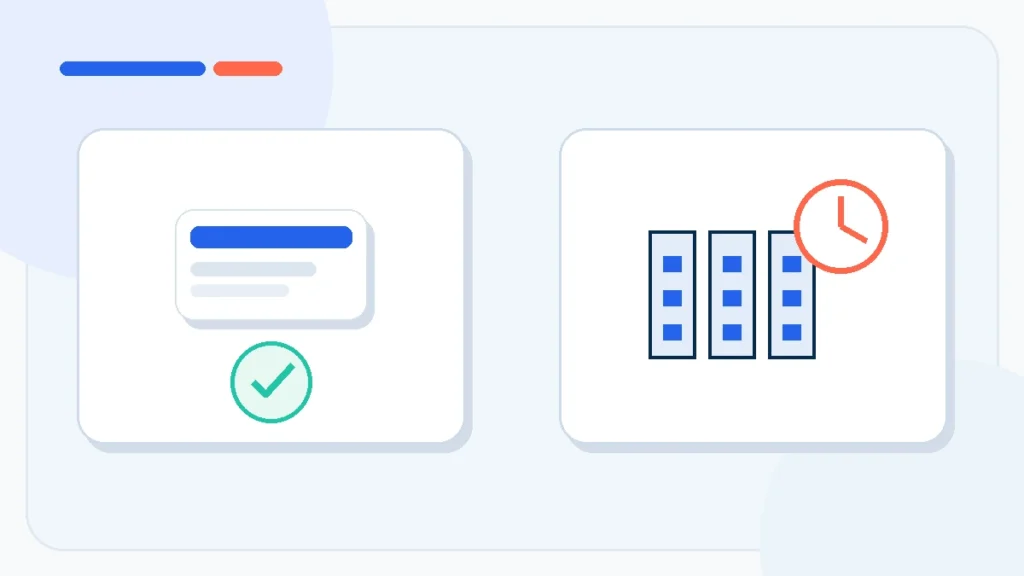
A valid card can fail because the transaction crosses countries, currencies, merchant systems, and authentication steps. The safest fix order is: stop repeated retries, read the exact error, complete 3D Secure, match billing data, confirm bank and card limits, then contact the issuer before switching cards or providers. Repeated attempts can create duplicate authorizations or strengthen a fraud block.
Separate authentication failure from payment refusal
A checkout can fail before the bank makes a normal approval decision. The browser may block a 3D Secure window, the banking app may not receive the challenge, or the session may expire. Visa describes 3D Secure as an authentication layer used to verify the cardholder for online payments. When the challenge fails, the merchant may show a generic declined message even though the account has funds.
Retry once in a supported browser, allow pop-ups for the checkout, keep the banking app available, and avoid switching networks mid-authentication. If the challenge never appears, ask the issuer whether the card is enrolled and whether the transaction reached them.
Billing address and identity mismatch
Some merchants compare the billing address, postal code, cardholder name, or phone number with issuer records. Transliteration, missing apartment numbers, a recently changed address, or using the hotel address instead of the billing address can cause a mismatch. Enter the issuer-recorded billing details exactly where the checkout supports them.
Bank fraud controls and cross-border blocks
Travel purchases can trigger controls because the merchant country, acquiring bank, currency, device location, and travel destination do not match the cardholder’s usual pattern. The issuer may also block online, international, card-not-present, or specific merchant-category transactions.
Contact the issuer using the number in the banking app or on the card. Ask whether the attempted amount and merchant were seen, whether international e-commerce is enabled, and whether a temporary approval or travel notice is needed. Do not share one-time passwords with the merchant or support agent.
Limits, currency, and authorization headroom
The available balance may be lower than the displayed account balance because of pending holds. Hotels and car rentals can request an authorization above the booking amount. Daily online limits, single-purchase limits, installment restrictions, and cash-equivalent controls can also apply. Confirm headroom for tax, conversion, and deposits.
Merchant, acquirer, and checkout problems
Sometimes the card is not the problem. The merchant may not support the card network, billing country, currency, or locally issued card. The payment processor can be unavailable, or a browser extension can interfere with checkout. Check the provider’s accepted methods and official status/support channel before moving to another site.
Safe retry order
- Pause. Do not submit the same payment repeatedly.
- Check for a pending authorization. A failed checkout can still create a temporary hold.
- Read the error and confirmation email. Determine whether the booking exists.
- Complete 3D Secure. Use the banking app or issuer-approved method.
- Correct billing data. Match issuer records and cardholder name.
- Check limits and international settings. Include deposit or hold headroom.
- Call the issuer. Ask whether it approved, declined, or never received the attempt.
- Retry once. Use the original provider if the inventory and price are still valid.
- Use an alternative method or provider only after confirming no duplicate booking.
Diagnosis table
| Symptom | Likely cause | Best next action |
|---|---|---|
| No bank notification and instant failure | Checkout, unsupported card, or pre-authentication failure | Check payment methods and browser; ask issuer whether attempt arrived |
| Bank app challenge appears, then fails | 3D Secure session or authentication issue | Retry once with stable browser/app and issuer support |
| Issuer shows decline | Fraud control, limit, category, country, or currency block | Ask issuer for the exact control and permitted retry |
| Charge pending but no booking | Authorization without completed order | Do not repay until provider confirms booking status |
| Multiple small holds | Repeated validation attempts | Stop retries and wait for provider/issuer guidance |
| One provider fails, another accepts | Merchant/acquirer compatibility difference | Confirm original booking is absent before completing alternative purchase |
What not to do
- Do not keep changing the amount or billing identity to force approval.
- Do not send card photos, CVV, or one-time passwords by email or chat.
- Do not assume “declined” means no authorization exists.
- Do not book duplicate non-refundable inventory before checking the first provider.
- Do not use a VPN or rapidly changing IP addresses during authentication unless the provider specifically supports it.
Nine safe diagnostic steps before another payment attempt
Do not begin with repeated retries. First identify whether the failure occurred before bank authorization, during 3D Secure authentication, or after the issuer received the charge. The error message, banking notification, and merchant response can separate identity friction from an actual refusal.
When travel booking payments get declined, compare the billing name, address, postal code, phone number, and card country with the issuer’s records. Then check online and international transaction controls, available credit including deposits, daily limits, and the currency being requested. Change one variable at a time so the successful correction is identifiable.
Escalate through verified channels only. Contact the card issuer using the number on the card, then use the merchant’s official support route if authorization is approved but checkout still fails. Avoid cycling through many cards or devices because rapid repeated attempts can create duplicate holds and stronger fraud blocks.
Decision checklist
- Stop repeated retries.
- Identify authentication versus issuer refusal.
- Match all billing details exactly.
- Enable online and international use.
- Check limits and authorization headroom.
- Confirm the requested currency.
- Ask the issuer about the merchant attempt.
- Use the official merchant support route.
- Verify no duplicate pending holds remain.
travel booking payments get declined should be approved only when the evidence is complete and the remaining commercial risk is explicit.
Final diagnosis when travel booking payments get declined
When travel booking payments get declined, the objective is not to force the card through. It is to establish whether authentication failed, the issuer refused the charge, the merchant could not process it, or a booking already exists. One controlled retry after evidence-based correction is safer than a chain of attempts across cards and providers.
Retry through a verified transport route
After confirming that no booking or duplicate authorization exists, compare the same transport itinerary through 12Go. Recheck operator, station, fare rules, and payment currency before paying.
Frequently asked questions
Why does 3D Secure fail during a travel booking?
The authentication window can be blocked, the session can expire, the issuer app can fail to receive the challenge, or the card may not be correctly enrolled. Ask the issuer whether it saw the authentication attempt.
Can a declined booking still create a card hold?
Yes. An authorization can remain pending even when the order did not complete. Confirm booking status before paying again.
Does calling the bank guarantee the next attempt will work?
No. The merchant or payment processor may still reject the card. The bank can explain issuer-side controls and whether the transaction reached it.
Should I use another card immediately?
Only after confirming the first booking was not created and no duplicate payment is likely. Correct authentication, billing data, and limits first.
Sources and verification
Policies and product details can change. This draft was checked against the following primary sources on 2026-08-01:
travel booking payments get declined: final evidence review
Travel booking payments get declined for different reasons, so repeated blind retries are not a safe recovery method. Confirm 3-D Secure completion, billing-address accuracy, available limit, bank controls, currency support, merchant status, and whether the first attempt created a pending authorization.
A verified decision should retain the booking, checkout, policy, or support evidence that applies to the exact option selected—not a nearby product, route, plan, or promotional claim.
Official verification source: EMVCo official 3-D Secure resources.
Last Updated on August 1, 2026