TOOLRELIEF DECISION INTELLIGENCE
- Decision
- Use How Much eSIM Data Do You Need for Travel? to clarify the travel decision investigated on this page before booking, paying, changing, or protecting the trip.
- Evidence Basis
- Published travel information, documented constraints, provider information, comparative analysis, and decision-oriented research where applicable.
- Best Used For
- Reducing uncertainty before taking the next material action.
- Decision Boundary
- Travel availability, fares, schedules, entry rules, eligibility, and provider terms can change. Verify time-sensitive details with the relevant official or provider source before acting.
Last verified: 2026-08-01
how much eSIM data do you need: How much eSIM data do you need depends on trip length, navigation, messaging, cloud photo backup, social video, calls, hotspot use, remote work, and access to trusted Wi-Fi. The correct plan is an activity estimate with a safety margin, not a generic package size.
The right travel data plan depends on activities, not only days. This guide converts maps, calls, video, hotspot use, and remote work into a practical eSIM allowance with a safety margin and top-up rule.
How much eSIM data do you need?
For a typical trip, plan roughly 0.5–1 GB per day for maps, messaging, email, light browsing, and occasional social media. Plan 1–2 GB per day for frequent social video and calls. Heavy streaming, cloud backup, laptop hotspot use, or remote work can consume several gigabytes per day. Buy for the actual activities, then add a 20–30% safety margin when top-ups are expensive or connectivity is mission-critical.
Start with the activities that consume data
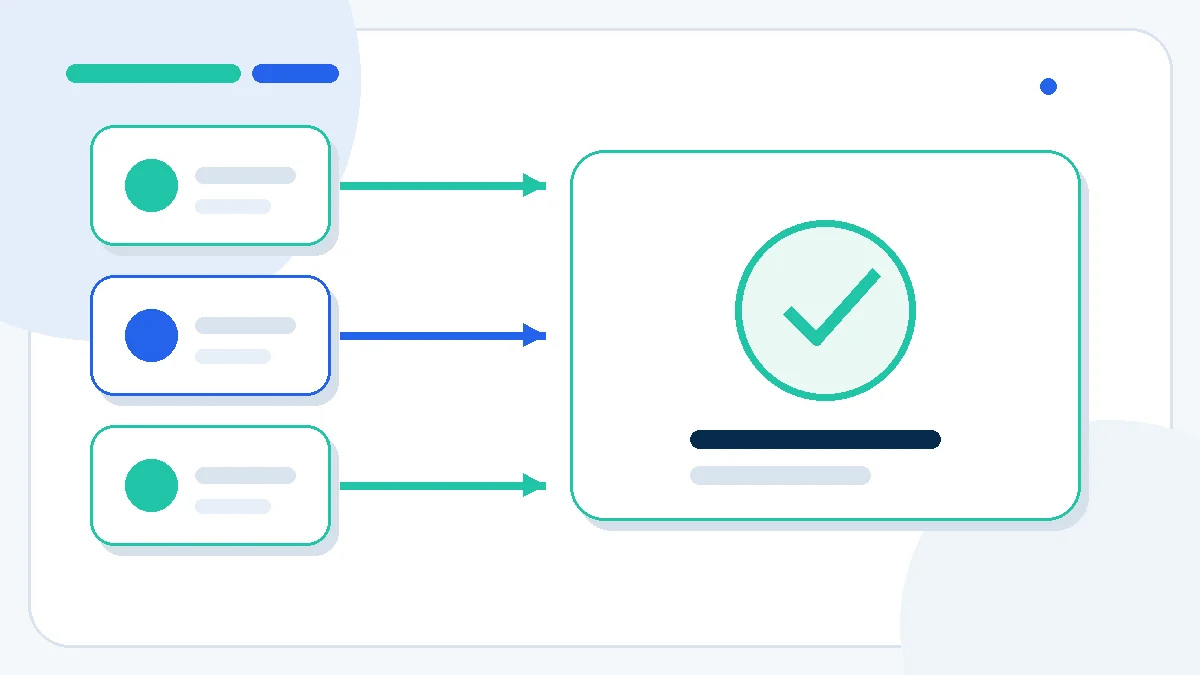
Trip length alone does not determine the plan. Navigation and messaging are relatively light when maps and media are downloaded in advance. Short-form video, automatic photo backup, video meetings, operating-system updates, and tethering are the main accelerators.
| Usage profile | Approximate planning allowance | Typical activities |
|---|---|---|
| Light | 0.25–0.5 GB/day | Maps, messages, email, booking apps, limited browsing |
| Standard | 0.5–1 GB/day | Light social media, maps, calls, daily browsing |
| High | 1–2 GB/day | Frequent social video, video calls, image uploads |
| Remote work / hotspot | 2–5+ GB/day | Laptop tethering, meetings, cloud files, updates |
Maps, messaging, and booking apps
These can remain efficient when configured before departure. Download offline maps, airline and hotel documents, transit routes, language packs, and destination guides over Wi-Fi. Disable automatic media downloads in group chats. Keep enough live data for rerouting, ride pickup, mobile tickets, authentication, and disruption alerts.
Video, calls, and social media
Video quality matters more than app name. Autoplay and high-definition playback can turn a modest plan into a one-day plan. Set streaming apps to data saver, reduce video-call resolution, and upload large clips on trusted Wi-Fi. Audio calls usually use less data than video, but long calls still add up.
Hotspot and remote-work use
A laptop can consume data in the background through cloud synchronization, software updates, shared drives, browser tabs, and security tools. Meter the connection, pause backups, and prevent operating-system updates. Verify that the eSIM plan permits tethering and whether a fair-use or daily high-speed limit applies.
Calculate the plan size
- Choose a daily profile: light, standard, high, or hotspot.
- Multiply the daily allowance by travel days.
- Add known heavy-use blocks such as video meetings or long transfers.
- Subtract activities moved to offline downloads or reliable Wi-Fi.
- Add 20–30% safety margin.
- Check whether top-up is available without replacing the eSIM.
| Trip | Light traveler | Standard traveler | Heavy/social traveler | Remote worker |
|---|---|---|---|---|
| 3 days | 1–2 GB | 3 GB | 5–7 GB | 10+ GB |
| 7 days | 3–5 GB | 5–10 GB | 10–15 GB | 20–35+ GB |
| 14 days | 5–10 GB | 10–20 GB | 20–30 GB | 40–70+ GB |
| 30 days | 10–20 GB | 20–40 GB | 40–60 GB | 100+ GB or local plan |
Top-up rule and safety margin
A smaller plan can be economical when the provider offers instant top-up on the installed eSIM. A larger initial plan is safer when arrival connectivity is critical, the destination has unreliable Wi-Fi, or top-up requires a working data connection. Keep the provider app, QR code, and account credentials available offline.
Before buying an eSIM
- Confirm the phone is carrier-unlocked and supports eSIM.
- Check destination coverage, network partners, validity, and activation trigger.
- Verify whether the plan is data-only or includes calls/SMS.
- Check hotspot permission and any fair-use or daily speed policy.
- Install before travel when allowed, but do not activate early.
- Disable roaming on the home SIM if you want to avoid roaming charges.
Seven usage controls for a realistic eSIM estimate
Start with daily essential usage: maps, messaging, email, booking apps, translation, and transport updates. Then add high-consumption behavior separately. Video streaming, social uploads, cloud synchronization, video calls, and laptop tethering can use more data in one hour than navigation uses across an entire day.
To answer how much eSIM data do you need, multiply the expected daily total by travel days and add a reserve for disruptions. The reserve should cover rebooking, extended navigation, support calls, or a hotel Wi-Fi failure. A plan with transparent top-up pricing can reduce the need to overbuy at the start.
Device settings are part of the estimate. Disable automatic app updates, pause cloud photo backup on mobile data, lower video quality, and confirm which SIM handles data roaming. The best plan is one that preserves reliable access for critical travel tasks without paying for usage that the device could have prevented.
Decision checklist
- Estimate essential daily usage.
- Separate video and hotspot demand.
- Multiply by trip length.
- Add a disruption safety margin.
- Check top-up price and validity.
- Control backups and app updates.
- Verify data-SIM and roaming settings.
how much eSIM data do you need should be approved only when the evidence is complete and the remaining commercial risk is explicit.
Final estimate: how much eSIM data do you need?
To decide how much eSIM data do you need, build the allowance from daily behavior and the heaviest planned task. A seven-day sightseeing trip with offline maps can use less data than two days of laptop hotspot work. Keep background updates off, monitor usage after arrival, and top up before the remaining balance becomes too small for navigation, authentication, or a disruption.
The best plan is not the largest plan. It is the smallest allowance that preserves essential connectivity with a practical safety margin and a reliable top-up path.
Check an eSIM plan for the destination
Select the real country or regional itinerary, then compare data amount, validity, network, activation, hotspot rules, and top-up before purchase.
Frequently asked questions
Is 1 GB enough for a week of travel?
It can be enough only for very light messaging, maps, and email with offline downloads. Most travelers should plan more if they use social media, calls, or booking apps regularly.
How much data does hotspot use?
Hotspot use depends on the connected device. Video meetings, cloud sync, updates, and large files can consume multiple gigabytes quickly.
Can I top up the same travel eSIM?
Many providers allow top-ups, but the rule varies. Check whether the installed eSIM can receive another pack and whether top-up is available in the destination.
Should I install the eSIM before departure?
Installing before departure can reduce arrival friction when the provider allows it. Keep the line off until the stated activation point so the validity period does not start early.
Sources and verification
Policies and product details can change. This draft was checked against the following primary sources on 2026-08-01:
how much eSIM data do you need: final evidence review
How much eSIM data do you need depends on maps, messaging, calls, video, hotspot use, remote work, trip length, Wi-Fi reliability, and background activity. Estimate critical usage first, add a disruption reserve, and control updates or backups before buying a larger plan.
A verified decision should retain the booking, checkout, policy, or support evidence that applies to the exact option selected—not a nearby product, route, plan, or promotional claim.
Official verification source: Apple Support guide to cellular-data usage.
Last Updated on August 1, 2026