TOOLRELIEF DECISION INTELLIGENCE
- Decision
- Use Software Deal Expiration: How to Verify a Limited-Time Offer to evaluate the software or technology question investigated on this page before taking the next material action.
- Evidence Basis
- Documented product information, published evidence, comparative analysis, direct observation, and clearly labeled models where applicable.
- Best Used For
- Reducing uncertainty before taking the next material action.
- Decision Boundary
- This page provides independent decision support rather than a guaranteed outcome. Product capabilities, pricing, third-party terms, and operating conditions can change.
Software Deal Expiration: 7 Checks Before You Buy
Software deal expiration is not always one deadline.
A promotion can have a campaign end date while its coupon expires earlier. A checkout code can have a redemption limit. A product can sell out before the campaign closes. A landing-page countdown can represent only a visitor session rather than the actual commercial deadline.
That is why a buyer should verify what is expiring, when it expires, who the deadline applies to, and whether the final checkout still honors the offer.
A deadline should change the timing of a decision only when the commercial condition behind that deadline can be verified.
If you want to check whether a current opportunity is still actionable, use ToolRelief’s current commercial opportunity intelligence.
Software Deal Expiration — Quick Answer
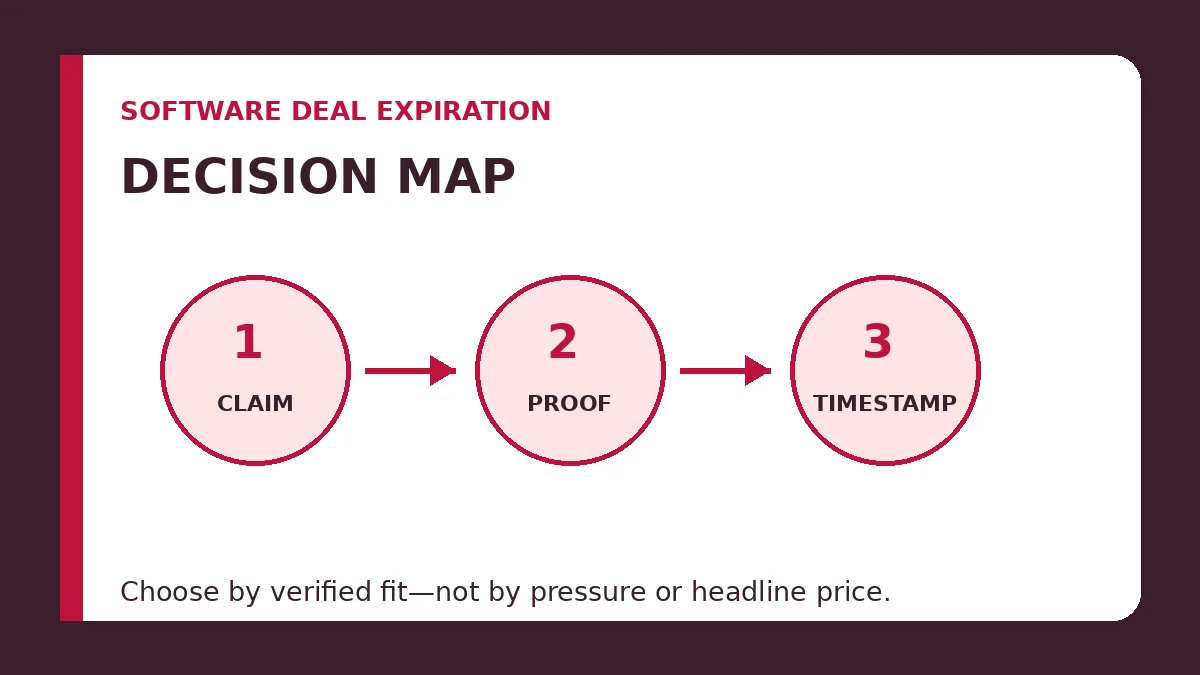
To verify software deal expiration, establish seven things before relying on the deadline:
- Deadline type: campaign, coupon, checkout, inventory, eligibility, or pricing change.
- Official source: where the deadline is actually stated.
- Checkout status: whether the offer still applies to the intended product.
- Time zone: exactly when the stated date becomes final.
- Redemption limits: whether quantity or usage can end the deal earlier.
- Urgency behavior: whether a countdown represents a real commercial cutoff.
- Post-expiry result: what actually changes after the stated deadline.
A visible timer alone is not enough evidence.
A third-party article saying “ends tonight” is not enough evidence.
And the fact that an offer appeared recently inside a commercial-intelligence system does not mean it expires when that monitoring window ends.
7 Software Deal Expiration Checks
| Check | Question | Why It Matters |
|---|---|---|
| 1. Deadline Type | What exactly stops at the deadline? | A campaign, coupon, price, inventory limit, or account eligibility can expire separately. |
| 2. Official Source | Who states the deadline? | Copied dates can remain online long after the original terms change. |
| 3. Checkout | Does the intended discount still apply? | The final transaction provides stronger current evidence than an old article. |
| 4. Time Zone | When does the stated date actually end? | A deal can close hours earlier than a buyer expects. |
| 5. Limits | Can redemption or inventory end first? | A promotion can become unavailable before its calendar end date. |
| 6. Urgency | Does the timer correspond to real terms? | Resetting or session-based urgency should not control the purchase decision. |
| 7. Recheck | What actually happens after expiry? | A post-deadline test helps distinguish a true cutoff from persistent promotional framing. |
1. Know Which Deadline Is Actually Expiring
“Offer ends Friday” can describe several different commercial events.
| Expiration Type | What Ends | Buyer Impact |
|---|---|---|
| Campaign expiration | The vendor stops advertising or offering the promotion | The promotional route may disappear entirely |
| Coupon expiration | A coupon can no longer be redeemed | The landing page may remain visible while the code stops working |
| Promotion-code expiration | A specific public-facing code becomes inactive | Another code or campaign may still exist |
| Inventory expiration | Available licenses, bundles, credits, or units run out | The deal can end before the advertised calendar date |
| Redemption-limit expiration | A maximum number of uses is reached | A promotion becomes unavailable even if time remains |
| Eligibility expiration | A new-user, upgrade, geographic, or account condition changes | The offer can remain live but no longer apply to you |
| Launch-price expiration | The product moves to a new standard price | The product remains available but at a different price |
These distinctions are not theoretical.
Stripe’s current promotion system, for example, allows an underlying coupon to have a redemption deadline while a customer-facing promotion code can have its own earlier expiration. Promotion codes can also be restricted by maximum redemptions and eligible products.
Stripe is only one payment platform, so those implementation details should not be treated as universal rules for every vendor. They illustrate why a software promotion can contain several separate expiration conditions.
2. Verify the Official Source
Start with the source closest to the transaction.
Evidence may include:
- the vendor’s official offer page;
- official campaign terms;
- the vendor’s pricing page;
- an authorized partner notice;
- the account dashboard;
- the final checkout.
A secondary deal site can help you discover an offer, but its deadline may be stale, copied, or based on a previous campaign.
When possible, preserve:
- the source URL;
- the stated date and time;
- the applicable region;
- the product or plan;
- the coupon or route;
- the date you checked it.
3. Test the Coupon and Final Checkout
A landing page can remain available after a coupon stops working.
The opposite can also happen: a campaign page can disappear while an existing account still retains a valid promotion.
When appropriate, test the intended commercial path without completing an unwanted purchase.
Verify:
- the coupon is accepted;
- the intended plan receives the discount;
- the final amount matches the advertised claim;
- the currency is correct;
- the buyer remains eligible;
- required minimums are satisfied;
- the billing term has not changed.
Stripe’s current documentation makes clear that promotion-code restrictions are checked at redemption time and that expiration, maximum-redemption, product, and minimum-transaction restrictions can all affect whether the code remains usable.
This is why “the page is still online” and “the deal still works” are not the same claim.
4. Check the Time Zone and Cutoff Rule
A calendar date without a time zone can create several hours of uncertainty.
For example:
Ends November 30
still leaves unanswered questions:
- Which time zone?
- Does it end at 12:00 a.m. or 11:59 p.m.?
- Must checkout begin before the deadline?
- Must payment authorization complete before the deadline?
- Is the cutoff based on the buyer’s location or the vendor’s systems?
When the official terms do not specify a time zone, do not invent precision.
State the known date and acknowledge that the exact cutoff is unclear.
5. Check Redemption and Inventory Limits
Not every software deal ends because the clock reaches zero.
An offer can effectively expire when:
- the maximum number of redemptions is reached;
- a limited bundle sells out;
- allocated credits are exhausted;
- a marketplace inventory limit is reached;
- an account no longer qualifies;
- a plan or product is removed from eligibility.
Stripe’s promotion-code controls provide a practical example: a promotion can have both a calendar expiration and a maximum number of redemptions. Reaching either condition can make the code inactive.
So a stated date may represent the latest possible end, not a guarantee that the offer will remain available until that moment.
6. Test Countdown Timers and Urgency
A countdown timer should be treated as interface evidence, not automatic proof of a commercial deadline.
The U.S. Federal Trade Commission has specifically identified baseless countdown timers as a dark-pattern tactic when they create the impression that an offer is limited even though it is not actually time-limited.
To test a timer:
- record the displayed end time;
- save the stated terms;
- return after the countdown ends;
- test a separate browser or private session;
- compare the price and offer conditions;
- check whether a new timer begins automatically.
A resetting timer does not by itself prove that the entire software offer is illegitimate.
It does mean the timer should not be treated as reliable evidence of expiration without stronger supporting terms.
For related discount-framing checks, see ToolRelief’s Fake Software Discount Signals.
7. Recheck After the Stated Expiration
A useful verification process does not end one minute before the deadline.
When the offer is important enough to track, check what actually changes afterward.
Possible outcomes include:
- the promotion disappears;
- the code becomes invalid;
- the product returns to normal pricing;
- the vendor extends the offer;
- a different promotion replaces it;
- the exact same commercial terms remain available;
- only the timer resets.
This post-expiry observation helps build better pricing and offer history over time.
It also prevents an expired claim from remaining indefinitely on an editorial or commercial page.
Commercial Opportunity Window vs Actual Offer Expiration
This distinction is especially important inside ToolRelief.
Commercial Opportunity Intelligence can organize market signals into windows such as hourly, six-hour, daily, weekly, or other monitoring periods.
Those intelligence windows are not automatically the expiration period of the underlying promotion.
Radar freshness answers “How recently was this opportunity surfaced or reviewed?” Offer expiration answers “When do the provider’s commercial terms stop applying?”
A deal can remain active after it leaves a short-term Radar window.
An offer can also expire while a historical reference to the signal still exists.
That is why ToolRelief should track these separately:
- Signal freshness
- Last verification time
- Offer start date
- Offer expiration
- Route health
- Current commercial status
Check ToolRelief’s current commercial signals when the question is whether an opportunity remains actionable now.
Software Deal Expiration Evidence Matrix
| Evidence | Strength | What It Can Establish |
|---|---|---|
| Official dated terms | High | Campaign deadline, eligibility, and stated conditions |
| Official vendor checkout | High | Whether the intended commercial terms currently apply |
| Authorized partner notice | Medium–High | Campaign timing where partner authorization is clear |
| Vendor account/dashboard | High for that account | Customer-specific eligibility and account offer status |
| Third-party deal article | Medium–Low | Discovery signal requiring confirmation |
| Countdown timer alone | Low | Urgency signal requiring additional verification |
| Search snippet | Low | Discovery only; may be stale |
Practical Example: The Deal “Ends Tonight”
Suppose a software page advertises 40% off and says the offer ends tonight.
You find three pieces of evidence:
- the landing-page timer reaches zero at midnight;
- an authorized campaign notice says the coupon remains valid for three more days;
- the checkout continues applying the same discount after the landing-page timer resets.
The strongest evidence does not support “the deal ends tonight.”
The better interpretation is:
- the landing-page urgency ended or reset;
- the coupon remains valid;
- the actual commercial cutoff is later.
The buyer should make the decision using the verified commercial terms, not whichever interface element creates the most urgency.
Does an Expiring Deal Mean You Should Buy Now?
No.
A verified deadline tells you that the decision window may be closing.
It does not tell you that the product is right for you.
Buying before expiration may make sense when:
- you already need the software;
- product fit is established;
- the current saving is meaningful;
- the deadline is verified;
- the billing commitment is acceptable;
- the renewal terms are understood.
Letting the deal expire may be better when:
- you are buying mainly because of urgency;
- product fit is uncertain;
- the discount is weak;
- the renewal cost is unclear;
- the commitment is excessive;
- a better alternative exists.
Use ToolRelief’s Best Time to Buy Software: Buy Now or Wait? when the real decision is whether the deadline should change your timing.
Black Friday, Cyber Monday, and Seasonal Expiration
Seasonal software promotions often contain several different dates:
- announcement date;
- early-access start;
- Black Friday start;
- coupon redemption deadline;
- Cyber Monday extension;
- final campaign cutoff;
- renewal date.
Do not assume a Black Friday offer automatically ends on Black Friday itself.
Some vendors run one promotion across an entire Cyber Week period. Others extend it. Some change terms between Black Friday and Cyber Monday.
ToolRelief’s Black Friday Software Deals 2026 Verified Tracker separates confirmed, live, re-verified, changed, and expired states instead of assuming an expected promotion remains current.
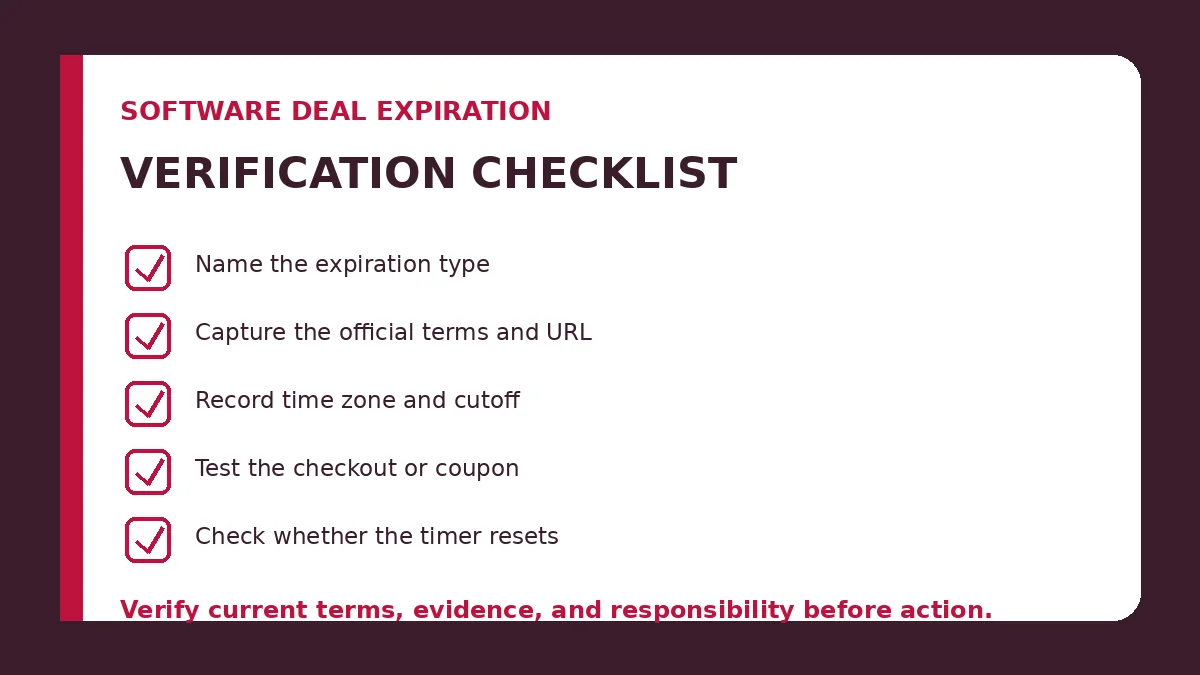
Software Deal Expiration Verification Checklist
- Identify exactly what is supposed to expire.
- Capture the official source and URL.
- Record the stated date and time.
- Record the applicable time zone.
- Confirm the exact product and plan.
- Check buyer and geographic eligibility.
- Test the coupon or promotion code where appropriate.
- Verify the final checkout price.
- Check maximum-redemption or inventory limits.
- Test whether a countdown resets.
- Separate the promotional term from renewal pricing.
- Record when the offer was last checked.
- Recheck after the stated expiration when the offer is being actively tracked.
- Remove or update expired commercial claims promptly.
ToolRelief Expiration Record
For commercial opportunities that ToolRelief actively monitors, the useful record is not simply “expires soon.”
A stronger expiration record contains:
| Field | Purpose |
|---|---|
| Offer / product | Defines exactly what is being tracked |
| Source | Preserves where the timing evidence came from |
| Start date | Separates launch from discovery time |
| End date | Records the stated commercial cutoff |
| Time zone | Prevents ambiguity around the deadline |
| Deadline type | Campaign, coupon, redemption, inventory, or other condition |
| Last verified | Shows how recently the route and terms were checked |
| Status | Confirmed, live, changed, re-verified, or expired |
| Next action | Recheck, update, remove, or preserve as historical evidence |
This keeps freshness, verification, and expiration from being collapsed into one misleading status.
Related ToolRelief Buying Intelligence
-
Commercial Opportunity Intelligence
— check current market signals and whether a commercial opportunity remains actionable. -
Fake Software Discount Signals
— test reference prices, resetting timers, checkout mismatches, and renewal framing. -
Best Time to Buy Software
— decide whether an expiring opportunity is strong enough to act on. -
Black Friday Software Deals 2026
— track seasonal software promotions with explicit verification states. -
SaaS Contract Negotiation
— review contract economics before an expiring sales quote turns into a long-term commitment. -
Coupon Code vs Automatic Discount vs Partner Offer
— understand how different discount mechanisms reach checkout. -
Offer Verification Methodology
— see the wider ToolRelief verification approach.
Frequently Asked Questions
Does a countdown timer prove that a software deal expires?
No. A countdown is an urgency signal, not independent proof of the underlying commercial cutoff. Verify the vendor’s terms, checkout behavior, and what actually changes after the timer reaches zero.
Can a coupon expire before the overall sale ends?
Yes. Coupon, promotion-code, campaign, product, and eligibility conditions can have different limits. Some payment systems explicitly support separate expiration and redemption controls.
Can a software deal end before its advertised date?
Yes. A maximum number of redemptions, limited inventory, exhausted credits, or a change in eligibility can make an offer unavailable before the latest advertised calendar date.
Which time zone controls a software deal deadline?
Use the time zone stated in the official campaign terms. If no time zone is given, do not assume a precise cutoff unless the vendor or checkout provides one.
Does leaving a ToolRelief Radar window mean the offer expired?
No. ToolRelief’s monitoring or freshness window and the provider’s actual commercial expiration are separate concepts. The offer’s status must be verified against its own terms and route.
Bottom Line
Software deal expiration should be treated as a verifiable commercial condition, not as a countdown graphic.
Before urgency changes your buying decision, verify:
- what expires;
- who states the deadline;
- whether checkout still honors the offer;
- the time zone;
- redemption or inventory limits;
- whether the urgency mechanism behaves consistently;
- what actually changes after the cutoff.
The deadline can tell you when a decision may need to happen.
It cannot tell you whether the software itself is worth buying.
For that, combine expiration evidence with product fit, price quality, commitment, renewal risk, and the current alternatives available in the market.
Sources and Methodology
Information reviewed: August 29, 2026.
-
Federal Trade Commission — Bringing Dark Patterns to Light
-
Federal Trade Commission — Dark Patterns, False Urgency and Countdown Timers
-
Stripe Documentation — Coupons and Promotion Codes
-
Stripe Documentation — Checkout Discounts and Redemption Limits
FTC material is used for U.S. consumer-protection context around false urgency and interface practices. Stripe documentation is used as a technical example showing that coupons, promotion codes, expiration timestamps, redemption limits, and product eligibility can operate as separate commercial controls.
ToolRelief does not assume Stripe’s implementation applies to every vendor. Offer mechanics, deadlines, eligibility, prices, and renewal terms must be checked against the specific provider and transaction.
Last Updated on August 29, 2026