TOOLRELIEF DECISION INTELLIGENCE
- Decision
- Use ZTNA Readiness Checklist for Small Business to verify the important conditions that should be checked before commitment, implementation, renewal, or another material action.
- Evidence Basis
- A structured verification checklist based on the decision conditions and risk signals documented on this page.
- Best Used For
- Checking whether the important decision conditions have been considered before commitment or implementation.
- Decision Boundary
- This page provides independent decision support rather than a guaranteed outcome. Product capabilities, pricing, third-party terms, and operating conditions can change.
ZTNA Readiness Checklist for Small Business
Quick Navigation ✔
ToggleUse this ZTNA readiness checklist for small business before piloting Zero Trust access, changing remote access tools, or moving beyond a traditional VPN setup.
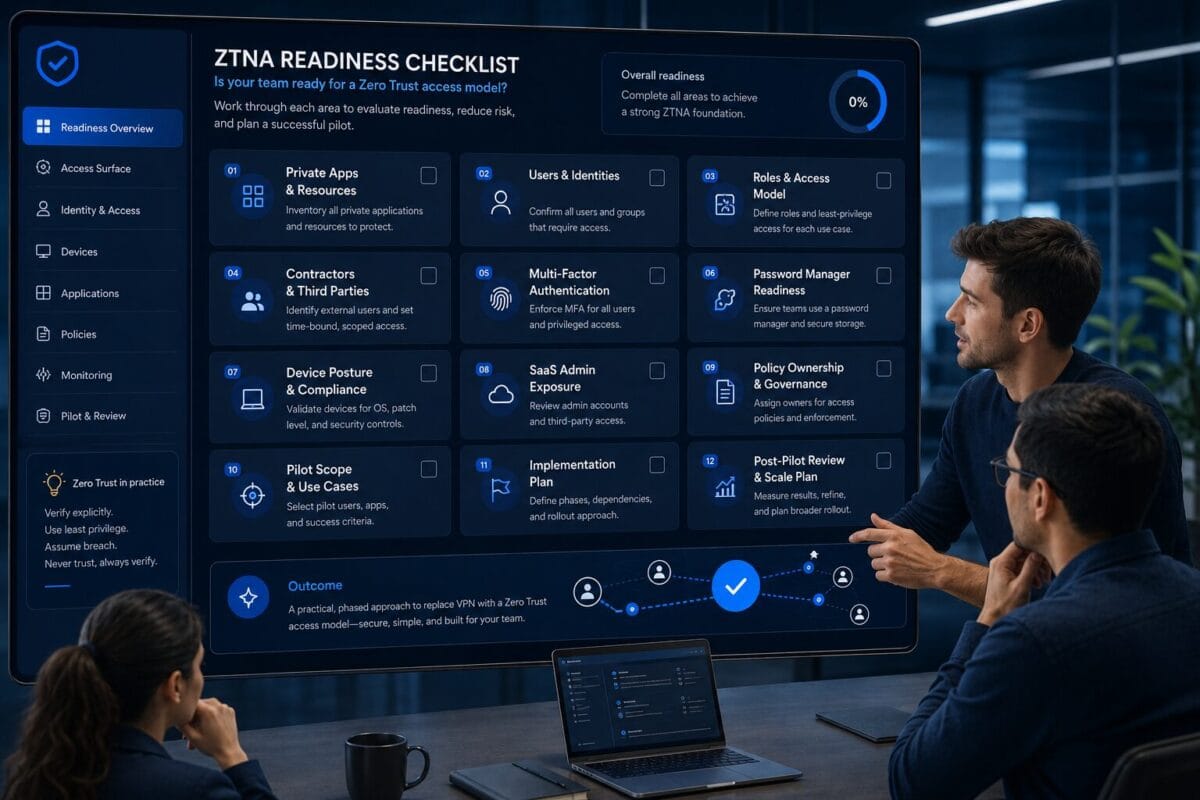
ZTNA may help when access needs more precision by app, user, role, device, contractor scope, or admin exposure. But ZTNA is not automatically the right move for every small business, and it does not fix messy access by itself.
Decision Snapshot
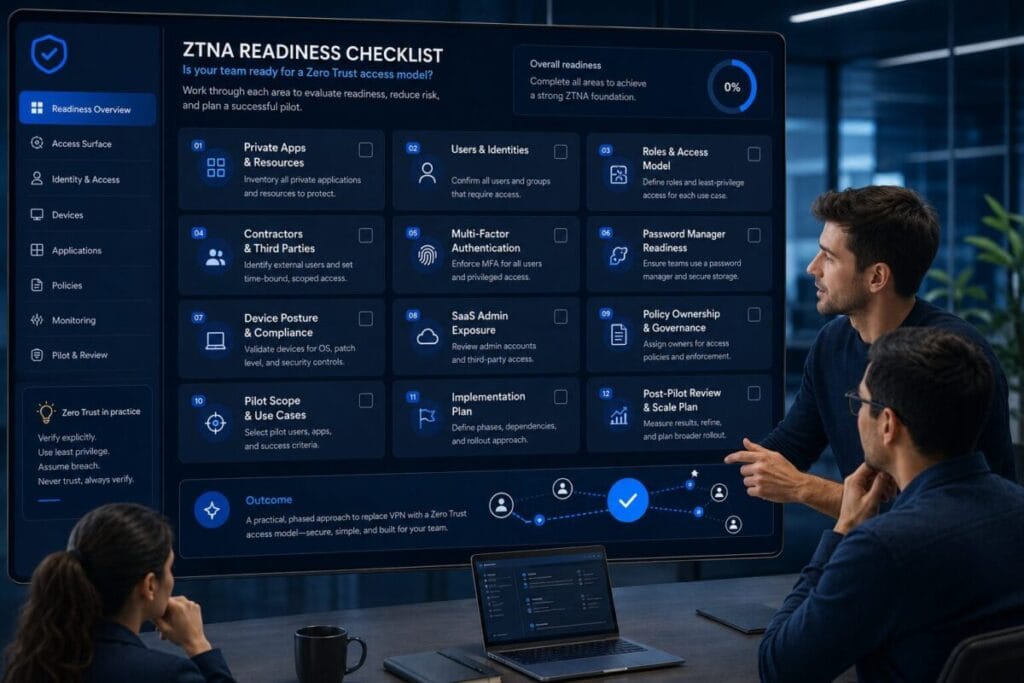
Do not evaluate ZTNA before mapping private apps, users, roles, contractors, MFA coverage, password manager readiness, device posture, SaaS admin exposure, and policy ownership.
ZTNA may be too early if the team has not cleaned basic access problems first.
Review readiness before changing remote access tools.
ZTNA may help when access needs to be controlled by app, role, device, or contractor scope.
Map apps, users, MFA, devices, SaaS admin exposure, and ownership before evaluating tools.
Start with a small pilot, clear scope, rollback path, and post-pilot review.
Who Should Use This ZTNA Readiness Checklist for Small Business
This ZTNA readiness checklist for small business is for operators, founders, IT generalists, remote team leads, solo founders, small business owners, and lean teams evaluating whether Zero Trust access is actually appropriate before changing remote access tools.
Small businesses evaluating Zero Trust access
Use it if your team is asking whether ZTNA should be piloted now, later, or not yet.
Remote teams with app-level access needs
Use it when users, contractors, or operators need access to specific apps instead of broad network access.
Teams moving beyond VPN cleanup
Use it after reviewing whether the current VPN can be kept, improved, or replaced.
This is not a comparison article. It is not a vendor ranking. It is not a Zero Trust explainer for enterprise teams. It is a practical readiness checklist for small businesses that need a clearer access decision.
The ZTNA Readiness Checklist for Small Business
The goal of this ZTNA readiness checklist for small business is not to push every team into ZTNA. The goal is to help you decide whether your team is ready to pilot ZTNA, should improve the current VPN setup, or needs to clean access first.
ZTNA Readiness Checklist for Small Business: Confirm Why ZTNA Is Being Considered
ZTNA readiness checklist reason review
- [ ] Identify the main reason ZTNA is being considered.
- [ ] Separate access-control problems from VPN performance problems.
- [ ] Confirm whether the team needs app-level access instead of broad network access.
- [ ] Identify whether contractor access is creating risk.
- [ ] Identify whether SaaS admin exposure is part of the problem.
- [ ] Confirm whether device trust matters for access decisions.
- [ ] Write down what would improve if ZTNA worked well.
- [ ] Write down what could break if ZTNA is piloted too quickly.
Why it matters
ZTNA should solve a defined access problem. It should not be adopted only because it sounds newer than VPN or because Zero Trust has become a popular security term.
What small teams often miss
Small teams often consider ZTNA because the current VPN feels outdated or frustrating. But the real issue may be stale users, weak MFA, shared passwords, unknown devices, or unclear access ownership.
Next action
Write one clear sentence: “We are evaluating ZTNA because we need ____.” If the blank cannot be filled with a specific access problem, pause the evaluation.
Map Private Apps and Resources
Checklist items for private app mapping
- [ ] Map private apps and resources.
- [ ] List internal apps, dashboards, databases, file shares, admin portals, servers, and private tools.
- [ ] Identify which resources are actively used.
- [ ] Identify which resources are sensitive.
- [ ] Identify which resources need role-based access.
- [ ] Identify which resources contractors need.
- [ ] Identify which resources should not be broadly accessible through VPN.
- [ ] Document who owns each app or resource.
- [ ] Separate private infrastructure from SaaS admin access.
Why it matters
ZTNA works around access to specific apps and resources. If the team does not know what those apps and resources are, it cannot design useful access policies.
What small teams often miss
Small teams often remember obvious apps but miss admin dashboards, billing portals, old databases, internal reporting tools, vendor support access, automation platforms, staging environments, file shares, API dashboards, and legacy tools.
Next action
Create a simple access map: resource, owner, users, contractors, sensitivity, current access method, and future access method.
Identify Users and Roles
Checklist items for users and roles
- [ ] Identify users and roles.
- [ ] List employees who need remote access.
- [ ] List founders, operators, admins, finance users, support users, and contractors separately.
- [ ] Identify users with elevated access.
- [ ] Identify users who only need limited app access.
- [ ] Identify users who should not have broad network access.
- [ ] Define access groups by role, not by convenience.
- [ ] Confirm who approves access for each role.
- [ ] Confirm who removes access when the role changes.
Why it matters
ZTNA policies depend on users and roles. If every person is treated as general access, the team does not gain much precision.
What small teams often miss
Small teams often grow access informally. Someone gets access because they helped once. A contractor gets added during a rushed project. A founder keeps admin access everywhere because it was easier during setup.
Next action
Create a short role list such as admin, operations, finance, contractor, support, founder or owner, temporary user, and read-only user. Then assign app access by role.
Review Contractor Access Needs
Checklist items for contractor access
- [ ] List all contractors, vendors, freelancers, agencies, consultants, and temporary users.
- [ ] Confirm what each contractor actually needs to access.
- [ ] Confirm whether contractor access should expire.
- [ ] Identify whether contractors use personal devices.
- [ ] Identify whether contractors share credentials.
- [ ] Review whether contractors need app-level access instead of VPN-level access.
- [ ] Remove contractor access that is no longer needed.
- [ ] Assign an internal owner for each contractor.
- [ ] Document contractor offboarding steps.
Why it matters
Contractor access is one of the clearest reasons a small business may evaluate ZTNA. A contractor may need one app, one dashboard, one environment, or one admin panel. That does not always justify broad VPN access.
What small teams often miss
Small teams often forget that contractor access is different from employee access. A contractor may work across clients, use unmanaged devices, need temporary access, and leave after a project.
Next action
Create a contractor access rule: no contractor gets access without an owner, scope, expiration date, and removal step.
Check Identity and MFA Readiness
Checklist items for identity and MFA readiness
- [ ] Confirm which identity system controls user access.
- [ ] Confirm MFA is enabled for remote access.
- [ ] Confirm MFA is enabled for admin accounts.
- [ ] Confirm MFA is enabled for password manager access.
- [ ] Review whether contractors use MFA.
- [ ] Identify users without MFA.
- [ ] Review backup and recovery methods.
- [ ] Confirm who can reset access.
- [ ] Confirm whether high-risk roles need stronger MFA.
Why it matters
ZTNA depends heavily on identity. If identity and MFA are weak, the team is not ready for a serious ZTNA pilot.
What small teams often miss
Small teams often enable MFA in some places but not everywhere that matters. MFA may be active for email but not admin tools, active for employees but not contractors, or bypassed by shared accounts.
Next action
Before piloting ZTNA, confirm that every high-risk user and admin account has individual identity and MFA coverage.
Review Password Manager Hygiene
Checklist items for password manager readiness
- [ ] Review whether shared passwords are still used.
- [ ] Identify sensitive credentials stored outside a password manager.
- [ ] Confirm who owns team vaults or shared credential spaces.
- [ ] Review who can access admin passwords.
- [ ] Remove credentials from users who no longer need them.
- [ ] Confirm MFA is enabled for the password manager.
- [ ] Review recovery access.
- [ ] Review contractor credential sharing.
- [ ] Confirm whether credentials can be removed during offboarding.
Why it matters
ZTNA does not fix password chaos. If a team still shares sensitive passwords loosely, stores admin credentials in browsers, or gives contractors shared logins, app-level access controls may not be enough.
What small teams often miss
Teams often think access control is solved when the login path is controlled. But if users can still use shared admin credentials after access is changed, the old risk remains.
Next action
Clean shared credentials before the ZTNA pilot. At minimum, know which sensitive credentials exist, who can access them, and how they can be removed.
Review Device Posture
Checklist items for device posture
- [ ] List devices used for remote access.
- [ ] Separate company-managed devices from personal devices.
- [ ] Identify contractor devices.
- [ ] Identify travel devices.
- [ ] Review operating system update status.
- [ ] Check whether lost or retired devices still have access.
- [ ] Confirm whether local device passwords are required.
- [ ] Confirm whether device encryption is enabled where appropriate.
- [ ] Decide whether unmanaged devices should access sensitive apps.
Why it matters
ZTNA decisions often depend on device context. Even if identity is strong, the device used for access still matters.
What small teams often miss
Small teams often know who the users are but not which devices they use. A founder’s old laptop, a contractor’s personal machine, a temporary travel device, or a former employee’s device may still create access uncertainty.
Next action
Create a device list with three labels: trusted, review needed, and should not access sensitive apps.
Identify SaaS Admin Exposure
Checklist items for SaaS admin exposure
- [ ] List critical SaaS admin accounts.
- [ ] Identify who controls billing, users, settings, API keys, integrations, and exports.
- [ ] Review former employee admin access.
- [ ] Review contractor admin access.
- [ ] Identify shared admin logins.
- [ ] Confirm MFA on SaaS admin accounts.
- [ ] Review OAuth apps and connected integrations.
- [ ] Identify SaaS apps that should require tighter access control.
- [ ] Assign an owner for each critical SaaS admin area.
Why it matters
Small businesses often focus on VPN and internal apps while ignoring SaaS admin exposure. SaaS admin accounts can control data, billing, users, integrations, exports, automations, security settings, and connected apps.
What small teams often miss
Teams often know who can log into the VPN but do not know who controls SaaS billing, workspace admins, OAuth integrations, automation tools, export permissions, API access, user invitations, and security settings.
Next action
Create a SaaS admin exposure list before evaluating ZTNA.
Check App-Level Access Requirements
Checklist items for app-level access
- [ ] Identify which apps need app-level access control.
- [ ] Identify which users need each app.
- [ ] Identify which roles should not access each app.
- [ ] Identify contractor-specific app access needs.
- [ ] Identify admin-only apps.
- [ ] Decide whether broad VPN access is too wide for the current environment.
- [ ] Define access by app, role, and risk level.
- [ ] Identify apps that should stay behind the current VPN for now.
- [ ] Identify apps suitable for a small ZTNA pilot.
Why it matters
App-level access is one of the main reasons small businesses evaluate ZTNA. If users only need specific apps, broad network access may be more access than the team wants to provide.
What small teams often miss
Small teams often say “the team needs access” without defining which team members need which apps. That creates broad access by default.
Next action
Select one to three apps that could be tested in a small ZTNA pilot. Do not start with everything.
Confirm Policy Ownership
Checklist items for policy ownership
- [ ] Assign one owner for ZTNA policy decisions.
- [ ] Define who approves access requests.
- [ ] Define who approves contractor access.
- [ ] Define who handles exceptions.
- [ ] Define who removes access.
- [ ] Define how often access is reviewed.
- [ ] Define how policy changes are documented.
- [ ] Define who can pause or roll back a pilot.
- [ ] Define who reviews pilot results.
Why it matters
ZTNA can become messy if no one owns the policies. A small business does not need a large security team, but it does need accountability.
What small teams often miss
Teams often focus on setup and forget ongoing ownership. The question is not only whether access can be configured. The question is who owns access after launch.
Next action
Assign a policy owner before pilot setup. If no one can own policies, ZTNA may be too early.
Decide Whether VPN Is Still Enough
Checklist items for VPN cleanup before ZTNA
- [ ] Review whether the current VPN can be cleaned up.
- [ ] Remove inactive VPN users.
- [ ] Enforce MFA where needed.
- [ ] Limit contractor access.
- [ ] Improve password manager hygiene.
- [ ] Review device access.
- [ ] Review SaaS admin exposure.
- [ ] Confirm whether app-level access is truly required.
- [ ] Decide whether VPN improvement solves the main problem.
Why it matters
ZTNA is not always necessary. Some teams can reduce risk by cleaning up VPN access, improving MFA, removing stale users, limiting contractors, and creating a regular access review process.
What small teams often miss
Small teams sometimes treat ZTNA as the next required step. But if the team cannot manage users, MFA, devices, and contractors today, jumping to a more policy-driven model may create more work before the foundation is ready.
Next action
Run a VPN cleanup-first review. If cleanup solves the main access problem, ZTNA may not need to be piloted yet.
Plan a Small ZTNA Pilot
Checklist items for a small ZTNA pilot
- [ ] Define the pilot goal.
- [ ] Choose one to three apps for the pilot.
- [ ] Choose a small group of users.
- [ ] Include one contractor use case only if it is controlled.
- [ ] Define success criteria.
- [ ] Assign a pilot owner.
- [ ] Define rollback steps.
- [ ] Communicate the pilot scope clearly.
- [ ] Keep the old access path available until the pilot is verified.
- [ ] Schedule a post-pilot review.
Why it matters
A ZTNA pilot should be controlled and limited. Small businesses should avoid moving every user, app, contractor, and device into a new access model at once.
What small teams often miss
Small teams often skip pilot design and treat the first setup as the full migration. That creates avoidable risk.
Next action
Start with one owner, one to three apps, one user group, clear rollback, and a clear review date.
Post-Pilot Access Review
Checklist items for post-pilot review
- [ ] Review whether users accessed the right apps.
- [ ] Review whether any users were blocked incorrectly.
- [ ] Review whether contractors had the right access scope.
- [ ] Review whether unmanaged devices created issues.
- [ ] Review whether MFA worked consistently.
- [ ] Review whether policies were too broad or too narrow.
- [ ] Review whether the old VPN path is still needed.
- [ ] Document exceptions.
- [ ] Remove unnecessary access.
- [ ] Decide whether to expand, revise, pause, or stop the pilot.
Why it matters
A pilot is only useful if the team reviews what happened. The goal is not simply to prove that ZTNA can work. The goal is to understand whether the team can manage it safely and practically.
What small teams often miss
Teams often stop after the first successful login. The real review should include user friction, policy accuracy, contractor impact, device issues, old access paths, and ownership gaps.
Next action
Schedule the post-pilot review before the pilot starts.
ZTNA Readiness Score
Use this score to decide whether your team is ready to pilot ZTNA or should clean up access first. The purpose of this ZTNA readiness checklist for small business is to help teams avoid moving access complexity into a new model before the basics are clear.
0 = Not ready
The area has not been reviewed, ownership is unclear, or access risk is unknown.
1 = Partially ready
The area has been reviewed, but gaps, exceptions, or unclear ownership remain.
2 = Ready / controlled
The area is reviewed, documented, owned, and ready for pilot planning.
Score: 0 / 1 / 2
Score: 0 / 1 / 2
Score: 0 / 1 / 2
Score: 0 / 1 / 2
Score: 0 / 1 / 2
Score: 0 / 1 / 2
Score: 0 / 1 / 2
Score: 0 / 1 / 2
Score: 0 / 1 / 2
Score: 0 / 1 / 2
16–20
Ready to pilot ZTNA. Your access map is clear enough to begin a controlled ZTNA pilot.
9–15
Fix access gaps before ZTNA. Some review work is done, but key pilot risks remain.
0–8
Do not evaluate ZTNA yet; clean access first. A pilot may carry old access problems into a new model.
When ZTNA May Make Sense
ZTNA may make sense when your small business needs more precise access than a broad VPN setup can provide.
App-level access is needed
Users need access to specific apps, not the whole network.
Contractor access needs tighter scope
Contractors need limited access for temporary work, with clearer ownership and removal.
Device context matters
Personal, unmanaged, contractor, or travel devices need clearer rules for sensitive access.
SaaS admin exposure is growing
Admin tools, settings, integrations, billing, exports, or API controls need tighter review.
VPN access feels too broad
The team wants to reduce broad network access and define access by app, role, and risk level.
A small pilot is possible
The team has enough ownership, MFA readiness, and app mapping to test ZTNA without disrupting everyone.
The key question is not whether ZTNA is modern. The better question is whether you need more precise access by app, user, role, device, or contractor scope.
When ZTNA May Be Too Early
ZTNA may be too early if the team has not cleaned basic access problems.
- [ ] You do not know which private apps need protection.
- [ ] User roles are not defined.
- [ ] Contractors are not reviewed.
- [ ] MFA is inconsistent.
- [ ] Shared passwords are still common.
- [ ] Devices are unknown.
- [ ] SaaS admin exposure is unclear.
- [ ] No one owns access policies.
- [ ] The team cannot define a pilot scope.
- [ ] There is no rollback plan.
- [ ] The current VPN has not been reviewed.
- [ ] The team is evaluating ZTNA only because the current setup feels messy.
In these cases, the next move is not ZTNA selection. The next move is access cleanup.
What to Fix Before Evaluating ZTNA
Before evaluating ZTNA, fix the access gaps that can weaken any remote access model.
A Zero Trust readiness checklist should make the team more honest about access maturity before the tool conversation begins.
ZTNA Pilot Checklist
Use this checklist before starting a small ZTNA pilot.
- [ ] Define the reason for the pilot.
- [ ] Choose one to three private apps.
- [ ] Choose a small user group.
- [ ] Define roles for the pilot users.
- [ ] Include a contractor only if the scope is clear.
- [ ] Confirm MFA readiness.
- [ ] Confirm password manager readiness.
- [ ] Review devices used by pilot users.
- [ ] Confirm SaaS admin exposure is understood.
- [ ] Assign a policy owner.
- [ ] Define access rules.
- [ ] Define exception handling.
- [ ] Define rollback steps.
- [ ] Keep the current access path available until the pilot is verified.
- [ ] Communicate the pilot scope.
- [ ] Track access issues.
- [ ] Review user friction.
- [ ] Review contractor access.
- [ ] Review device issues.
- [ ] Schedule a post-pilot decision.
A ZTNA pilot should not be judged only by whether users can log in. It should be judged by whether access became clearer, narrower, easier to review, and practical for the team to manage.
Service Categories Mentioned in This Checklist
This section is not a ranking and not a vendor list. These are service categories that may appear during a practical ZTNA readiness review.
ZTNA / Zero Trust Access Platforms
Examples only: Cloudflare Zero Trust, Twingate.
This category appears when the team needs app-level access, identity-aware policies, contractor-specific controls, or more precise access than broad VPN access.
Business VPN / Managed VPN Platforms
Example only: NordLayer.
This category appears because some teams may not need ZTNA yet. They may need a cleaner VPN model with better user management, MFA, admin visibility, and contractor control.
Password Managers
Examples only: 1Password, Bitwarden.
This category appears because ZTNA does not fix shared password problems by itself.
Hardware Security Keys
Example only: YubiKey.
This category may appear when small businesses want stronger MFA for admin users or sensitive access paths.
Device Posture / Endpoint Readiness
No vendor pitch needed now.
This category appears because ZTNA decisions often depend on whether a device should be trusted for sensitive access.
Access Review / Offboarding Workflow
No vendor pitch needed now.
This category appears because ZTNA requires recurring ownership, not just initial setup.
Where This Fits Inside ToolRelief
This asset is part of ToolRelief’s External Service Demand Engine. It supports users who are evaluating Zero Trust access readiness before changing remote access tools.
Model comparison
Replacement paths
Access cleanup
VPN replacement review
Current VPN review
Security routing
Travel access context
Device context
Software trend monitoring
Parent decision system
Review ZTNA Readiness Before Changing Remote Access Tools
Use ToolRelief’s VPN vs ZTNA guide and VPN Replacement Checklist to decide whether ZTNA should be piloted now, later, or not yet.