TOOLRELIEF DECISION INTELLIGENCE
- Decision
- Use SaaS Cost Optimization Checklist for Small Teams | ToolRelief to verify the important conditions that should be checked before commitment, implementation, renewal, or another material action.
- Evidence Basis
- A structured verification checklist based on the decision conditions and risk signals documented on this page.
- Best Used For
- Checking whether the important decision conditions have been considered before commitment or implementation.
- Decision Boundary
- This page provides independent decision support rather than a guaranteed outcome. Product capabilities, pricing, third-party terms, and operating conditions can change.
SaaS Cost Optimization Checklist for Small Teams
Quick Navigation ✔
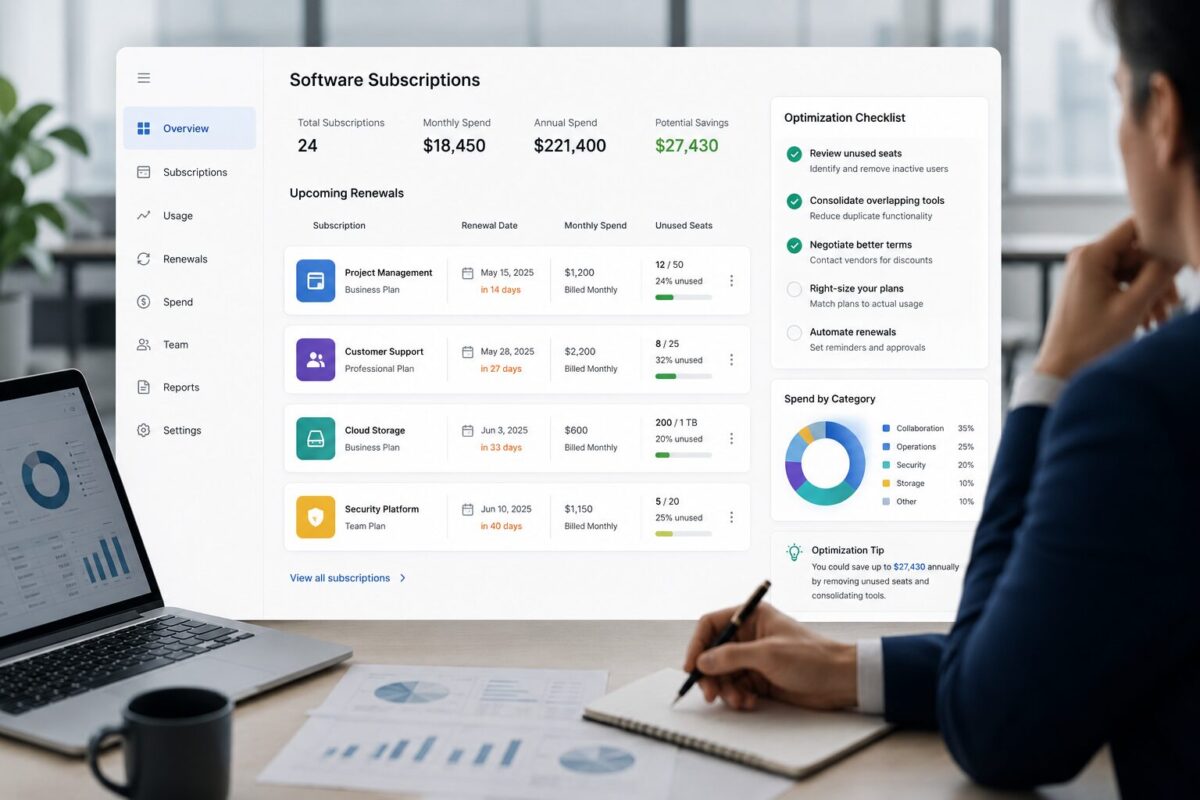
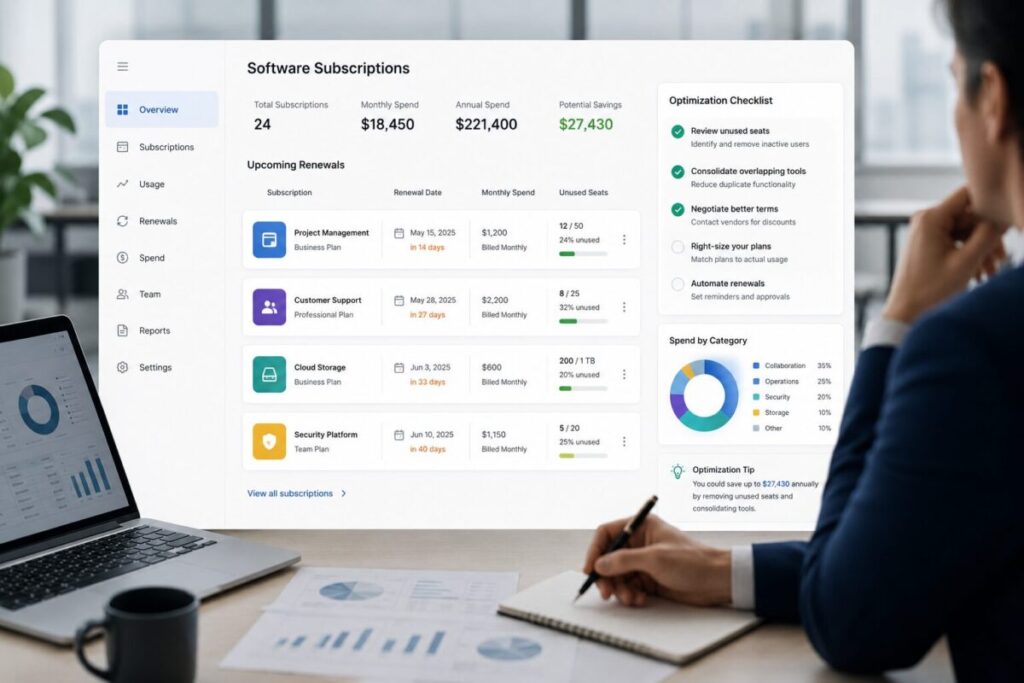
ToggleSmall teams do not need a full procurement department to control SaaS spend.
They need a clean operating rhythm:
know what tools exist, who owns them, how many seats are paid for, what each tool supports,
and which renewals are approaching.
This SaaS cost optimization checklist is built for founders, finance leads, operators,
and team managers who need to reduce software waste without damaging useful workflows.
The goal is not to cancel tools randomly.
The goal is to separate essential software from quiet waste:
unused seats, duplicate apps, forgotten trials, stale annual plans, and renewals that keep passing without review.
Use this as a practical operating memo before your next billing cycle or renewal window.
Why SaaS costs get messy inside small teams
SaaS spend rarely becomes messy all at once.
It usually builds through normal operating decisions.
A founder buys a project management tool because the team needs structure.
A marketing lead adds a design platform.
Sales signs up for a CRM add-on.
A contractor creates a paid workspace.
Someone tests an AI tool on a monthly plan.
Another team adds a separate app because the first tool felt too slow, too complicated, or too expensive to expand.
None of these decisions are necessarily bad.
The problem starts when ownership, usage, renewal dates, and business value are not reviewed together.
Small teams are especially exposed because they often lack three controls:
First, there is no central software inventory.
Tools live across credit cards, inboxes, app stores, vendor portals, and individual team accounts.
Second, there is no clear owner for every subscription.
A tool may still be billing even after the person who chose it has changed roles, left the company, or stopped using it.
Third, renewal decisions happen too late.
By the time an annual plan is about to renew, the team may not have enough time to check usage,
renegotiate, downgrade, or consolidate.
That is how software spend turns into operational drift.
Not because the team is careless, but because SaaS buying is easy and SaaS governance is usually delayed.
The operating principle: optimize spend without breaking useful work
SaaS cost optimization should not mean cutting every tool that looks expensive.
A tool can be expensive and still be worth keeping.
A cheaper tool can still be waste if nobody uses it or if it duplicates something already in the stack.
The practical question is not:
“Which tools can we cancel?”
The better question is:
“Which subscriptions are still earning their place in the operating system of the business?”
That framing matters. Small teams move quickly.
If cost reduction creates workflow damage, support delays, messy handoffs, reporting gaps,
or security shortcuts, the savings may not be worth it.
A good SaaS cost review should protect useful tools and remove avoidable waste.
The small-team SaaS cost optimization checklist
Use this checklist as a working sequence.
Do not start with cancellations.
Start with visibility.
1. Build a complete SaaS inventory
Before making cost decisions, create a single source of truth for every paid software product.
At minimum, your inventory should include:
- Tool name
- Department or workflow
- Internal owner
- Monthly or annual cost
- Billing frequency
- Renewal date
- Number of paid seats
- Estimated active users
- Contract type
- Cancellation or downgrade notes
- Business-critical status
This step often reveals the first layer of waste before any deeper analysis happens.
You may find tools with no clear owner, subscriptions billed to old cards, duplicate apps serving the same workflow,
or annual renewals nobody has reviewed in months.
For small teams, a spreadsheet is often enough.
The important thing is not the format.
The important thing is that every subscription becomes visible in one place.
If you do not already have a working inventory, start with the SaaS inventory template.
Use it to map tools, owners, renewal dates, and cost signals before making decisions.
2. Assign one owner to every tool
Every paid tool needs one accountable owner.
This does not mean the owner is the only person using the tool.
It means one person is responsible for answering basic operating questions:
- Why do we use this tool?
- Which workflow depends on it?
- Who uses it regularly?
- Is the current plan still appropriate?
- What happens if we downgrade, consolidate, or cancel it?
- Should we review it before renewal?
Without ownership, SaaS spend becomes nobody’s problem.
A tool can remain active because everyone assumes someone else is managing it.
The owner should be close enough to the workflow to understand the business impact.
For example, a finance lead can track the cost, but the sales lead may need to own the CRM.
An operations manager can maintain the inventory, but the marketing lead may need to own the email platform.
Cost control works better when financial visibility and workflow ownership are connected.
3. Separate paid seats from active users
One of the most common forms of SaaS waste is the gap between paid access and actual usage.
A team may have 18 paid seats but only 11 people actively using the product.
The other seats may belong to former employees, inactive contractors, duplicated accounts,
or team members who only needed temporary access.
This is not always obvious from the invoice alone.
Invoices usually show what you pay for.
They do not always show whether the seats are still needed.
During the review, check:
- How many seats are paid?
- How many users logged in recently?
- Which users are inactive?
- Which seats belong to former employees or contractors?
- Which users could be moved to viewer, guest, or limited-access roles?
- Does the team still need the current plan tier?
This step is especially important before renewals.
If a vendor renews based on current seat count, unused access can quietly roll into another billing cycle.
For a deeper pre-renewal workflow, read the operating memo on how to find unused SaaS licenses before renewal.
It explains how to review inactive seats, duplicate users, contractor access,
and renewal timing before unused licenses roll into another billing cycle.
The decision is not always cancellation.
Sometimes the right move is to downgrade seats, remove inactive users, consolidate accounts,
or change permission levels.
4. Flag duplicate tools and overlapping workflows
Small teams often accumulate multiple tools that solve adjacent problems.
A few examples:
- Two note-taking tools
- Multiple project management platforms
- Separate AI writing tools across different users
- Several scheduling or meeting tools
- Multiple analytics dashboards
- Separate design, whiteboard, or collaboration apps
- A CRM plus spreadsheets that duplicate CRM work
- Messaging tools plus workflow tools plus task tools with overlapping notifications
Overlap is not automatically waste.
Sometimes different teams need different tools.
But overlap becomes expensive when the team is paying for multiple products to support
the same job with no intentional reason.
For each overlapping category, ask:
- Which tool is the system of record?
- Which tool is used most consistently?
- Which tool has the cleanest adoption?
- Which tool creates the least operational friction?
- Which tool has the lowest switching cost?
- Which tool has the highest renewal risk?
- Can one tool cover the workflow well enough?
Avoid forcing consolidation too early.
A tool that looks redundant from a finance view may support an important edge case.
But if two products are serving the same users, same workflow,
and same outcome, the team should make an explicit keep, cut, or consolidate decision.
5. Review renewal dates before the deadline
Renewal timing is one of the most important parts of SaaS cost optimization.
If you review a contract too late, your options shrink.
You may miss the cancellation window, lose negotiation leverage, forget to remove unused seats,
or renew a plan that no longer fits the team.
A practical renewal review should happen before the renewal is urgent.
For each upcoming renewal, check:
- Renewal date
- Notice period
- Current annual or monthly cost
- Seat count
- Active usage
- Internal owner
- Business-critical status
- Available downgrade options
- Duplicate tools
- Open support or adoption issues
- Whether the tool is still needed for the next operating cycle
This is where SaaS waste compounds.
A small monthly inefficiency may not feel urgent.
But if it rolls into an annual renewal, the team may lock in another cycle of unnecessary spend.
Renewal review is not just a finance task.
The workflow owner should be part of the decision because the invoice alone does not show operational value.
6. Check whether each tool supports a critical workflow
A cost review should not treat every subscription equally.
Some tools are mission-critical.
They support customer communication, revenue operations, accounting, infrastructure, analytics,
compliance, security, or core delivery.
Other tools are useful but replaceable.
Some are experiments. Some are no longer active.
Classify each tool into one of four practical groups:
Critical:
The business depends on this tool. Removing it would create immediate operational risk.
Useful:
The tool supports real work, but the plan, seat count, or workflow may still need review.
Questionable:
The tool has unclear usage, unclear ownership, or unclear value.
Waste candidate:
The tool appears unused, duplicated, forgotten, over-provisioned, or no longer tied to an active workflow.
This classification prevents reckless cuts. It also gives the team a shared language for decision-making.
The goal is not to punish teams for using software. The goal is to make software value visible.
7. Identify downgrade, consolidation, and cancellation candidates
Once inventory, ownership, usage, overlap, and renewal timing are visible, you can start making decisions.
A useful decision model is:
- Keep
- Downgrade
- Consolidate
- Cancel
- Review later
This is where the Keep, Cut, Consolidate framework can help.
It gives the team a structured way to decide whether a tool should remain in the stack, be reduced,
be merged into another workflow, or be removed.
Use the following logic:
Keep a tool when it is actively used, supports a clear workflow, has an accountable owner,
and creates value that justifies the cost.
Downgrade a tool when the product is useful but the plan is too large, too advanced,
or too expensive for the actual usage pattern.
Consolidate tools when two or more products serve overlapping jobs
and one can reasonably replace the others without creating operational damage.
Cancel a tool when it has no owner, no active usage, no critical workflow, or no clear reason to remain active.
Review later when the tool may be important but the team lacks enough information to make a clean decision today.
This avoids binary thinking.
Not every tool is either “good” or “waste.” Some tools are useful but overbought.
Some are valuable but poorly managed.
Some are temporary experiments that need expiration dates.
8. Create a monthly SaaS cost review habit
A one-time cleanup can reduce waste, but it will not prevent waste from returning.
Small teams need a simple review rhythm.
It does not need to be complex.
A monthly or quarterly software review can be enough if it is consistent.
During the review, check:
- New tools added since the last review
- Tools without owners
- Upcoming renewals
- Inactive users
- Seat count changes
- Duplicate workflows
- Tools marked “review later”
- Any vendor price changes or plan changes
- Any tools used by former employees or contractors
This review should produce decisions, not just observations.
For a lightweight operating process, use a SaaS spend review worksheet to turn the review into a repeatable habit instead of a one-time cleanup project.
Practical scenario: how quiet SaaS waste compounds
This is a practical scenario, not a real case study.
Imagine a small team reviews its software stack before renewal season. The team finds:
- A project management tool with several inactive users
- A design tool still assigned to contractors who no longer work with the company
- Two AI tools serving similar writing and research workflows
- A meeting tool that overlaps with features already included in another platform
- A reporting tool used by one person, even though the same data exists elsewhere
None of these issues looks dramatic alone.
The inactive users may feel minor. The duplicate AI tools may seem harmless.
The meeting tool may be inexpensive enough to ignore. The reporting tool may have been useful six months ago.
But together, these items create a pattern:
the team is paying for software decisions that were never revisited.
That is the real risk for small teams.
SaaS waste often hides inside reasonable historical decisions.
A tool was useful during a launch.
A contractor needed access for a project.
A team tested a new app during a busy quarter.
A manager upgraded a plan to solve a short-term problem. Later, the work changed, but the billing remained.
The cost optimization opportunity is not only in cutting tools.
It is in making sure the current stack matches the current business.
What not to cut during SaaS cost optimization
A good SaaS cost optimization process should protect the tools that make the business work.
Do not cut a tool only because it is expensive.
First, understand what depends on it.
Be careful with tools that support:
- Customer communication
- Revenue workflows
- Financial reporting
- Security and access control
- Delivery operations
- Core documentation
- Compliance or audit trails
- Analytics used for decision-making
Also be careful with tools that appear lightly used but serve a critical periodic function.
For example, a tool may not be opened every day but may still be important during reporting,
billing, onboarding, security reviews, or renewal planning.
The better move is to review fit before removing access.
Ask:
- Is the tool expensive because it is overbuilt for our needs?
- Is it expensive because we have too many seats?
- Is it expensive because we are on the wrong plan?
- Is it expensive because it replaced multiple tools?
- Is it expensive but still operationally critical?
Cost optimization should reduce waste, not create hidden operational debt.
When to use SaaS cost optimization tools
A spreadsheet can work well when the team is small and the stack is simple.
But as subscriptions, owners, billing cycles, and renewal dates multiply, manual tracking becomes harder.
That is when dedicated workflows become useful.
You may need SaaS cost optimization tools when:
- Tool ownership is unclear
- Renewal dates are spread across vendors and inboxes
- Paid seats do not match active usage
- The team has overlapping tools
- Software decisions happen without cost visibility
- Finance and operators are looking at different information
- The same waste patterns keep returning after cleanup
The value of a tool is not just the dashboard.
The value is the operating discipline it supports:
inventory, ownership, usage review, renewal visibility, and decision tracking.
For small teams, the best system is usually the one the team will actually maintain.
Start simple, then add structure as the stack becomes harder to manage.
How ToolRelief frames SaaS waste
SaaS waste is not just a budget issue. It is an operating visibility issue.
A company can overspend because it has too many tools,
but it can also overspend because it lacks a reliable way to detect unused seats, renewal drift, duplicate workflows,
and forgotten subscriptions.
That is why ToolRelief treats software waste as a repeatable detection problem.
The SaaS waste detection framework is built around the idea that small teams need a practical way to find waste before it becomes a larger renewal, budget, or workflow problem.
The checklist in this article follows that same logic:
- Make the stack visible
- Assign ownership
- Compare paid access with active use
- Review renewals before they become urgent
- Separate useful tools from quiet waste
- Create a repeatable operating rhythm
This is more durable than a one-time cancellation sprint.
What to do next
Start with one focused review cycle.
Do not try to rebuild your entire software stack in one meeting. Pick the next 30 days of renewals, the most expensive tools, or the tools with the least clear ownership.
Then run this sequence:
- List every paid SaaS product.
- Assign one owner to each tool.
- Record cost, renewal date, and seat count.
- Compare paid seats with active users.
- Flag duplicate workflows.
- Classify each tool as critical, useful, questionable, or waste candidate.
- Decide whether to keep, downgrade, consolidate, cancel, or review later.
- Repeat the review monthly or quarterly.
The goal is not to make the stack smaller at any cost.
The goal is to make the stack intentional.
If your team needs a more structured way to find unused tools, duplicate spend, renewal risk,
and software waste, use ToolRelief’s SaaS cost optimization tools as the next step.
 Read this article on Flipboard:
[Here]
Written by Waleed Al-Qasem
Founder of ToolRelief.
I write about the intersection of technology, remote work, and human productivity.
My mission is to help teams eliminate digital noise and get back to doing deep, meaningful work.
If your workflow feels heavier with AI…
You don’t need another tool.
You need less.
Explore ToolRelief to simplify your stack and regain control.