TOOLRELIEF DECISION INTELLIGENCE
- Decision
- Use How to Find Unused SaaS Licenses Before Renewal to evaluate the software or technology question investigated on this page before taking the next material action.
- Evidence Basis
- Documented product information, published evidence, comparative analysis, direct observation, and clearly labeled models where applicable.
- Best Used For
- Reducing uncertainty before taking the next material action.
- Decision Boundary
- This page provides independent decision support rather than a guaranteed outcome. Product capabilities, pricing, third-party terms, and operating conditions can change.
How to Find Unused SaaS Licenses Before Renewal
Quick Navigation ✔
ToggleUnused SaaS licenses are easiest to fix before renewal.
After renewal, the same inactive seats may already be locked into another monthly, annual, or contract cycle.
That is why license cleanup is not only a usage problem.
It is a timing problem.
A small team can know it has unused software seats and still lose money if the review happens too late.
The goal is to identify inactive users, duplicate accounts, former employees, contractors,
and low-value seats before the vendor renews the plan or contract.
For small teams, unused SaaS licenses are usually not discovered through one invoice review.
They are found by comparing paid access, user activity, ownership, and renewal timing before the contract resets.
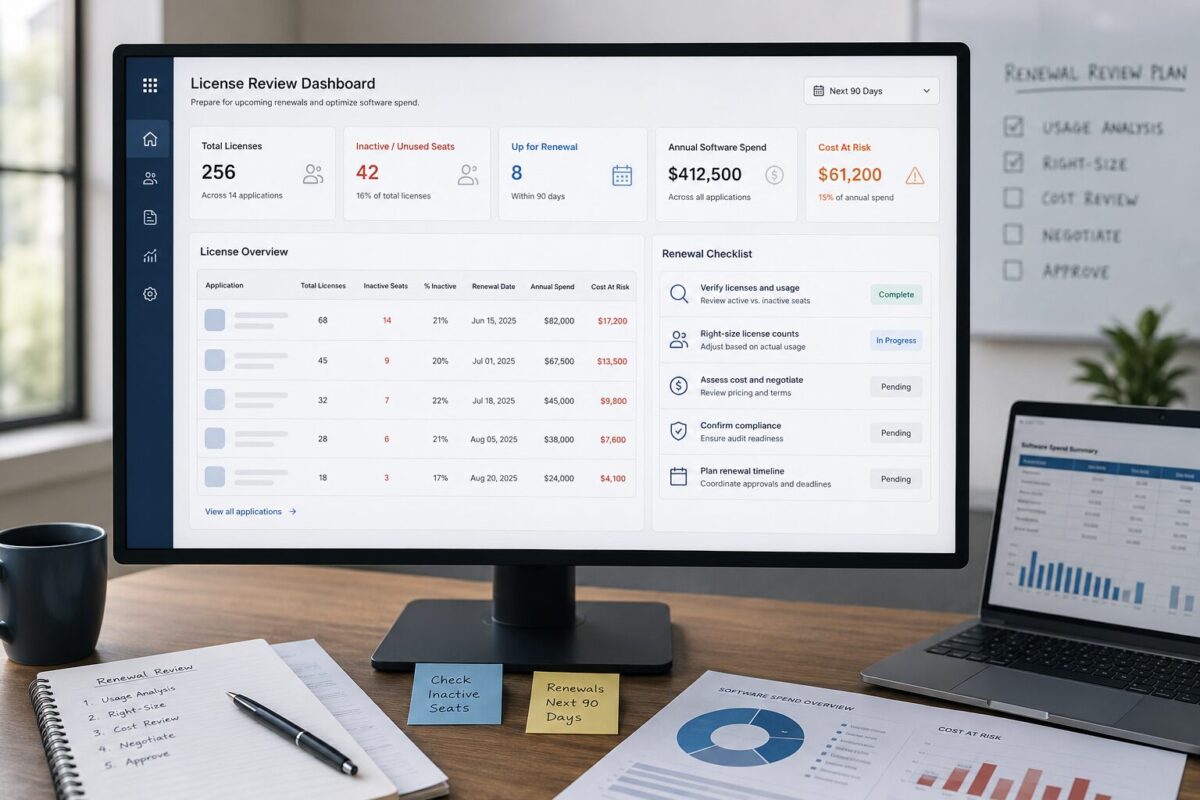
This operating memo gives small teams a practical way to find unused SaaS licenses before the renewal window closes.
Quick answer: how to find unused SaaS licenses before renewal
To find unused SaaS licenses before renewal, start with the renewal date,
then review every paid seat against actual usage, role, owner, and business need.
Do not rely on the invoice alone.
The invoice shows what the team pays for, but it may not show whether every seat is active, necessary,
or assigned to the right person.
A useful pre-renewal review should answer five questions:
- How many seats are paid?
- Who is assigned to each seat?
- Who has used the tool recently?
- Which seats belong to former employees, contractors, duplicate users, or inactive team members?
- What should be removed, downgraded, reassigned, or reviewed before renewal?
If the team waits until after renewal, the waste may already be carried into the next billing period.
That is why unused license review belongs before the renewal deadline, not after the invoice arrives.
Why unused SaaS licenses hide inside small teams
Unused SaaS licenses rarely look obvious from the outside. They hide inside normal team activity.
A contractor gets access for a short project.
A new employee receives accounts across several tools during onboarding.
A manager creates an extra admin seat for backup access.
A team tests a product during a busy quarter.
Someone changes roles, but their old software access remains active.
A former employee is removed from email and payroll, but not from every SaaS workspace.
None of these moments feels like a major financial decision.
But they create paid access that may continue long after the original need has disappeared.
Small teams are especially vulnerable because SaaS ownership is often distributed.
Finance may see the charge, operations may know the process, and the actual tool owner may be in sales,
marketing, product, or support.
If no one connects billing, usage, access, and renewal timing, unused licenses can remain invisible.
The issue is not always carelessness. It is often a missing operating process.
Start with the renewal date, not the invoice
Many teams start SaaS cleanup by looking at invoices.
That helps, but it is not enough.
The better starting point is the renewal calendar.
The renewal date tells you how much time the team has to act.
If a contract renews in a few days, the team may have limited options.
If renewal is several weeks away, there may be time to review usage, remove inactive users,
downgrade the plan, adjust seat count, or prepare a better vendor conversation.
For each tool, document:
- Renewal date
- Notice period
- Billing frequency
- Current plan
- Paid seat count
- Internal owner
- Admin contact
- Cancellation or downgrade rules
- Whether the tool is business-critical
This changes the review from a general cleanup task into a pre-renewal operating process.
The question becomes:
“What must we know before this contract renews?”
That framing creates urgency without panic.
Build a seat-level license review
A tool-level review is not enough. You need a seat-level review.
For every important SaaS product, list each paid user or license.
Then compare the paid seat list against real operating signals.
Useful fields include:
- User name
- Email address
- Role or department
- Seat type
- Permission level
- Last login or recent activity
- Internal manager or workflow owner
- Whether the user still needs access
- Whether the user can be downgraded
- Whether the user should be removed before renewal
This is where the team usually finds the first cleanup opportunities.
The goal is to turn unused SaaS licenses from a vague billing concern into a specific seat-level decision: keep, remove, downgrade, reassign, or review before renewal.
Some seats may belong to people who no longer work with the company.
Some may be assigned to contractors who finished their projects.
Some may be duplicate accounts created with different email addresses.
Some may belong to employees who changed roles and no longer use the tool.
A good review should not assume every inactive-looking seat is waste.
But every unclear seat should be investigated before renewal.
For a broader process, use a software license audit checklist to structure the review across tools, users, access levels,
and renewal timing.
Separate inactive users from low-frequency users
Not every low-activity user should be removed.
Some tools support work that happens weekly, monthly, quarterly, or only during specific business events.
A finance tool may not be opened daily.
A reporting tool may be used during board updates or monthly reviews.
A security tool may not have constant visible activity but may still be essential.
That is why the review needs judgment.
Separate users into practical categories:
Active users:
People who use the tool regularly for a current workflow.
Low-frequency users:
People who use the tool occasionally but still need access for a real business reason.
Temporary users:
Contractors, consultants, or project-based users who may no longer need access.
Inactive users:
People with little or no recent usage and no clear current need.
Former users:
People who have left the company, changed roles, or no longer belong in the workspace.
The goal is not to remove access blindly.
The goal is to understand which paid seats still have a job to do.
This distinction protects useful tools while still finding waste.
Check for duplicate users and unnecessary admin seats
Unused SaaS licenses are not always obvious inactive seats.
Sometimes they appear as duplicate accounts or unnecessary permission levels.
Look for:
- The same person using two email addresses
- Personal email accounts inside business tools
- Old contractor accounts
- Backup admin seats that are no longer needed
- Users with full paid seats who only need viewer access
- Users assigned to premium roles without premium usage
- Shared inboxes or aliases consuming paid licenses
Duplicate users are especially easy to miss when tools are adopted quickly.
A user may sign up with a personal email, later receive access through the company domain,
and both accounts remain active.
Admin seats also deserve review.
Some teams create extra admin access during setup, migration, or troubleshooting.
Months later, those seats can remain active even if the original reason has disappeared.
Before renewal, confirm that every paid seat has a current user, a current role, and a current business reason.
Compare paid seats against workflow ownership
Usage data matters, but it should be connected to workflow ownership.
For each tool, ask the internal owner:
- Who truly needs this tool?
- Which workflow depends on it?
- Which seats are essential?
- Which seats are optional?
- Which users can be downgraded?
- Which users can be removed?
- Which seats were added temporarily?
- Which seats should not renew?
This prevents finance-only decisions that create workflow problems.
It also prevents tool owners from keeping every seat “just in case” without reviewing actual need.
A good license review should produce a decision for each questionable seat:
- Keep
- Remove
- Downgrade
- Reassign
- Review with manager
- Review after renewal only if cancellation timing is not available
The earlier this happens, the more options the team has.
Practical scenario: how unused seats become renewal waste
This is a practical scenario, not a real case study.
Imagine a small team is preparing for renewal season.
One collaboration tool has several paid seats assigned to people who no longer use it regularly.
Two seats belong to contractors who completed their projects.
One seat belongs to a former employee.
Another user has two accounts under different email addresses.
A few team members have full paid access but only need to view files occasionally.
None of these issues feels dramatic in isolation.
The inactive contractor seats may be easy to overlook.
The duplicate account may look like a small mistake.
The former employee seat may have survived because offboarding focused on email, payroll, and core systems first.
The viewer-only users may not seem worth reviewing during a busy week.
But if the team discovers this after renewal, the waste may already be extended into another billing period.
That is the timing problem.
The cost of unused SaaS licenses is not only the price of the unused seats.
It is also the missed chance to remove them before the next contract or billing cycle begins.
A pre-renewal review gives the team leverage.
A post-renewal discovery gives the team a lesson, but fewer immediate options.
Estimate the cost before the renewal conversation
Once you identify questionable seats, estimate the financial impact before you talk to the vendor or approve renewal.
You do not need a complicated model.
Start with a simple calculation:
- Number of questionable paid seats
- Cost per seat
- Billing frequency
- Remaining contract or renewal period
- Whether seats can be removed, downgraded, or reassigned
This gives the team a clearer view of the decision.
For example, if several seats appear inactive, the team can estimate whether the potential waste is small enough to monitor or large enough to act on before renewal.
The point is not to create a perfect financial model.
The point is to make the cost visible before the renewal is approved.
Once unused SaaS licenses are visible, the renewal conversation becomes more concrete.
The team is no longer asking whether the tool feels expensive.
It is asking which paid seats should continue into the next billing cycle.
Use the unused SaaS license calculator to estimate how much inactive or unnecessary access may be costing the team before the next billing cycle.
When unused licenses signal a bigger SaaS waste problem
Unused licenses are often a symptom of a broader SaaS waste pattern.
If one tool has inactive seats, that may be a normal cleanup issue.
But if several tools have inactive users, unclear owners, duplicate accounts,
or surprise renewals, the team may have a system problem.
Watch for these patterns:
- No single SaaS inventory
- Tools without internal owners
- Former employees still listed in paid workspaces
- Contractors with lingering access
- Renewal dates tracked only through email reminders
- Finance seeing charges without usage context
- Tool owners seeing usage without cost context
- Duplicate tools solving similar problems
- Paid seats created during urgent projects and never removed
When these patterns repeat, unused licenses are not just isolated waste.
They are evidence that the team needs a better SaaS review rhythm.
That is when a SaaS waste audit becomes useful.
The goal is to review the stack as an operating system, not just remove a few inactive users from one tool.
Connect license cleanup to a repeatable system
License cleanup should not depend on memory.
If the team has to rediscover the same issues every renewal cycle, the process is too fragile.
A repeatable system should include:
- A SaaS inventory
- A renewal calendar
- Tool owners
- Seat-level reviews
- Offboarding checks
- Contractor access reviews
- Duplicate account checks
- Pre-renewal decision deadlines
- A record of keep, remove, downgrade, and reassignment decisions
This is how license cleanup becomes operational instead of reactive.
ToolRelief treats this as part of a broader SaaS waste detection framework.
The purpose is to find waste before it becomes embedded in renewals, contracts, workflows, and team habits.
The same logic applies across SaaS spend.
A team that can detect unused seats early is better positioned to detect duplicate tools, renewal drift, pricing traps,
and software sprawl before they become larger budget problems.
Review unused seats as part of broader software spend
Unused licenses are one of the clearest forms of software waste because they connect directly to paid access.
But they are not the only signal.
A team reviewing unused seats should also ask:
- Are there tools with similar features?
- Are some teams using separate products for the same workflow?
- Are people keeping tools because switching feels inconvenient?
- Are old tools still active after a new tool replaced them?
- Are licenses being added without a review process?
- Are annual plans renewing without usage checks?
This is where unused seat cleanup connects to broader SaaS cost optimization.
The recently published ToolRelief article on SaaS cost optimization explains the wider operating process for inventory,
ownership, renewal visibility, duplicate tools, and spend review.
After you publish this article, add a contextual link from that article to this one so readers can move from general SaaS cost optimization into a deeper unused-license workflow.
Unused license cleanup should also connect to the broader SaaS spend review process.
If your team has not already mapped tools, owners, renewal dates, duplicate workflows, and cost visibility,
start with the SaaS cost optimization checklist for small teams before narrowing the review to individual seats and licenses.
A good internal path should look like this:
General SaaS cost review → unused license review → calculator → renewal decision.
That path helps the reader move from diagnosis to action.
What to do next
Start with the next renewal, not the entire stack.
Choose one important SaaS product that renews soon.
Then run a focused license review:
- Confirm the renewal date and notice period.
- Export or list all paid users.
- Compare paid seats with recent activity.
- Mark inactive, duplicate, former, contractor, and low-frequency users.
- Ask the tool owner which users still need access.
- Downgrade users who only need limited permissions.
- Remove users who no longer need access.
- Estimate the cost of questionable seats before renewal.
- Decide what seat count should renew.
- Repeat the process for the next high-risk tool.
The goal is not to cut useful access.
The goal is to prevent inactive or unnecessary seats from rolling into another billing cycle.
Before your next renewal,
estimate how much unused access may be costing your team with ToolRelief’s unused SaaS license calculator.
 Read this article on Flipboard:
[Here]
Written by Waleed Al-Qasem
Founder of ToolRelief.
I write about the intersection of technology, remote work, and human productivity.
My mission is to help teams eliminate digital noise and get back to doing deep, meaningful work.
If your workflow feels heavier with AI…
You don’t need another tool.
You need less.
Explore ToolRelief to simplify your stack and regain control.