Unclear software cost problem
The issue may involve spend, renewal, usage, overlap, ownership, procurement, or stack design.
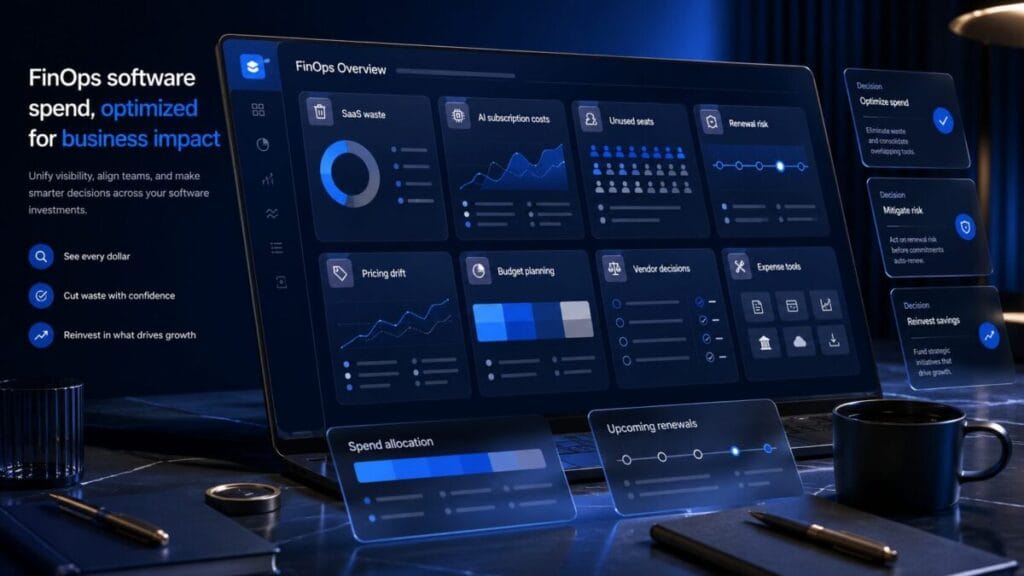
FinOps Insights is not a finance blog. It is an operational finance decision layer for software spend, SaaS waste, AI subscription costs, renewal risk, pricing drift, unused seats, expense tools, procurement friction, and budget leaks.
Decision Console
FinOps Insights turns software cost pressure into decision routes. The goal is not vague savings advice. The goal is to identify where money is leaking, who owns the decision, whether the tool still earns budget, and what action fits next.
The issue may involve spend, renewal, usage, overlap, ownership, procurement, or stack design.
The team needs to locate waste before deciding whether to keep, cut, downgrade, or audit.
A renewal is approaching and the team does not know whether the tool still deserves budget.
Paid access may be inactive, duplicated, unassigned, or disconnected from active work.
AI plans may duplicate each other across writing, research, coding, meetings, agents, or automation.
The team needs a structured review before making cuts, renewals, downgrades, or replacement decisions.
The team needs a clearer way to compare software cost pressure before acting.
FinOps, expense, procurement, AI cost, and SaaS partners should support clearer software spend decisions.
Positioning
Software spend does not become messy because teams are careless. It becomes messy when ownership, usage, seats, renewals, AI plans, pricing changes, and workflow value are not reviewed with the same discipline as the purchase.
A tool becomes risky when nobody owns the budget, the renewal, the seat count, the usage review, or the workflow it is supposed to support.
AI plans, agents, usage billing, and overlapping subscriptions can create cost pressure when adoption moves faster than ownership.
A renewal should force a decision: keep, cut, downgrade, consolidate, replace, monitor, or audit. Silence is not a strategy.
Signal Stream
These are operational finance signals, not generic savings tips. When one appears, the question is what decision caused the leak and what action should happen next.
Paid access that is inactive, unassigned, underused, or disconnected from active work should trigger a seat review.
Multiple AI subscriptions can appear useful while solving the same job across writing, research, coding, or meetings.
Plan packaging, feature gates, usage billing, or seat changes can make yesterday’s fit weaker today.
A renewal without a review is a decision made by default instead of judgment.
Different teams can pay for separate tools that manage the same job before anyone sees the overlap.
When approval, ownership, and budget rules are unclear, software buying becomes scattered.
Cards, reimbursements, receipts, travel, subscriptions, and expense software can overlap without clear visibility.
A tool can be helpful and still not deserve budget if the stack already covers the job.
External Service Demand Engine
FinOps Insights tracks external service categories where SaaS spend, AI subscription cost, renewals, pricing drift, procurement friction, and vendor spend decisions create real operating pressure for lean teams in 2026.
Teams need clearer visibility into paid tools, active users, orphaned accounts, duplicate subscriptions, and renewal exposure before software spend becomes normal background cost.
SaaS stacks keep expanding across teams, AI workflows, contractors, and departments, which makes ownership and license visibility harder to manage manually.
comparison / checklist / SaaS visibility template / alternatives / renewal risk guide
AI plans can spread across users, teams, agents, copilots, research workflows, and usage-based billing before the business knows which tools still earn budget.
AI adoption is moving faster than approval, ownership, usage review, and budget discipline in many small and lean teams.
comparison / calculator / AI cost checklist / pricing guide / risk guide
Software, travel, subscriptions, cards, reimbursements, receipts, and approvals can fragment across finance workflows until spend is visible only after it has already happened.
Lean teams need faster spend visibility and cleaner controls as software, AI tools, remote work, and travel costs move through more payment paths.
comparison / checklist / spend control template / alternatives / risk guide
Renewals become expensive by default when procurement, negotiation, subscription ownership, approval timing, and vendor alternatives are not reviewed before the deadline.
Pricing drift, AI packaging, annual commitments, and vendor consolidation make renewal discipline more important for teams that cannot absorb silent stack growth.
comparison / renewal guide / negotiation checklist / alternatives / pricing guide
ToolRelief may use reader demand, search signals, and category relevance to decide which software spend categories deserve deeper guides, comparison pages, renewal checklists, calculators, or future sponsor-ready placements. Placement should support reader decisions, not replace them.
FinOps Modules
FinOps Insights separates software cost pressure into decision layers. Each layer should answer whether the tool still earns budget, who owns it, and what action fits.
Map where software spend lives, who owns it, what job it supports, and whether it still deserves operating budget.
Review overlapping AI plans, agent costs, usage exposure, seat adoption, and whether each AI tool solves a distinct job.
Track renewal windows, plan changes, seat minimums, pricing drift, annual commitments, and feature-gating changes.
Identify seats that are inactive, duplicated, orphaned, over-assigned, or no longer tied to real work.
Use cost context to understand whether a software stack feels heavy because of price, seats, overlap, renewals, or ownership gaps.
Use an audit when the team cannot confidently decide what to keep, cut, downgrade, consolidate, replace, or monitor.
Decision Format
Every FinOps signal should force a decision. If the cost problem cannot explain ownership, cause, value, and next action, it is not ready for a serious spend review.
| FinOps question | What it forces the signal to explain | Decision route |
|---|---|---|
| Where is money leaking? | The leak may come from unused seats, overlap, renewal silence, pricing drift, usage exposure, or unmanaged ownership. |
Start with spend signals.
Follow spend signals |
| Who owns the decision? | The owner should be clear enough to defend the tool, review renewal, approve usage, or cut the spend. |
Route unclear ownership into the system.
Route this issue |
| Is the tool still earning budget? | The tool should have active usage, a distinct job, clear value, and a reason to remain in the stack. |
Score the waste pressure.
Check the score |
| What caused the cost? | The cause may be usage, seats, renewals, pricing drift, overlap, procurement friction, or ownership failure. |
Audit the current stack.
Audit the stack |
| What action fits? | The next step should be keep, cut, downgrade, consolidate, replace, monitor, or audit. |
Convert cost pressure into action.
Check the decision |
Decision Matrix
FinOps Insights should not leave the reader with “try to save money.” It should move software spend into a clear action category.
Keep when the tool has clear ownership, active usage, distinct value, and a budget reason that still matches the workflow.
Cut when the tool is unused, duplicated, orphaned, low-value, disconnected from work, or no longer owned by a clear decision maker.
Downgrade when the tool is still useful but the current plan, seat count, feature tier, or usage level is heavier than the workflow needs.
Consolidate when several tools solve the same job across teams, creators, AI workflows, marketing, operations, or finance.
Replace when pricing, workflow fit, support, lifecycle, security, or vendor direction makes the current tool hard to defend.
Audit when the team cannot clearly explain where software spend lives, who owns it, what it supports, and what should happen next.
Action Routes
Each route below moves the reader toward a specific software spend, renewal, AI cost, audit, benchmark, or stack decision.
Use this when software cost is scattered across cards, departments, users, subscriptions, vendors, or approval paths.
Use this when a renewal is approaching and nobody can clearly defend the tool, plan, usage, or seat count.
Use this when paid seats may be inactive, duplicated, over-assigned, orphaned, or disconnected from real work.
Use this when multiple AI plans, agents, or tools may be solving the same job across the team.
Use this when the team cannot explain what it pays for, who owns it, what it supports, and what should happen next.
Use this when software spend feels heavy but the team needs a sharper starting point before deeper review.
Partner Ready
FinOps Insights can support relevant partners across SaaS management, expense tools, procurement systems, AI cost control, subscription tracking, software audits, benchmarking, finance operations, and business software categories. The standard is not exposure alone. The placement must help a reader make a clearer software spend, renewal, ownership, or stack decision.
Partnership and sponsorship opportunities should be aligned with editorial fit, reader value, and clear disclosure.
FAQ
No. FinOps Insights is an operational finance decision layer for software spend, SaaS waste, AI subscription costs, pricing drift, renewal risk, unused seats, expense tools, procurement friction, and budget leaks.
No. FinOps Insights is operational decision intelligence. It helps teams review software costs, ownership, usage, renewals, and stack decisions. It is not tax, legal, investment, or accounting advice.
No. The goal is not blind cutting. The goal is to know which tools still earn budget, which tools need review, and which costs exist because of overlap, renewal silence, seat waste, or ownership failure.
Software Spend Signals tracks warning patterns. FinOps Insights turns those patterns into operational decisions: keep, cut, downgrade, consolidate, replace, monitor, or audit.
Final Decision CTA
Use FinOps Insights to review software spend, SaaS waste, AI subscription costs, pricing drift, renewal risk, unused seats, ownership gaps, and budget leaks before the stack becomes expensive by default.
INFRASTRUCTURE COST GATE
Infrastructure costs become difficult when the advertised plan is separated from compute, storage, bandwidth, backups, support, domains, renewal, and migration. This buyer section makes the full cost visible before the commitment.
Define traffic, application type, storage, database, region, reliability, and support needs before comparing plans.
Include renewal pricing, bandwidth, backup retention, management, monitoring, licenses, and domain renewals.
Account for setup, patching, security, incident response, performance work, and staff or contractor time.
Review backups, export formats, DNS, transfer locks, migration support, downtime, and vendor dependency.
Compare recurring cost, management burden, renewal exposure, and exit before choosing infrastructure.
Hosting & VPS
Hosting, cloud, domain, ecommerce, or infrastructure offer for websites and online business systems.
Hosting & VPS
Hosting, cloud, domain, ecommerce, or infrastructure offer for websites and online business systems.
Hosting & VPS
AI-assisted WordPress website building, managed hosting, optimization, and site management for online businesses.
Hosting & VPS
Hosting, cloud, domain, ecommerce, or infrastructure offer for websites and online business systems.
Hosting & VPS
Digital product focused on finding and evaluating domain-name opportunities; review the seller page for the current workflow, costs, and terms.
Hosting & VPS
Hosting, cloud, domain, ecommerce, or infrastructure offer for websites and online business systems.
Affiliate disclosure: ToolRelief may earn a commission if you buy through an eligible link, at no added cost to you. Availability and terms can change.
Not when management, downtime, backup, bandwidth, or migration work exceeds the price difference.
Yes when domains create renewal, ownership, DNS, security, and portfolio costs.
ToolRelief uses essential technologies to operate this website. With your permission, we also use analytics, embedded media, and other optional technologies to understand usage, improve content, and measure performance. Choose Accept all, Reject optional, or Manage preferences. You can change your choice at any time.