

AI Tools Making You Less Productive? Check the Overlap
Quick Navigation ✔
ToggleMany people are asking the same uncomfortable question:
are AI tools making you less productive?
AI tools promise faster writing, better answers, easier automation, and less manual work.
But when too many AI apps enter the same workflow, the result can be more switching, more subscriptions,
more scattered output, and less real progress.
The problem is usually not AI itself.
The problem is AI tool overlap.
When every task requires choosing between ChatGPT, Claude, Gemini, Notion AI, writing assistants, coding copilots, meeting note tools, and automation bots, the team may spend more time managing the AI stack than doing the work.
AI Tool Overload Check: Where Is Productivity Breaking?
AI tools making you less productive is usually not a tool problem. It is a workflow problem. Before adding another AI app, check where the overlap is happening.
Too many AI writing tools
If ChatGPT, Claude, Gemini, Notion AI, Grammarly, and writing assistants all touch the same workflow, the problem may be overlap, not output quality.
Too many AI research tools
If every answer requires checking multiple AI search, summary, and note tools, research may become slower even when each tool feels fast.
Too many AI coding tools
Coding assistants can help, but switching between IDE agents, chat tools, documentation bots, and review tools can create fragmented technical decisions.
Too many AI meeting tools
AI notes are only useful if someone reviews, owns, and acts on them. Otherwise, the team creates more searchable noise.
Too many AI automation tools
Automation can save time, but it can also hide broken handoffs, unclear ownership, and workflows no one understands.
No clear owner for the AI stack
If every person adds their own AI tool, the team may end up paying for duplicated subscriptions and scattered workflows.
Latest ToolRelief Guides, Hubs, and Decision Tools
Explore the newest ToolRelief resources for AI tools, cybersecurity, VPN decisions, hosting deals, software risk, and smarter tool stack choices.
Latest from ToolRelief
Fresh guides, research notes, and practical SaaS waste insights.

ResearchSep 1, 2026Travel Disruption 2026: Rights, Delays, EES & ETIASFlight disruption, passenger rights, and European entry systems all changed materially around 2026. This benchmark separates...

ResearchSep 1, 2026Travel Cost Leakage 2026: Fees, FX & Real Trip CostsThe price you first see is not always the price your trip ultimately carries. This report...

GuideSep 1, 2026Travel Booking Friction 2026: Why Booking Gets HarderTravel booking friction is rarely caused by one bad website. It emerges when inventory, prices, contract...

GuideSep 1, 2026Travel Decision Stack: Plan, Verify, Book & BeyondTravel decisions are not independent. Entry requirements affect booking risk, arrival airports affect ground transport, fare...

ResearchAug 29, 2026SaaS Contract Negotiation: Pricing & Terms Before SigningA strong SaaS contract is more than a discounted quote. Use this pre-signature framework to negotiate...

ResearchAug 29, 2026Best Time to Buy Software: Buy Now or Wait?Should you buy software now or wait for a better price? This decision framework weighs current...
ResearchSep 1, 2026Travel Disruption 2026: Rights, Delays, EES & ETIASFlight disruption, passenger rights, and European entry systems all changed materially around 2026. This benchmark separates...
ResearchSep 1, 2026Travel Cost Leakage 2026: Fees, FX & Real Trip CostsThe price you first see is not always the price your trip ultimately carries. This report...
GuideSep 1, 2026Travel Booking Friction 2026: Why Booking Gets HarderTravel booking friction is rarely caused by one bad website. It emerges when inventory, prices, contract...
GuideSep 1, 2026Travel Decision Stack: Plan, Verify, Book & BeyondTravel decisions are not independent. Entry requirements affect booking risk, arrival airports affect ground transport, fare...
ResearchAug 29, 2026SaaS Contract Negotiation: Pricing & Terms Before SigningA strong SaaS contract is more than a discounted quote. Use this pre-signature framework to negotiate...
ResearchAug 29, 2026Best Time to Buy Software: Buy Now or Wait?Should you buy software now or wait for a better price? This decision framework weighs current...Explore ToolRelief
Calculators, audits, templates, playbooks, and decision tools.

HomeToolRelief HomeStart from the main ToolRelief hub.

ToolsSaaS Cost Optimization ToolsFree tools for finding and reducing SaaS waste.

AuditSaaS AuditReview your stack and identify waste signals.

FrameworkThe SystemThe ToolRelief SaaS waste detection framework.

CalculatorUnused SaaS License Cost CalculatorEstimate wasted spend from unused software seats.
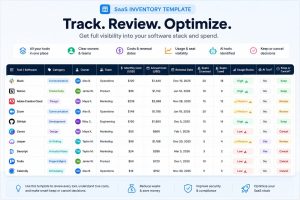
TemplateSaaS Inventory TemplateTrack tools, owners, costs, renewals, and usage.

CalculatorsBusiness CalculatorsPractical calculators for planning and decisions.

CalculatorBusiness Days CalculatorCount workdays, deadlines, and delivery windows.TRLiveToolRelief LiveSee what is new across ToolRelief.

LibraryResearch LibrarySaaS waste research, patterns, and cost intelligence.

PlaybookHidden SaaS Waste PlaybookLearn where hidden SaaS waste usually appears.

ReviewFree SaaS Waste ReviewRequest a free review of your SaaS waste signals.


HomeToolRelief HomeStart from the main ToolRelief hub.
ToolsSaaS Cost Optimization ToolsFree tools for finding and reducing SaaS waste.
AuditSaaS AuditReview your stack and identify waste signals.
FrameworkThe SystemThe ToolRelief SaaS waste detection framework.
CalculatorUnused SaaS License Cost CalculatorEstimate wasted spend from unused software seats.
TemplateSaaS Inventory TemplateTrack tools, owners, costs, renewals, and usage.
CalculatorsBusiness CalculatorsPractical calculators for planning and decisions.
CalculatorBusiness Days CalculatorCount workdays, deadlines, and delivery windows.TRLiveToolRelief LiveSee what is new across ToolRelief.
LibraryResearch LibrarySaaS waste research, patterns, and cost intelligence.
PlaybookHidden SaaS Waste PlaybookLearn where hidden SaaS waste usually appears.
ReviewFree SaaS Waste ReviewRequest a free review of your SaaS waste signals.The Productivity Illusion: Why AI Tools Are Making You Less Productive
AI tools feel productive.
You generate content faster.
You automate tasks.
You get instant results.
But speed is not productivity.
It’s output — not progress.
The Real Problem: Too Many AI Tools
Most people don’t use one AI tool.
They use:
ChatGPT
Notion AI
Copy.ai
Jasper
Midjourney
And more.
Now instead of doing work…
They manage tools.
This is a classic case of tool overload (read
> Too Many Tools? Here’s How to Simplify Your Stack)
Tool Switching Is Killing Your Focus
Every time you switch tools, your brain resets.
You have to:
remember context
adjust workflows
re-focus
This creates:
Example: A Typical Workflow Today
A simple task becomes:
research → ChatGPT
write → Notion AI
edit → Grammarly
generate visuals → AI tool
Now compare that to:
just writing
Why This Feels Efficient (But Isn’t)
AI removes effort.
But effort is how thinking happens.
Without effort:
ideas are weaker
understanding is shallow
quality drops
What people are saying online:
“I spend more time choosing tools than working”
“AI made everything faster but more confusing”
“I feel productive but nothing gets finished”
This pattern is everywhere.
The Hidden Cost Nobody Talks About
AI tools don’t just save time.
They:
increase decisions
fragment workflows
reduce clarity
And clarity = productivity
This connects directly to the hidden cost of free and unmanaged tools (see
> The Hidden Cost of Free Tools)
Why AI tools making you less productive(The Real System Problem)
Most people think AI tools are making them less productive because they are using the wrong tools.
That’s not the real problem.
The real problem is how tools are introduced into the workflow.
AI tools don’t fail because they are bad.
They fail because they are added without a system.
Every time a new AI tool enters your stack, it brings with it a new way of thinking:
– A new interface
– A new workflow
– A new expectation
– A new place where information lives
At first, this feels like progress.
You write faster.
You generate ideas instantly.
You automate tasks.
But something subtle starts happening.
Your work becomes fragmented.
Instead of working inside one system, you start jumping between multiple micro-systems.
Each tool solves a small problem.
But together, they create a bigger one.
This is what creates the illusion of productivity.
You feel busy.
You feel efficient.
But you are not actually moving forward.
Because real productivity is not about speed.
It’s about continuity.
And continuity gets destroyed when your brain has to constantly switch contexts.
This is why many people using AI tools report the same pattern:
– They produce more content, but with less clarity
– They start more tasks, but finish fewer
– They feel productive, but achieve less
This is not a tool issue.
It’s a system design issue.
Most workflows today are not designed.
They are assembled.
You start with one tool.
Then you add another.
Then you integrate a third.
Eventually, your workflow becomes a patchwork of tools that don’t fully align.
And your brain becomes the integration layer.
Instead of tools reducing cognitive load,
they increase it.
Because now you have to remember:
Where to write
Where to edit
Where to store
Where to publish
And every time you forget…
You lose momentum.
This is where the real productivity loss happens.
Not in execution.
But in friction.
And friction compounds.
A 10-second delay here.
A small confusion there.
Multiply that across a full day of work.
You don’t just lose time.
You lose flow.
And once flow is broken, deep work becomes almost impossible.
This is why adding more AI tools rarely fixes productivity.
It usually makes it worse.
Because you are adding more decisions into an already overloaded system.
And productivity is directly tied to how many decisions your brain has to make.
The best workflows are not the ones with the most tools.
They are the ones with the least decisions.
This is the shift most people miss.
They optimize for tools.
But they should be optimizing for clarity.
Because at the end of the day:
The fewer tools you think about…
The more work you actually get done.
When AI Actually Helps
AI is powerful when:
used for one clear purpose
integrated into workflow
not overused
The Smart Way to Use AI
Instead of:
“What tools should I add?”
Ask:
What tools can I remove?
What decisions can I eliminate?
What can I simplify?
A better approach is to choose tools intentionally instead of adding more (see
> How to Choose the Right AI Tool)
Related ToolRelief Resources
FAQ
Q: Are AI tools making people less productive?
In many cases, yes — due to overload and decision fatigue.
Q: Should I stop using AI tools?
No. You should simplify how you use them.
Related ToolRelief Resources
Final Thoughts
AI tools are not the problem.
Overuse is.
The goal isn’t more tools.
It’s fewer, better decisions.
Written by Waleed Al-Qasem
Founder of ToolRelief.
I write about the intersection of technology, remote work, and human productivity.
My mission is to help teams eliminate digital noise and get back to doing deep, meaningful work.
If your workflow feels heavier with AI…
You don’t need another tool.
You need less.
Explore ToolRelief to simplify your stack and regain control.