Recommended next step
AI Tools Hub
Compare AI tool decisions and ToolRelief AI resources.
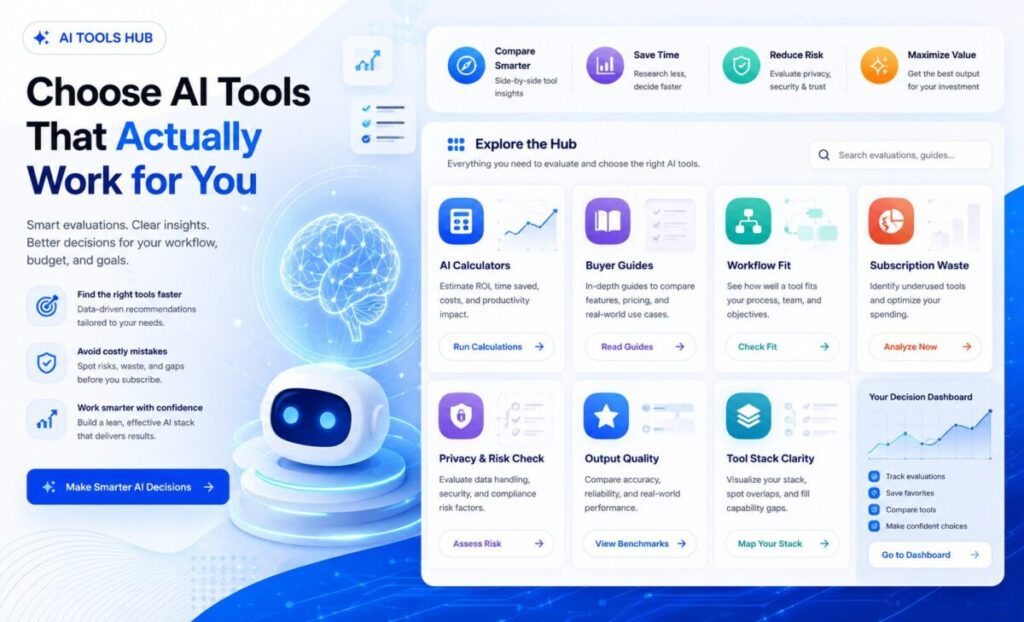
Use these ToolRelief resources to compare AI tools, reduce overlap, and choose the next step.
Recommended next step
Compare AI tool decisions and ToolRelief AI resources.
Recommended next step
Build and compare AI tool stack decisions before adding another subscription.
Recommended next step
Estimate AI subscription overlap and waste before renewing or buying more tools.
The AI tools market is crowded, fast-moving, and increasingly difficult to evaluate.
New tools promise faster writing, better research, automated workflows, stronger marketing, smarter coding, and lower operating costs.
But for small teams, creators, freelancers, and business owners, the real question is not simply which AI tool is popular.
The better question is which AI tool actually fits your workflow, budget, privacy needs, output quality standards, and long-term software stack.
This AI Tools Hub brings together ToolRelief’s AI calculators, decision frameworks, buyer guides,
and practical reviews so you can compare AI tools with more structure and less guesswork.
Use this page as your starting point before adding another AI subscription, replacing a tool, or building a more focused AI workflow.
For broader software discovery, explore ToolRelief’s Software Offer Signals, Software Trends Signals, Software Templates, and Software Checklists,ToolRelief Updates
This AI Tools Hub helps you:
A good AI tool should make work clearer, faster, or more valuable.
It should not create more confusion, more subscriptions, or more hidden work.
Before comparing dozens of tools, start with the decision itself.
Many people choose AI tools because of hype, social media, free trials, or feature lists.
That usually leads to overlap.
One tool handles writing, another handles research, another creates images, another summarizes documents, another promises agents,
and another adds automation.
The result is often a messy AI stack.
Use the AI Tools Decision Framework when you need a structured way to compare AI tools before buying, upgrading, replacing, or canceling one.
This is the best starting point if you are asking:
ToolRelief also provides practical calculators and tools for AI-related decisions.
These are useful when you do not want another generic article.
You want a decision aid.
Use the AI Search Visibility Calculator if you want to understand whether a page, brand, or website is ready for AI search discovery.
This is useful for site owners, marketers, creators, and small businesses trying to understand how content visibility may change as search behavior evolves.
Use the AI Tool Stack Builder when you want to design a more focused AI workflow instead of collecting random tools.
This is useful if you are trying to decide which tools belong in your stack and which tools are unnecessary.
Use the AI Subscription Waste Calculator when your team pays for multiple AI tools but does not know which ones are actually used.
This is useful for finding overlap, unused subscriptions, duplicated features, and quiet recurring costs.
AI tools should be evaluated like software decisions, not impulse purchases.
Before buying, ask:
A tool that looks impressive in a demo may not create value inside your actual workflow.
Different AI tools solve different problems.
The right tool depends on the job.
AI writing tools can help with outlines, drafts, summaries, editing, rewriting, and content operations.
They are useful when they improve clarity and speed.
They become risky when they create generic content, weak judgment, or too much review work.
Use AI writing tools carefully if the final output affects trust, expertise, sales, legal claims, health claims, or financial decisions.
AI marketing tools can help with campaigns, ad copy, content planning, customer research, social posts, email drafts, and landing page ideas.
They are useful when paired with clear positioning and real customer insight.
They are weaker when used to mass-produce generic content.
For marketing use cases, review Best AI Tools for Marketing to compare where AI can help and where human strategy still matters.
AI project management tools can help summarize tasks, organize notes, identify blockers, create timelines, and reduce coordination work.
They are useful when teams already have clear workflows.
They are less useful when the workflow itself is confused.
For operations and team workflows, review Best AI Tools for Project Management before adding another productivity platform.
AI research tools can help summarize documents, compare sources, extract patterns, and organize findings.
They are useful when the user still verifies sources and conclusions.
They become risky when people treat generated summaries as final evidence.
AI automation tools can connect tasks, trigger workflows, classify inputs, draft responses, or move data between systems.
They are powerful, but they can also create hidden failure points.
If your workflow depends on AI automation, review your process carefully so you do not create fragile systems that nobody understands.
AI coding tools can speed up development, generate boilerplate, explain errors, and help with debugging.
They can also introduce mistakes, security issues, database risks, or code nobody reviews properly.
For higher-risk technical workflows, AI output should be reviewed before it touches production systems, customer data, payments, or databases.
You may have too many AI tools if:
Use Best Way to Manage Multiple AI Tools if your stack already feels scattered.
You can also review AI Tools Making You Less Productive if AI is creating more noise than value.
Score each area from 0 to 5.
| Area | Question | Score |
|---|---|---|
| Workflow Fit | Does the AI tool solve a real recurring task? | 0–5 |
| Usage | Will the tool be used often enough to justify cost? | 0–5 |
| Output Quality | Does the output reduce work instead of creating review burden? | 0–5 |
| Privacy | Is data exposure understood and acceptable? | 0–5 |
| Cost | Is the monthly or annual price justified? | 0–5 |
| Overlap | Does it avoid duplicating tools already in use? | 0–5 |
| Ownership | Does someone own the tool and review it? | 0–5 |
| Integration | Does it fit the existing workflow and software stack? | 0–5 |
| Risk | Are mistakes, hallucinations, and misuse controlled? | 0–5 |
| Exit Path | Can the team stop using it without disruption? | 0–5 |
Maximum score: 50
The tool may be interesting, but it does not yet have a clear role, owner, workflow, or business case.
The tool may be useful, but review overlap, privacy, cost, and actual usage before committing.
The tool appears useful and may fit your workflow if risks and ownership are clear.
The tool has a clear job, strong usage case, acceptable risk, and measurable value.
Small teams do not need every AI tool.
They need a focused stack.
A practical AI stack may include:
The exact stack depends on the business model.
A freelancer, student, creator, SaaS team, agency, local business, and ecommerce brand will not need the same AI setup.
The goal is not to collect tools.
The goal is to build a stack that supports real work.
Before using an AI tool, ask:
For security-heavy workflows, use the Cybersecurity Tool Stack Checklist to review AI tools alongside the rest of your software stack.
AI subscriptions can quietly become a new software cost problem.
A team may start with one AI assistant, then add writing tools, image tools, research tools, coding tools, automation tools, meeting tools,
and browser extensions.
Each tool may look affordable alone.
Together, they can create meaningful recurring cost.
Use SaaS Cost Optimization Tools when reviewing AI subscriptions as part of your broader software spend.
Use the AI Subscription Waste Calculator if you suspect your team is paying for AI tools that are duplicated, underused, or poorly owned.
Use this workflow before buying another AI tool:
Use this path if you are not sure where to start.
If you are choosing a new AI tool
Start with the AI Tools Decision Framework.
If you are building a tool stack
Use the AI Tool Stack Builder.
If you are worried about wasted subscriptions
Use the AI Subscription Waste Calculator.
If you care about AI search discovery
Use the AI Search Visibility Calculator.
If you are reviewing broader software cost
Use SaaS Cost Optimization Tools.
If privacy or access is a concern
Use the Cybersecurity Tool Stack Checklist.
ToolRelief treats AI tool updates, pricing changes, product launches, buyer confusion, workflow risks, and subscription overlap as signals.
Those signals can become:
That is part of The ToolRelief System: turning tool and market signals into practical decision support.
AI tools can improve speed, creativity, research, and automation. They can also create cost, overlap, privacy risk, and workflow confusion.
ToolRelief helps users compare tools, reduce waste, review software decisions, and choose better next steps before adding another subscription.
Request a review through Contact ToolRelief if you want help thinking through your AI tools, software stack, or workflow decisions.
What is the AI Tools Hub?
The AI Tools Hub is ToolRelief’s central page for AI tool decision support, including calculators, buyer guides, workflow frameworks,
subscription waste tools, and practical AI software reviews.
Who is this AI Tools Hub for?
This hub is for small teams, creators, freelancers, students, marketers, operators, founders,
and business owners who want to compare AI tools without adding unnecessary subscriptions.
How do I choose the right AI tool?
Start by defining the job, user, workflow, cost, privacy risk, output quality, and whether the tool replaces or duplicates something you already use.
Are AI tools worth paying for?
AI tools are worth paying for when they solve a recurring problem, produce useful output, fit your workflow, reduce work, and justify the ongoing cost.
Can too many AI tools reduce productivity?
Yes. Too many AI tools can create overlap, switching costs, review burden, inconsistent outputs, privacy risk, and recurring subscription waste.
What is the best AI tool for small teams?
There is no single best AI tool for every small team.
The best choice depends on workflow, budget, data sensitivity, team size, and the type of work being automated or improved.
How often should AI tools be reviewed?
Review AI tools at least quarterly, and always before renewal, team expansion, major workflow changes,
or when adding new tools with access to sensitive data.
Should AI tools be reviewed for privacy?
Yes. AI tools should be reviewed for data handling, storage, training policies, admin controls, integrations, account access, and vendor transparency.
How does ToolRelief compare AI tools?
ToolRelief compares AI tools by workflow fit, cost, privacy risk, output quality, overlap, ownership, integration, and practical business value.
What should I do before adding another AI subscription?
Check whether your current tools already solve the problem, review usage, compare cost, assess privacy risk, and decide who will own the tool.

ToolRelief uses essential technologies to operate this website. With your permission, we also use analytics, embedded media, and other optional technologies to understand usage, improve content, and measure performance. Choose Accept all, Reject optional, or Manage preferences. You can change your choice at any time.